
Introduction
Teams are using cloud platforms more than ever to run automation workflows. When a browser script works on a laptop but behaves differently in the cloud, it can slow things down and create extra work. In this article, you will learn how BrowserQL helps solve that problem. BrowserQL is one of the Browserless APIs that lets you run browser actions via simple API calls without installing or managing a browser yourself. You can trigger navigation, form actions, or content extraction from serverless functions, containers, no-code tools, or AI-driven agents while keeping the browser environment consistent across platforms.
The Cloud Limitation: When Scripts Stop Scaling
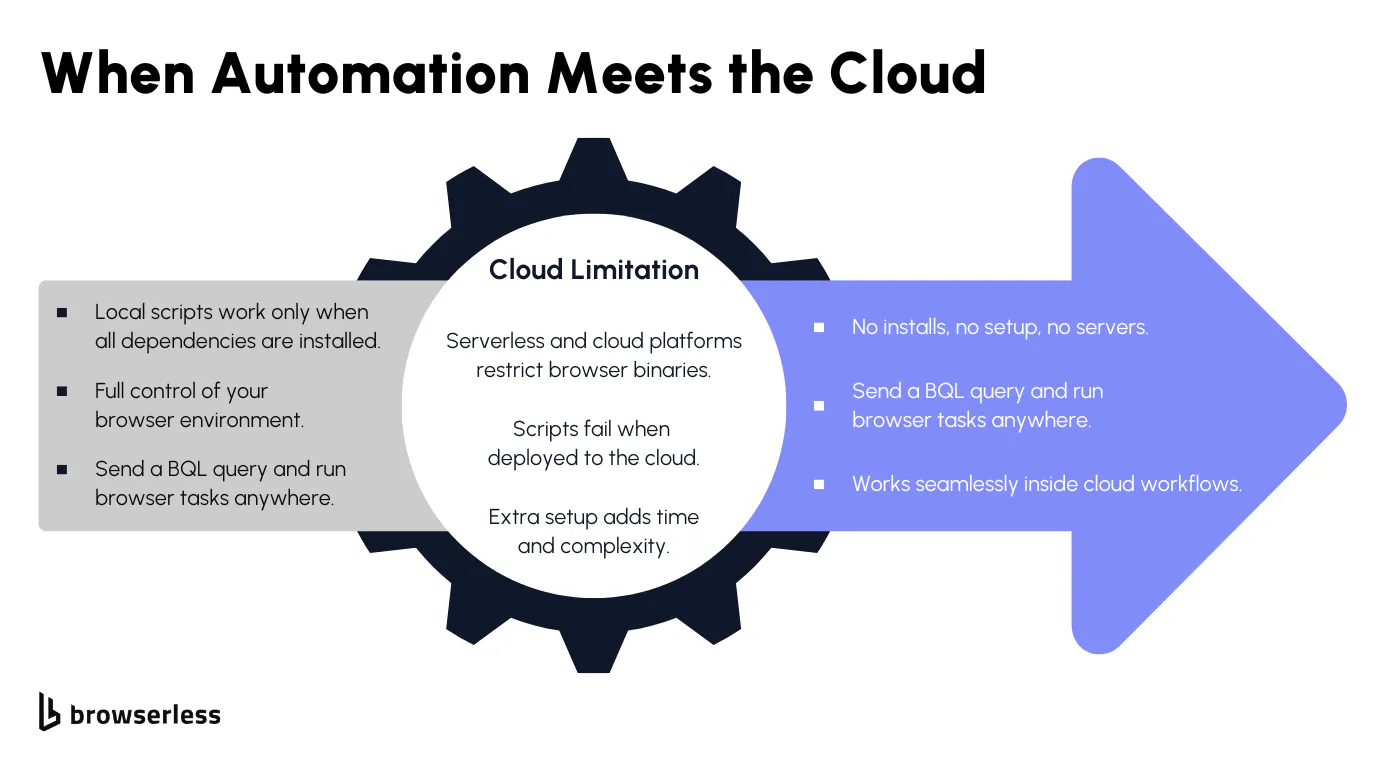
Why Browser Automation Can Be Difficult in Cloud Environments
Cloud platforms and serverless functions limit how long tasks can run and what software can be installed. A full browser usually needs more time and system access than these environments allow. This is why a script that works during local testing often fails once deployed.
When a browser cannot run directly in the cloud, teams need a remote way to trigger browser actions through HTTP connections. Without this, workflows stay tied to a single machine. That makes it harder to move them into production or scale them across different systems.
Different environments also create small but significant changes in behavior. A script might rely on a local browser version, specific system files, or timing that does not match what the cloud provides. These differences cause scripts to break in unpredictable ways. Teams then spend time debugging problems that only appear after deployment.
The Cost of Workarounds
Teams try to bridge these gaps by creating custom containers, installing browsers manually, or adjusting runtimes to force the environment to behave the way they need. These fixes might work for a time. They also add more steps, increasing the chances of something breaking.
Each workaround increases the effort needed to keep automation stable. A minor update to the cloud platform, a new Chrome release, or a change in dependencies can require more patches. Over time, this becomes ongoing maintenance that slows development and erodes confidence in the automation.
What is missing is a steady way to run browser tasks that does not depend on what each environment can install. When browser automation runs consistently everywhere, teams avoid repeat fixes and can focus on building workflows rather than repairing them.
The BrowserQL Approach: Automation That Fits the Cloud
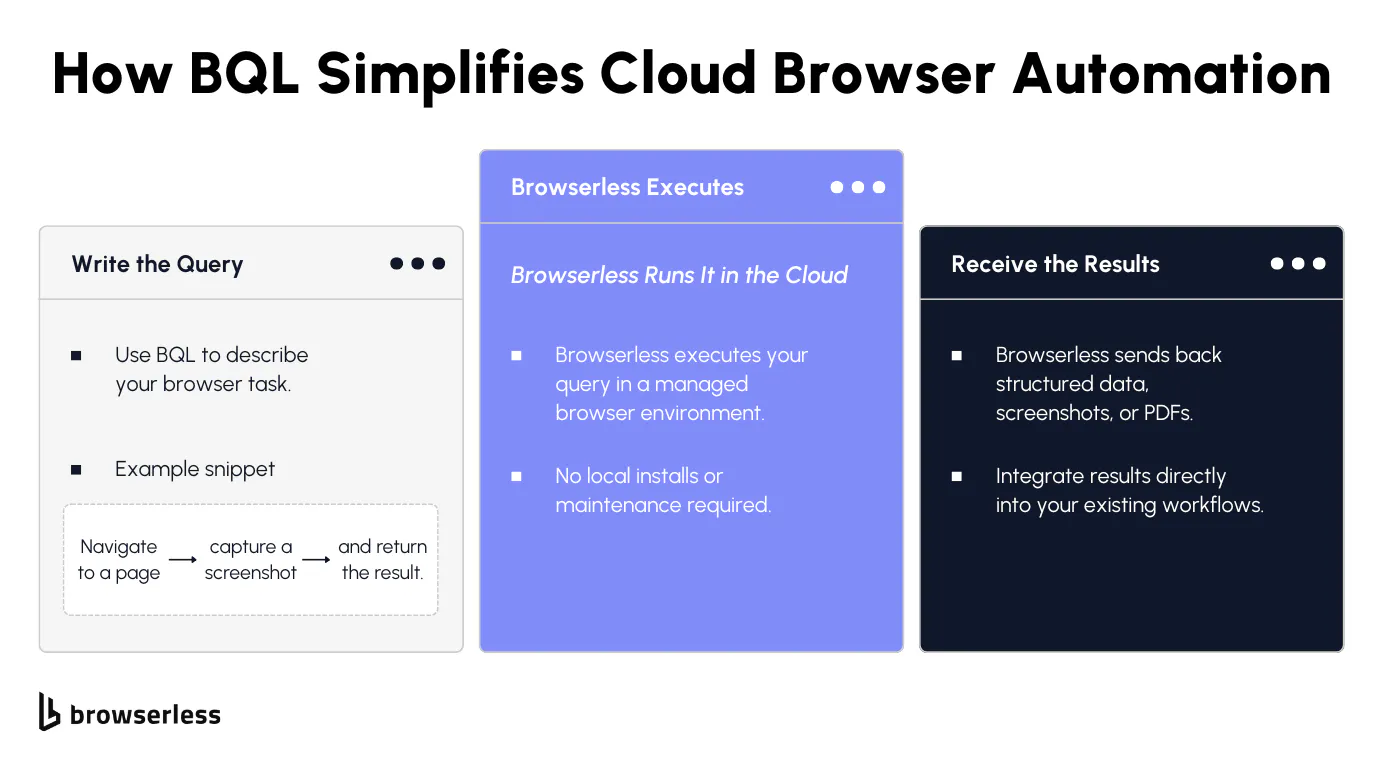
Simplifying Browser Tasks Through Queries
BrowserQL gives you a clear, structured way to describe browser actions using a GraphQL-style format. Instead of writing and running automation code on your own machine, you send a query to the /chrome/bql endpoint that lists the steps you want to perform, such as loading a page, filling a form, extracting content, or capturing a screenshot. The request is simple, and the instructions are easy to read and modify as your workflow grows.
Once the query is sent, Browserless handles all the work on its managed Chrome infrastructure. The service performs each step in the order you specify and returns the results in a clean response. This allows you to run a sequence of browser actions in a single API call, without dealing with local browser setups or runtime differences.
A Cloud-Ready Model
BrowserQL runs entirely over HTTPS, making it compatible with cloud platforms, serverless functions, and automation tools that only support HTTP requests. This means you can use it inside workflow builders, no-code systems, CI pipelines, or any environment that can make an HTTP POST request.
Because the browser never runs in your environment, you avoid managing binaries, versions, or system dependencies. You still get full browser automation, but without the overhead that makes traditional browser scripting difficult to scale in the cloud.
Real-World Cloud Workflows with BrowserQL
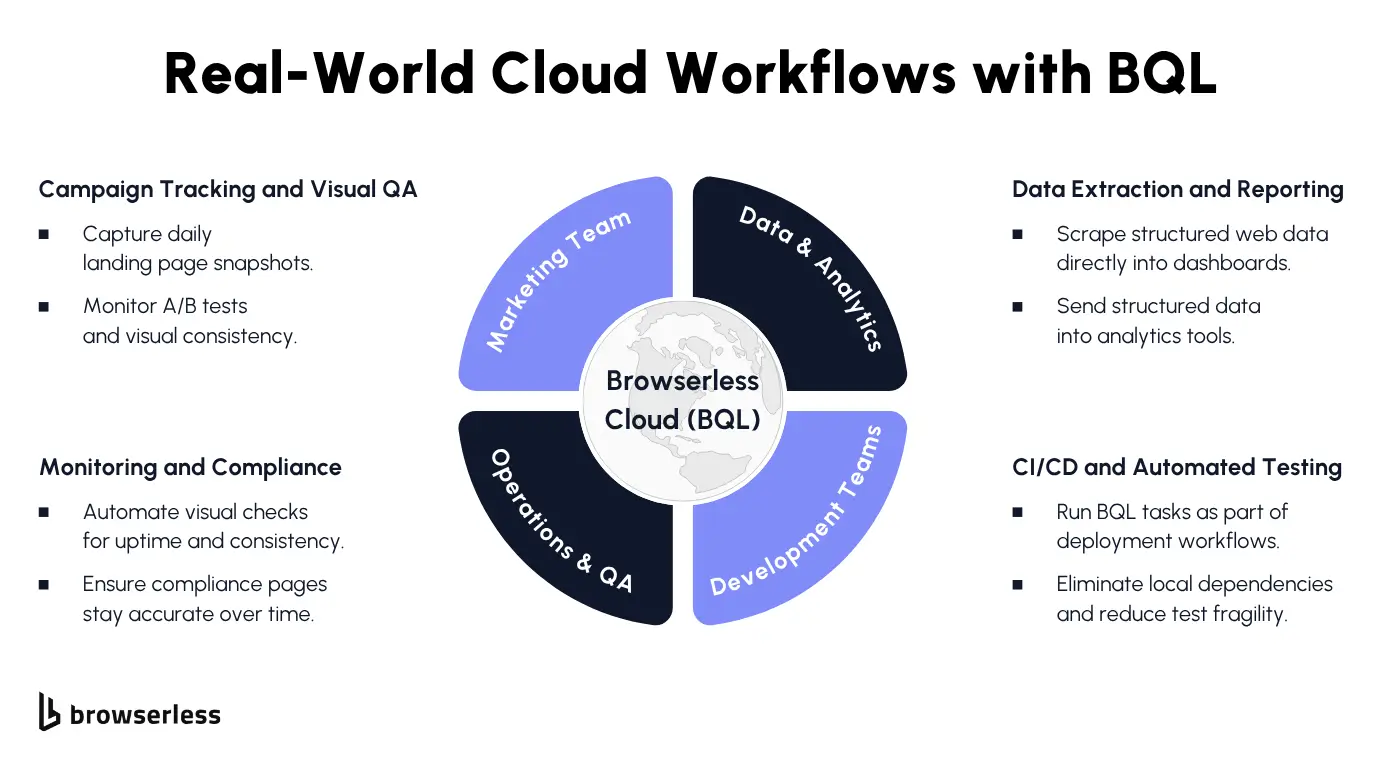
Marketing and Content Operations
Teams in marketing can use BrowserQL to capture snapshots of websites or landing pages on a regular schedule. These captures help track updates, monitor campaigns, and keep records without requiring anyone to open a browser manually. Everything runs through a simple API request, which makes automating these tasks straightforward.
It is also easy to generate PDFs or screenshots and send them directly to tools like Slack, Make.com, or n8n. Because the workflow requires only an HTTP request, it fits cleanly into systems marketers already use for reporting and content reviews.
Data and Analytics Teams
BrowserQL lets data teams extract page content or structured information and send it straight into dashboards or pipelines. This avoids relying on custom scraping setups that need constant tuning and updates. Instead, the extraction runs in a clean and predictable environment each time.
Since Browserless manages the browser, teams do not need to maintain their own scraping infrastructure. They can focus on working with the data rather than troubleshooting browser issues or worrying about environment differences.
Technical and Operations Teams
Engineering and operations groups can run browser checks as part of their CI/CD pipelines. These checks help verify that pages load correctly, that forms still work, and that content appears as expected before changes reach production. Everything runs through simple API calls that match the requirements of most CI platforms.
Cloud workflows that only allow HTTP requests can still trigger full browser actions through BrowserQL. It also works well with AI agent frameworks that support HTTP requests and integrate with Browserless via REST APIs or WebSocket connections, giving teams a flexible way to automate browser tasks across different systems.
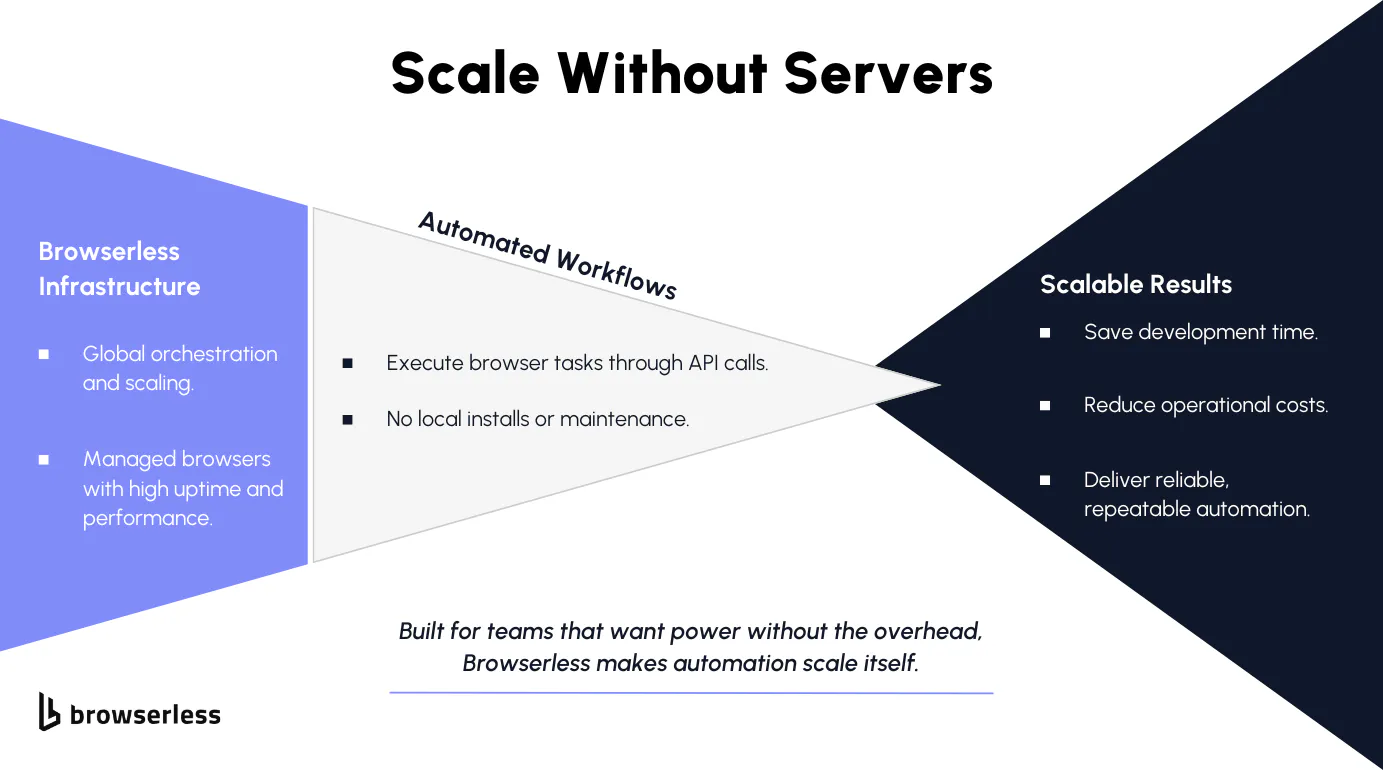
Infrastructure You Don’t Have to Manage
Browserless hosts and manages Chrome for you, which means you no longer need to track browser versions, handle updates, or worry about how the browser behaves under different loads.
Everything runs in a stable environment that remains consistent across all requests. This consistency helps avoid the surprises that often occur when automation depends on whatever is installed locally.
Because the browser runs on managed infrastructure, your workflows are not tied to a single machine or setup. Each request uses a clean browser context, helping keep results consistent regardless of where the automation is triggered.
Designed for Growth and Efficiency
Browserless removes the overhead of running local browser instances. You do not have to spend time dealing with crashes, memory issues, or configuration problems. Instead, you can focus on the logic of your workflow and trust that the browser will behave the same way every time.
For teams running automation in cloud environments, this steady remote execution helps reduce friction. You get a reliable way to run browser tasks, even as your workflows expand or shift across different platforms.
Conclusion
Browser automation can deliver significant value, but it becomes difficult to manage when local setups do not align with what cloud environments support. BrowserQL offers a clear, API-driven way to run browser workflows without relying on local runtimes, making it easier to keep automation stable and repeatable across different platforms. With Browserless handling the browser infrastructure, teams get a dependable foundation for cloud-ready automation. Sign up for a free trial and see how much smoother your workflows can become.
FAQs
What does BrowserQL help with when running automation in the cloud?
BrowserQL lets you run browser tasks without installing a browser in the cloud. Cloud platforms often block or limit full browsers, so BrowserQL handles everything through an API request. This makes automation work the same everywhere.
Why do browser scripts sometimes work on my laptop but fail after deployment?
Local machines and cloud platforms behave differently. The cloud may limit run time, memory, or available software. A script that depends on your local browser setup may break when those conditions change. BrowserQL avoids this by running the browser in a managed environment that is always consistent.
How does BrowserQL make automation easier for developers?
You send a simple HTTPS request that describes the steps you want the browser to take. Browserless runs those steps for you and sends back the results. There is no need to install Chrome, update anything, or manage system settings.
Who benefits most from using BrowserQL?
Marketing teams use it for screenshots and website snapshots. Data teams use it to pull content or structured information. Engineering teams use it for CI/CD checks or cloud workflows. Anyone who needs browser actions without running a real browser themselves benefits from it.
How does Browserless improve reliability?
Browserless manages Chrome versions and runs each request in a clean environment. This reduces issues related to browser setup and version differences. Automation becomes more dependable and requires far less maintenance.