
TL;DR
- An Indeed scraper pulls job titles, companies, locations, salaries, and descriptions off Indeed's search and job-detail pages so you can analyze them at scale.
- A plain Python script with
requestsand BeautifulSoup shows you the parsing logic in a few minutes, but Indeed's Cloudflare challenge often blocks it on the first request – treat it as a starting point, not a production scraper. - That same script has a habit of breaking once you scrape more than a handful of pages: Indeed rate-limits repeat requests and renders some fields with JavaScript.
- Browserless gives you three ways over that wall – the REST API, your existing Puppeteer/Playwright code pointed at a managed browser, or the Browser Automation Protocol.
Introduction
Indeed lists millions of jobs across nearly every industry, making it one of the richest public sources of hiring data anywhere on the web. Recruiters use it to benchmark salaries, analysts use it to track hiring trends by role and region, and job seekers use it to find openings.
An Indeed scraper turns that browsing activity into structured data you can filter, chart, analyze, or feed into another tool.
However, Indeed intentionally makes this difficult. CAPTCHAs, dynamic content that only appears after JavaScript runs, rate limits on repeat requests, and Cloudflare all stand between you and a clean dataset.
This guide covers how to scrape Indeed using a Python scraper you can run today for a quick pull, and the point where you'll want managed browser infrastructure like Browserless to keep it running at scale.
Common Indeed scraper use cases
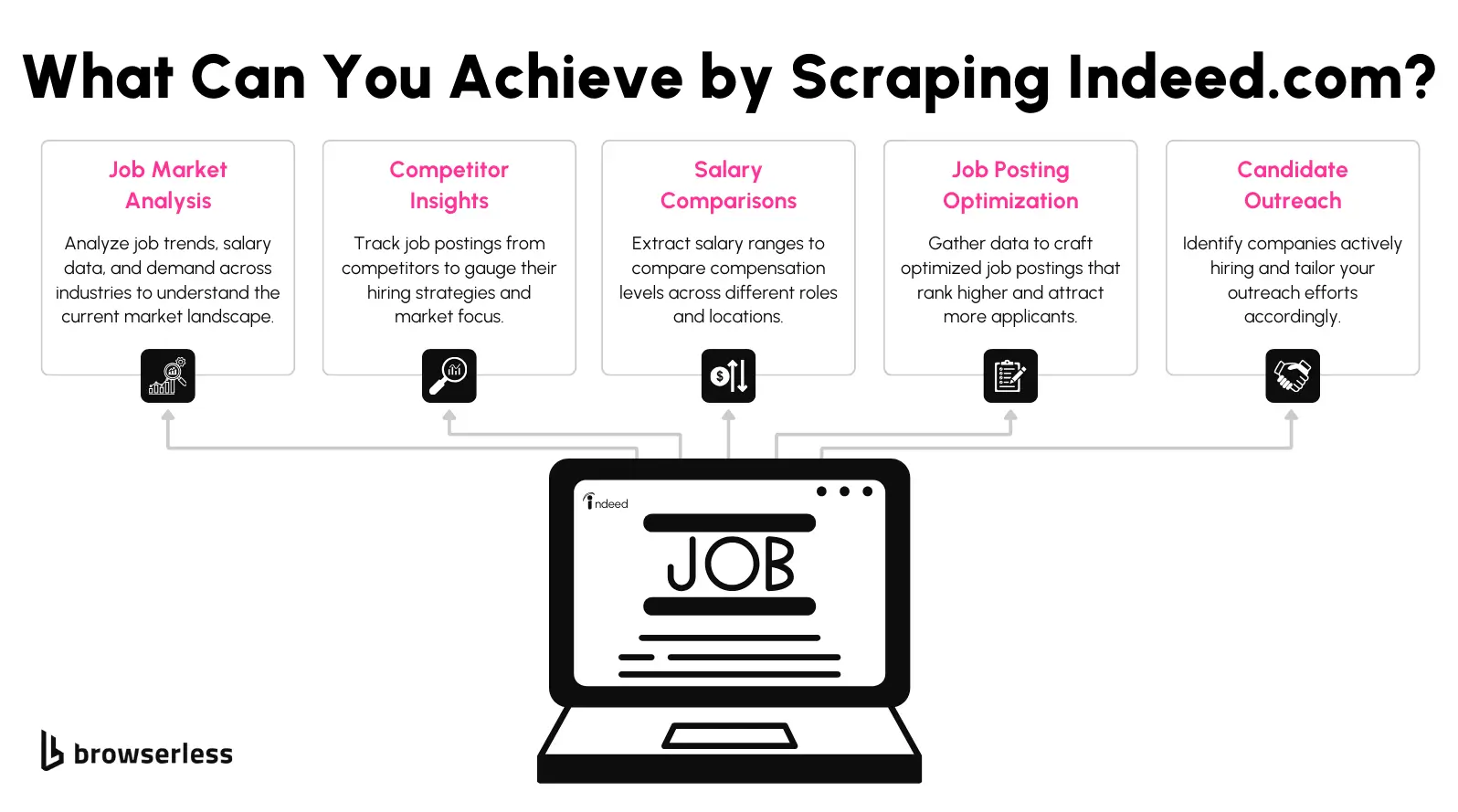
Job market data supports a wide range of projects, from one-off research to production pipelines that refresh daily. A few of the most common reasons you'll need an Indeed job scraper are:
- Job market analysis – Track hiring trends, in-demand skills, and how job postings shift by industry or region over time.
- Competitor insights – See which roles a competitor is actively hiring for, and how their job descriptions compare to yours.
- Salary benchmarking – Pull salary ranges across similar roles and locations to check whether your own offers are competitive.
- Candidate outreach – Identify companies that are actively hiring so your outreach lands at the right time.
- Job posting optimization – See what similar postings emphasize, so your own listings attract more qualified applicants.
What you can scrape from Indeed
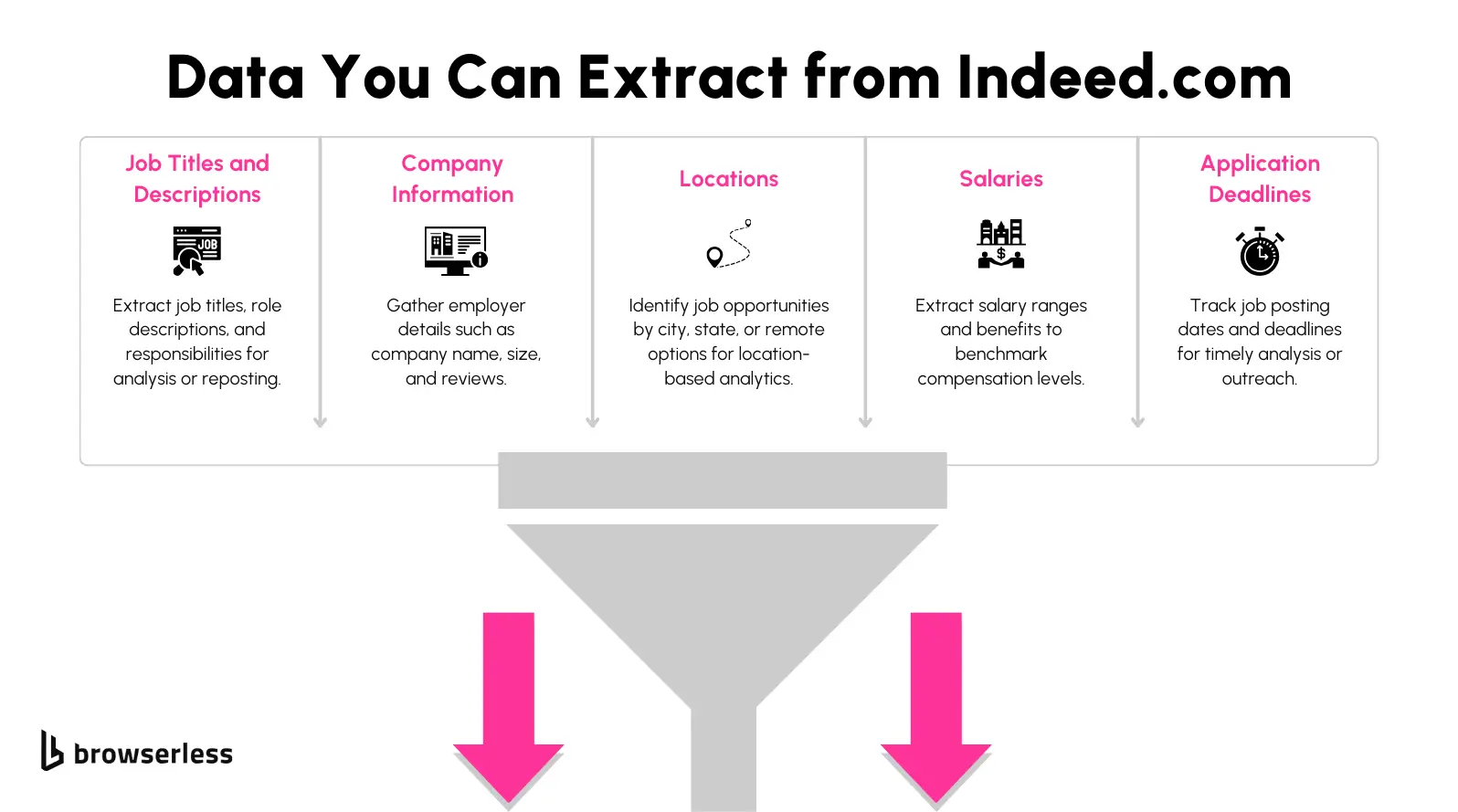
Before writing any code, it helps to know what's actually on the page and where to find it. Indeed's web scraping surface splits into two page types, each with a different shape.
Search results pages
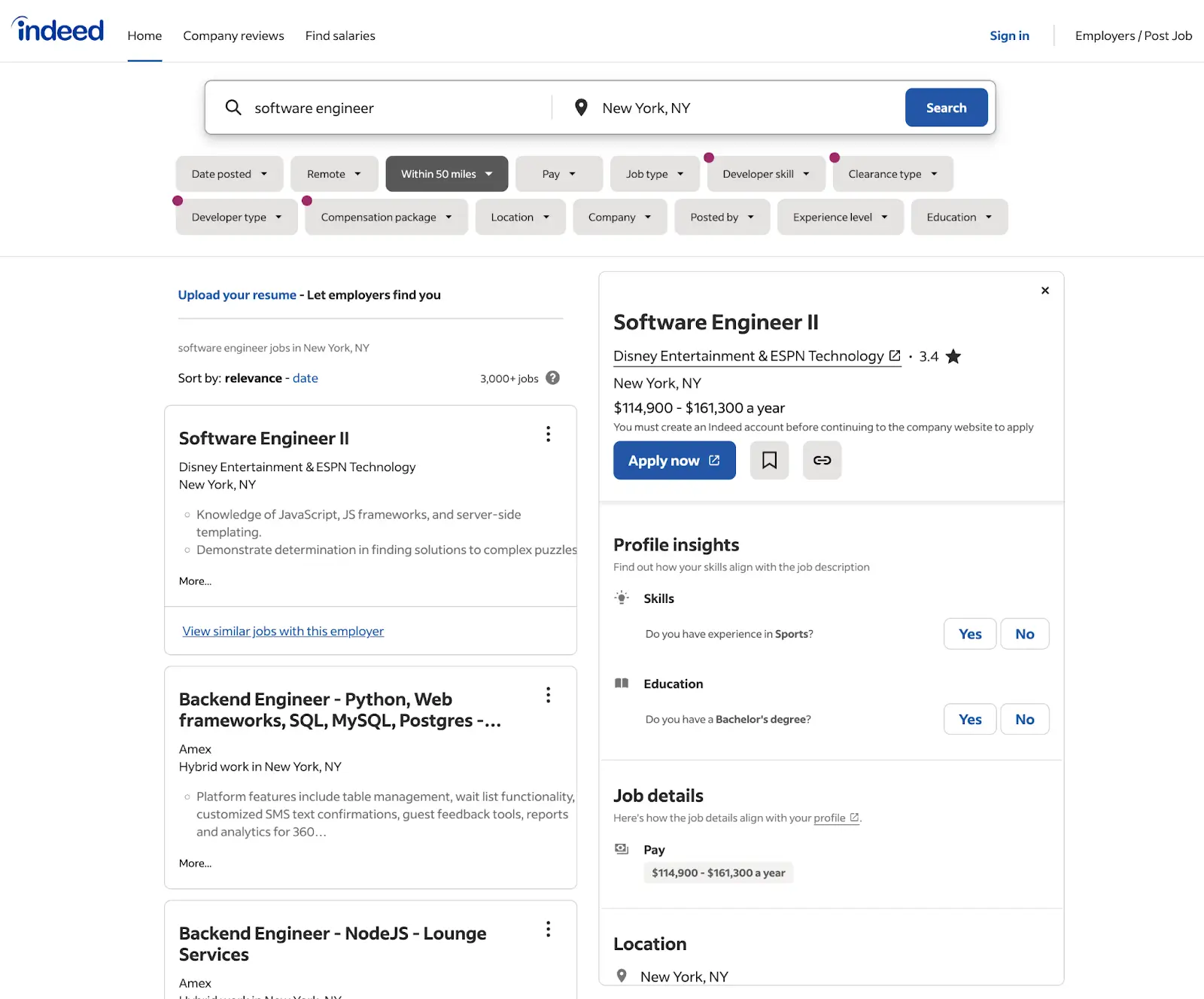
A search results page (a URL like indeed.com/jobs?q=python+developer&l=Austin%2C+TX) lists roughly 15 postings per page, each with a job title, company name, location, and, when the employer includes it, a salary range and posting date.
This page is normally the first one you scrape, as it gives you the list of job links you'll visit next.
Job detail pages
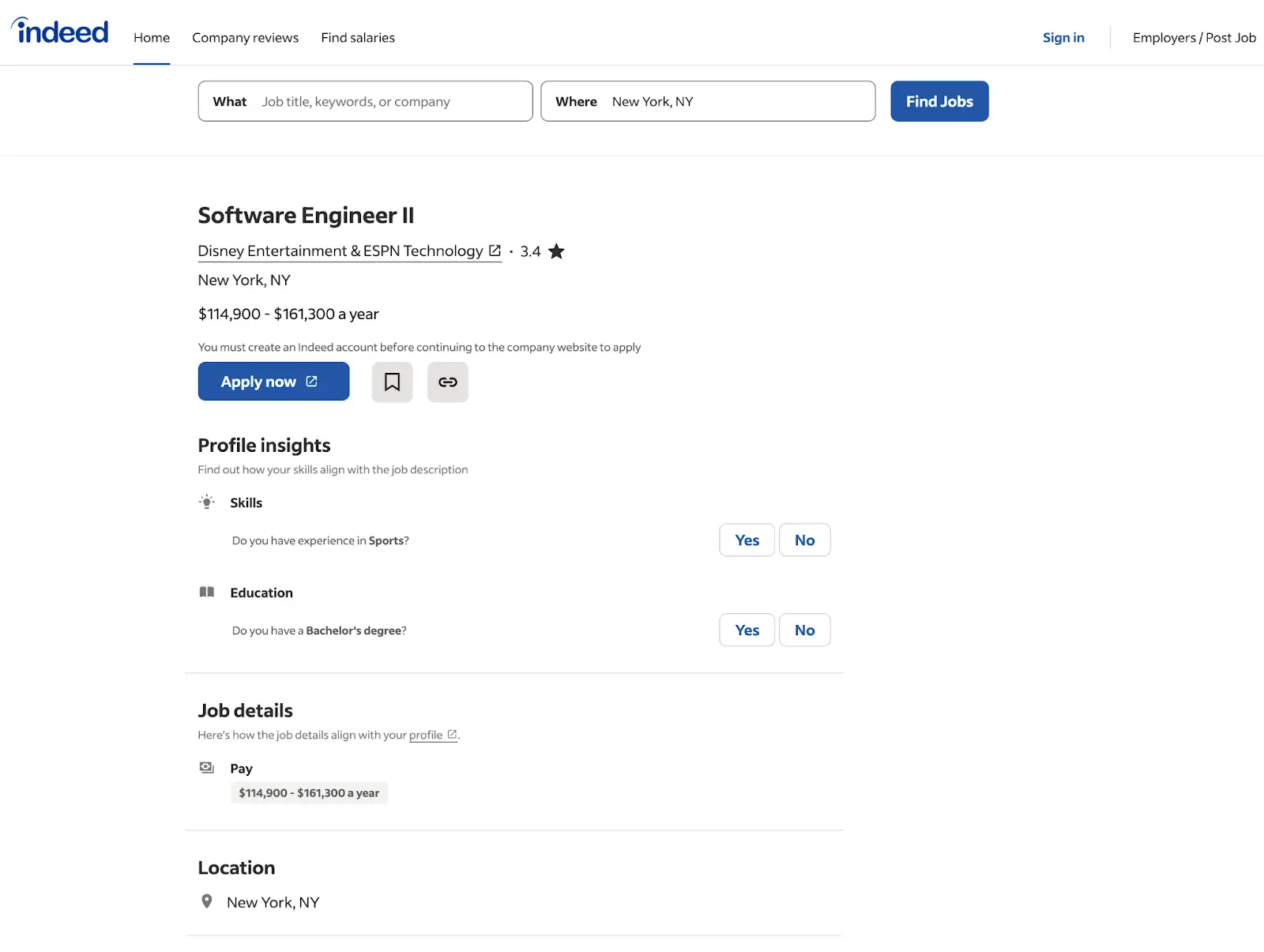
A job detail page carries a lot of what the search results page leaves out: the full job description, listed qualifications, application instructions, and sometimes a named recruiter or hiring manager.
You reach one by following the link on a search result, and it's usually where you'll find the fields worth scraping in depth.
Between the two page types, you can put together a fairly complete picture of a listing: job title, company name, location, job type, salary range where the employer discloses one, posting date, and the full description text.
Most scraping projects only need a handful of these fields, so decide what you're actually going to use before you start pulling everything off a page.
Scrape Indeed with Python
If you just need a quick pull of a few dozen listings, using a Python script is the fastest way to achieve your job data collection goals. You'll need two libraries: requests to fetch the page, and BeautifulSoup to parse the HTML it returns.
Our full guide to Python web scrapers covers the wider tooling landscape if you want the bigger picture; below, you'll find the version scoped to Indeed.
Install the libraries
pip install requests beautifulsoup4
Scrape a search results page
Indeed search URLs follow a predictable pattern: indeed.com/jobs?q={job+title}&l={city}%2C+{state}.
Build one of those URLs, fetch it, then hand the response to BeautifulSoup:
import requests
from bs4 import BeautifulSoup

HEADERS = {
    "User-Agent": (
        "Mozilla/5.0 (Windows NT 10.0; Win64; x64) AppleWebKit/537.36 "
        "(KHTML, like Gecko) Chrome/128.0.0.0 Safari/537.36"
    ),
    "Accept-Language": "en-US,en;q=0.9",
}


def parse_cards(soup):
    jobs = []
    for card in soup.select("div.job_seen_beacon"):
        title_tag = card.select_one(".jobTitle a span")
        link_tag = card.select_one(".jobTitle a")
        company_tag = card.select_one('[data-testid="company-name"]')
        location_tag = card.select_one('[data-testid="text-location"]')
        salary_tag = card.select_one(".salary-snippet-container")
        jobs.append({
            "title": title_tag.get_text(strip=True) if title_tag else None,
            "url": f"https://www.indeed.com/viewjob?jk={link_tag['data-jk']}" if link_tag else None,
            "company": company_tag.get_text(strip=True) if company_tag else None,
            "location": location_tag.get_text(strip=True) if location_tag else None,
            "salary": salary_tag.get_text(strip=True) if salary_tag else None,
        })
    return jobs


def scrape_search_page(query, location):
    url = f"https://www.indeed.com/jobs?q={query}&l={location}"
    response = requests.get(url, headers=HEADERS, timeout=30)
    soup = BeautifulSoup(response.text, "html.parser")
    return parse_cards(soup)


if __name__ == "__main__":
    results = scrape_search_page("python+developer", "Austin%2C+TX")
    print(f"Found {len(results)} listings")
    for job in results[:5]:
        print(job)
Run this, and there's a good chance you'll see Found 0 listings with a 403 – Indeed's Cloudflare challenge fires on many first requests. Print response.status_code and the page <title>; if it says Security Check - Indeed.com, you've hit the wall covered in the next section.
Indeed also changes its markup periodically, so treat the selectors as a starting point rather than a guarantee.
Open a real search results page in your browser's dev tools, confirm the current class names and data-testid attributes, and adjust the script before running it at any real volume.
Once you have the job listing data flowing, the same fetch-then-parse pattern from our BeautifulSoup guide can be applied to job detail pages as well: grab the link from each search result, request it the same way, and pull the full description, qualifications, and application instructions out of the response.
Paginate through more results
A single search page only gets you around 15 listings. Indeed paginates results through a start parameter, in steps of 10, so looping over pages and pacing your requests gets you the rest.
Because pages show around 15 results while start steps by 10, consecutive pages overlap – dedupe on the job URL before you save.
import time

# Continues the search-page example above: same requests, BeautifulSoup, HEADERS, and parse_cards.

def scrape_all_pages(query, location, max_pages=5):
    seen = {}
    for page in range(max_pages):
        start = page * 10
        url = f"https://www.indeed.com/jobs?q={query}&l={location}&start={start}"
        response = requests.get(url, headers=HEADERS, timeout=30)
        if response.status_code != 200:
            print(f"Stopped at page {page}: HTTP {response.status_code} (likely a Cloudflare challenge)")
            break
        soup = BeautifulSoup(response.text, "html.parser")
        jobs = parse_cards(soup)
        if not jobs:
            break
        for job in jobs:
            seen.setdefault(job["url"], job)
        time.sleep(2)
    return list(seen.values())
The time.sleep(2) between requests keeps you under Indeed's rate-limit threshold, but it doesn't help with the first obstacle you'll likely hit: in our test runs, the very first page came back as HTTP 403 with a Cloudflare Security Check page, so the loop stopped with zero results. Spacing requests out only matters once you're getting real HTML back, which is what the next two sections solve.
Why a plain Python scraper hits a wall at scale
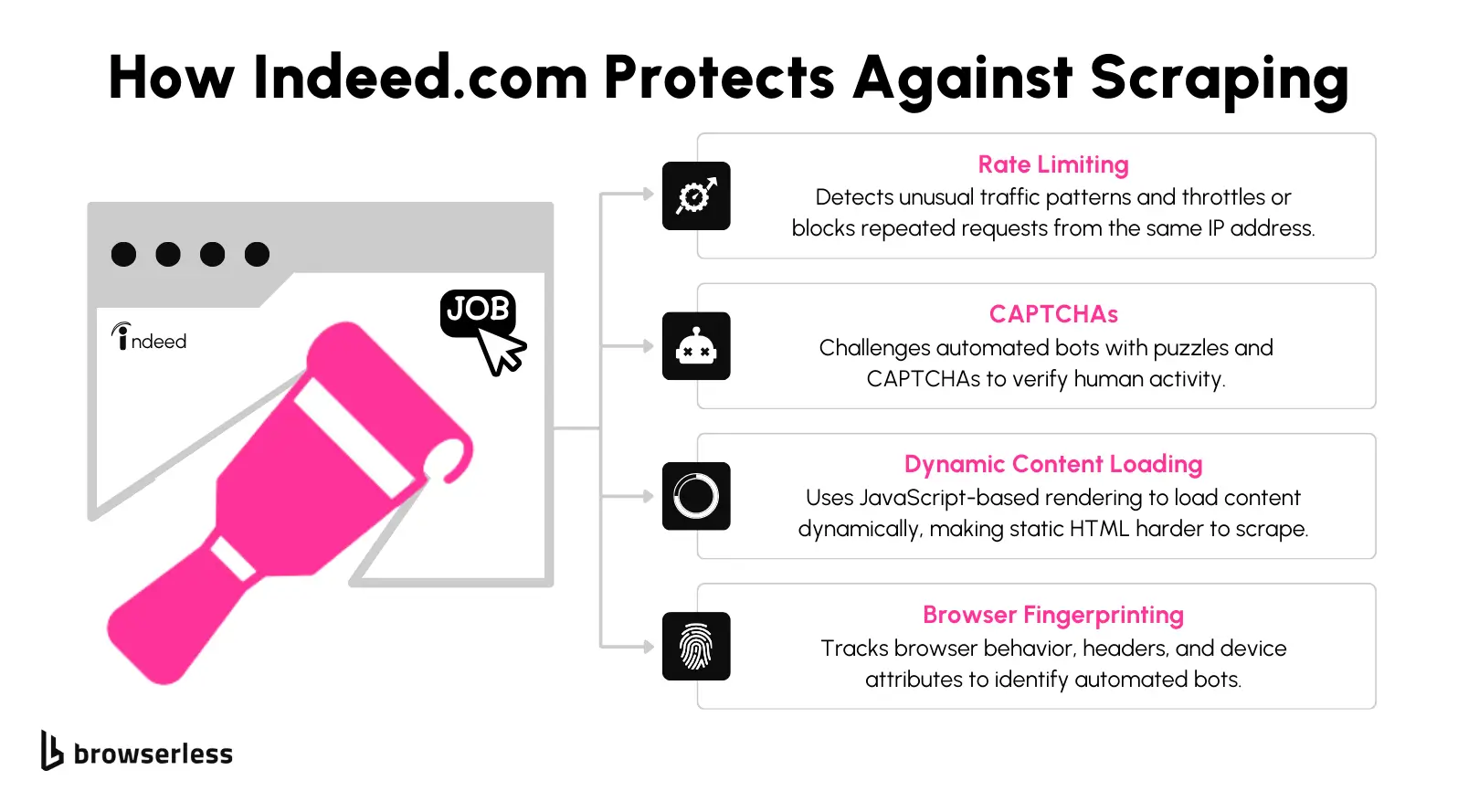
The script above works when Indeed decides your request looks human – and on many runs it won't, even for a single page. Here's what's standing in the way:
- Cloudflare challenges and CAPTCHAs. Indeed sits behind Cloudflare and serves a Security Check page or a CAPTCHA to traffic it doesn't trust, and a plain
requestscall has no way to solve either. - Rate limits and IP monitoring. Send too many requests too quickly from one IP address, and Indeed will temporarily or permanently block it. Getting around this usually means rotating proxies and spacing out requests, neither of which a basic script does on its own.
- JavaScript-rendered content. Some fields, salary estimates especially, load after the initial HTML response through client-side JavaScript. A plain HTTP client only ever sees the page before that code runs, so those fields come back empty.
- Browser fingerprinting. Beyond CAPTCHAs, Indeed can look at user-agent strings, screen resolution, and other browser attributes to flag traffic that doesn't look like a real user, no matter how correct your HTML parsing is.
Even a real browser isn't enough on its own: in our tests, a hosted Chrome instance on a datacenter IP got the same Blocked page. Getting past Indeed takes a real browser, a residential IP, and a stealth fingerprint – which is what the Browserless options below give you.
Scrape Indeed with Browserless
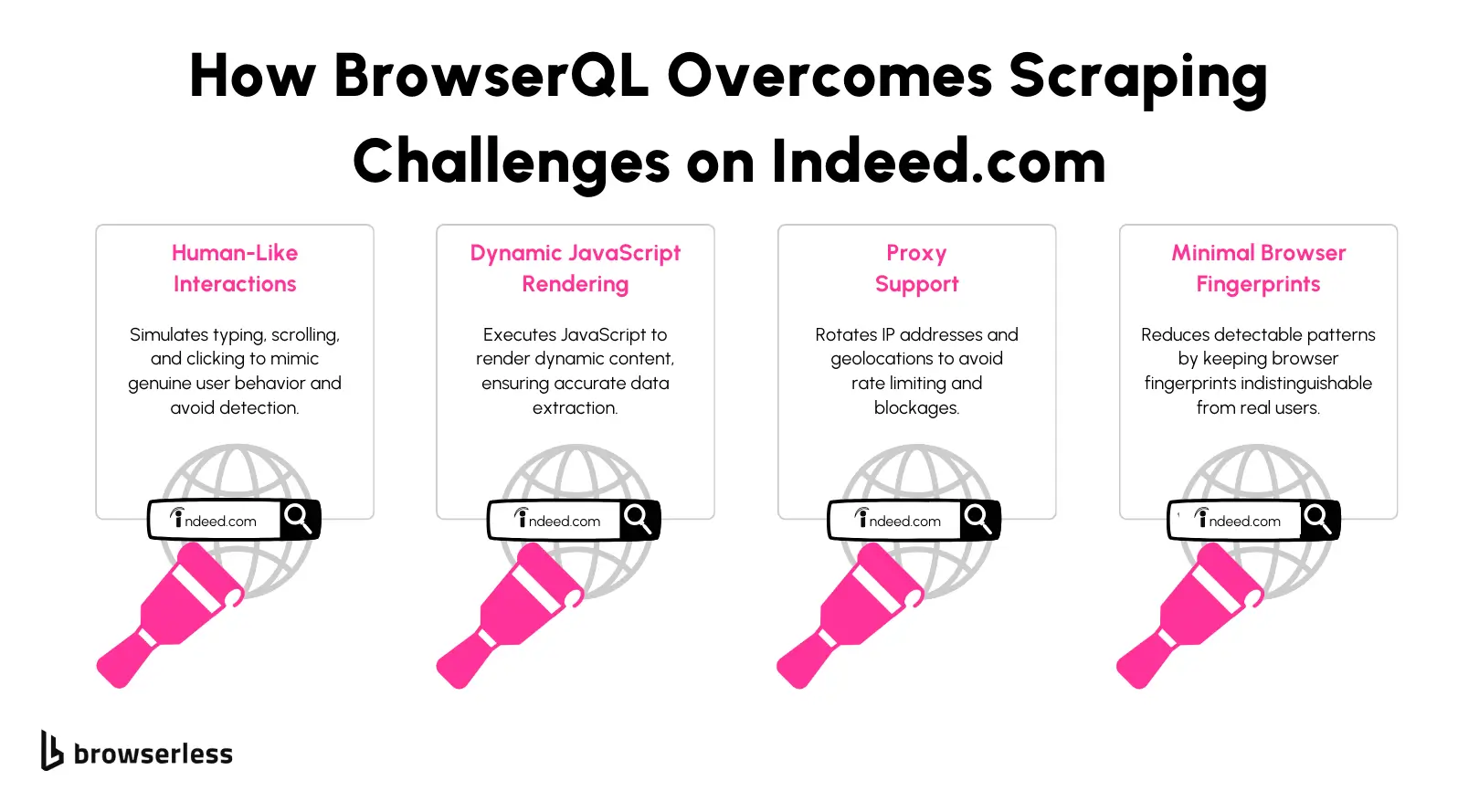
Browserless runs the browser for you, so you're not the one solving CAPTCHAs, rotating proxies, or keeping a headless Chrome instance patched and scaled. It gives you three ways in, depending on how much control you need.
Whichever you pick, route the request through Browserless's residential proxies (proxy=residential&proxyCountry=us) – Indeed blocks datacenter IPs regardless of how real the browser is.
Browserless REST API
The simplest option if you're already comfortable with requests: Browserless's REST API gives you a ready-made Indeed scraper API, no WebSocket connection or browser library required.
For most sites, the /content API renders the page in a real browser and returns the finished HTML. Indeed blocks that plain render, so use the /unblock API with a residential proxy instead: it clears the Cloudflare challenge for you and returns JSON with the rendered HTML in its content field. Swap your direct call to Indeed for a call to that endpoint, and your parse_cards function from earlier doesn't change at all.
import requests
from bs4 import BeautifulSoup

# Reuses parse_cards from the Python example above.

TOKEN = "YOUR_API_TOKEN_HERE"
ENDPOINT = (
    "https://production-sfo.browserless.io/unblock"
    f"?token={TOKEN}&proxy=residential&proxyCountry=us"
)


def fetch_rendered(url):
    response = requests.post(ENDPOINT, json={"url": url, "content": True}, timeout=180)
    response.raise_for_status()
    return BeautifulSoup(response.json()["content"], "html.parser")


def scrape_with_browserless(query, location):
    target_url = f"https://www.indeed.com/jobs?q={query}&l={location}"
    return parse_cards(fetch_rendered(target_url))


if __name__ == "__main__":
    results = scrape_with_browserless("python+developer", "Austin%2C+TX")
    print(f"Found {len(results)} listings")
    for job in results[:5]:
        print(job)
Alongside the HTML, /unblock also returns the session's cookies, an optional screenshot, and a browserWSEndpoint you can reconnect to if you want to keep browsing in the same session.
If you'd rather not think about which endpoint to call, the /smart-scrape API escalates from a plain HTTP fetch to a real browser, and to CAPTCHA solving automatically, returning the page as Markdown or HTML.
Puppeteer or Playwright connected to Browserless
If you'd rather drive the browser yourself, point your existing Puppeteer or Playwright code at Browserless instead of launching a local browser. You keep full control over clicks, scrolling, and waiting for specific elements. Only the connection line changes:
import puppeteer from "puppeteer-core";

const TOKEN = "YOUR_API_TOKEN_HERE";

(async () => {
  const browser = await puppeteer.connect({
    browserWSEndpoint: `wss://production-sfo.browserless.io/chromium/stealth?token=${TOKEN}&proxy=residential&proxyCountry=us`,
  });
  const page = await browser.newPage();
  await page.goto("https://www.indeed.com/jobs?q=python+developer&l=Austin%2C+TX", {
    waitUntil: "networkidle2",
    timeout: 120000,
  });
  await page.waitForSelector("div.job_seen_beacon", { timeout: 60000 });
  const jobs = await page.evaluate(() =>
    Array.from(document.querySelectorAll("div.job_seen_beacon")).map((card) => ({
      title: card.querySelector(".jobTitle a span")?.innerText ?? null,
      company: card.querySelector('[data-testid="company-name"]')?.innerText ?? null,
    })),
  );
  console.log(`Found ${jobs.length} listings`);
  await browser.close();
})();
Nothing about your scraping logic is different from a script running against a local browser. What changes is who's running the Chrome instance – Browserless patches and scales it – and the connection URL, which is where you switch on stealth mode and residential proxies for a target like Indeed.
Playwright works the same way through chromium.connectOverCDP() with the same URL.
BAP for the hardest anti-bot cases
When you want the strongest bot-detection resistance without tuning fingerprints yourself, Browser Automation Protocol (BAP) is Browserless's typed SDK over BrowserQL (BQL), its stealth-first browser layer.
You get BQL's fingerprint hardening and CAPTCHA solving through ordinary page.goto()-style calls, and turn on a residential IP with one page.proxy() call before you navigate.
The BAP SDK ships for both TypeScript (@browserless.io/bap-ts) and Python (browserless-bap). Install the Python package first:
pip install browserless-bap
The script below connects to the stealth endpoint, routes the page through a US residential IP, loads the search, clears any challenge, and then pulls the job titles:
import browserless_bap.sync_api as bap

TOKEN = "YOUR_API_TOKEN_HERE"
SEARCH_URL = "https://www.indeed.com/jobs?q=python+developer&l=Austin%2C+TX"

with bap.Browserless.connect(
    browser_ws_endpoint="wss://production-sfo.browserless.io/stealth/bql",
    token=TOKEN,
) as browser:
    with browser.page() as page:
        # Proxy rules have to exist before you navigate.
        page.proxy(country="US", sticky=True, type=["document"])
        page.goto(SEARCH_URL)

        # Waits up to 30 seconds for a challenge. found is False when Indeed didn't serve one.
        result = page.solve(timeout=30000)
        if result["found"] and not result["solved"]:
            raise SystemExit(f"CAPTCHA not cleared: {result['error']}")

        titles = page.map_selector("div.job_seen_beacon .jobTitle a span")
        for title in titles:
            print(title["innerText"])
solve() doesn't throw when it can't clear a challenge. It reports what happened in its result, so the script checks found and solved before it scrapes.
The SDK's map_selector() returns one flat record per matched element, which is enough for a list of titles. To keep each listing's title, company and salary together, nest mapSelector calls in BQL. Every BAP call is a BQL mutation under the hood, so you can also send that query yourself. Here's what it looks like on the wire, with the proxy set through endpoint parameters instead of page.proxy():
import requests

TOKEN = "YOUR_API_TOKEN_HERE"
ENDPOINT = (
    "https://production-sfo.browserless.io/stealth/bql"
    f"?token={TOKEN}&proxy=residential&proxyCountry=us"
)

query = """
mutation ScrapeIndeedSearch($url: String!) {
  goto(url: $url, waitUntil: networkIdle) {
    status
  }
  waitForSelector(selector: "div.job_seen_beacon") {
    time
  }
  jobs: mapSelector(selector: "div.job_seen_beacon") {
    title: mapSelector(selector: ".jobTitle a span") {
      text: innerText
    }
    company: mapSelector(selector: "[data-testid='company-name']") {
      text: innerText
    }
    salary: mapSelector(selector: ".salary-snippet-container") {
      text: innerText
    }
  }
}
"""

variables = {"url": "https://www.indeed.com/jobs?q=python+developer&l=Austin%2C+TX"}
response = requests.post(ENDPOINT, json={"query": query, "variables": variables}, timeout=180)
payload = response.json()
if payload.get("errors"):
    raise SystemExit(payload["errors"])
jobs = payload["data"]["jobs"] or []
print(f"Found {len(jobs)} listings")
If Indeed challenges this version, add a solve mutation right after goto to clear it in the same request.
That combination of real browser rendering and automatic CAPTCHA solving is why this is the layer to use once both the REST API and a connected Puppeteer script are getting blocked. It works the same whether you go through the BAP SDK or a direct BQL query.
Scraping job detail pages
Whichever path you pick for the search results page, pulling the full job description works the same way: take the URL from each search result, load the job detail page, and extract the full description (which on Indeed includes qualifications and how-to-apply text) from #jobDescriptionText.
Let's use the REST API from earlier as an example:
# Continues the REST API example above: same requests, BeautifulSoup, ENDPOINT, and fetch_rendered setup.

def scrape_job_detail(job_url):
    soup = fetch_rendered(job_url)
    description_tag = soup.select_one("#jobDescriptionText")
    return {
        "url": job_url,
        "description": description_tag.get_text(" ", strip=True) if description_tag else None,
    }


if __name__ == "__main__":
    results = scrape_with_browserless("python+developer", "Austin%2C+TX")
    detail = scrape_job_detail(results[0]["url"])
    print(detail["description"][:300])
Run this against the url field of every result your search scrape collected, and you'll have both the summary data from the listing and the full detail from each job page in one dataset.
Conclusion
Whether you're scraping Indeed for a job search or for market trends, you don't have to pick one tool and live with its limits. Start with a plain Python script for a quick, small pull.
When CAPTCHAs, rate limits, or Cloudflare start getting in the way, reach for Browserless: a simple REST call if you want to keep your existing parsing code, your own Puppeteer or Playwright script if you want full control, or BAP when a target actively fights back.
Sign up for a free Browserless account and point one of the examples above at your own search query to see which fits your workflow.
Indeed scraper FAQs
Is it legal to scrape Indeed?
Web scraping only publicly available data, the kind you could read yourself without logging in, generally carries lower legal risk than scraping anything behind a login wall or containing personal information about private individuals.
However, you should take into account Indeed's terms of service. Violating a site's terms doesn't automatically make scraping illegal, but it can still get your IP address blocked, and in disputes over unauthorized access, courts have treated a terms violation as evidence.
A well-known precedent is hiQ Labs v. LinkedIn. The Ninth Circuit held that scraping publicly accessible profiles likely didn't violate the Computer Fraud and Abuse Act. The case later ended with a finding that hiQ breached LinkedIn's user agreement, so a CFAA ruling doesn't remove contract risk.
In practice, keep your scraping to publicly visible job listings, avoid collecting personal data about individual applicants, respect robots.txt, and throttle your request rate instead of hammering the site as fast as your code allows.
That last action helps you stay under the radar, and it's the same principle behind the pagination example earlier in this guide.
For the full legal and regulatory picture, including GDPR and other international rules, our guide on whether web scraping is legal goes deeper into each of these points.
Is there a public API for Indeed?
No. Indeed doesn't currently offer a public API for job listing data, which is why scraping remains the primary way to collect it programmatically.
Can I scrape Indeed with Python alone, no other tools?
Yes, for a small, occasional pull. A requests and BeautifulSoup script handles a handful of pages fine.
As soon as you're scraping regularly or at any real volume, move the fetch to a managed browser with residential proxies so Indeed's CAPTCHAs and rate limits stop breaking your runs.
How does Browserless handle CAPTCHA challenges on Indeed?
Browserless's stealth-first automation layer (BAP, running on BrowserQL) is built to reduce how often a CAPTCHA appears in the first place, and BQL's solve mutation handles one automatically if it does, so your scrape keeps running instead of stopping.
Can I scrape salary information from Indeed?
Yes, where an employer has listed it. Salary data sometimes loads after the initial page response through client-side JavaScript, so a rendered fetch through Browserless's REST API or a connected browser session catches it more reliably than a plain HTTP request.
Can I scrape job listings for multiple locations?
Yes. Change the l parameter in the search URL for each location you want and repeat the same scrape, whether that's the plain Python version or one of the Browserless options above.