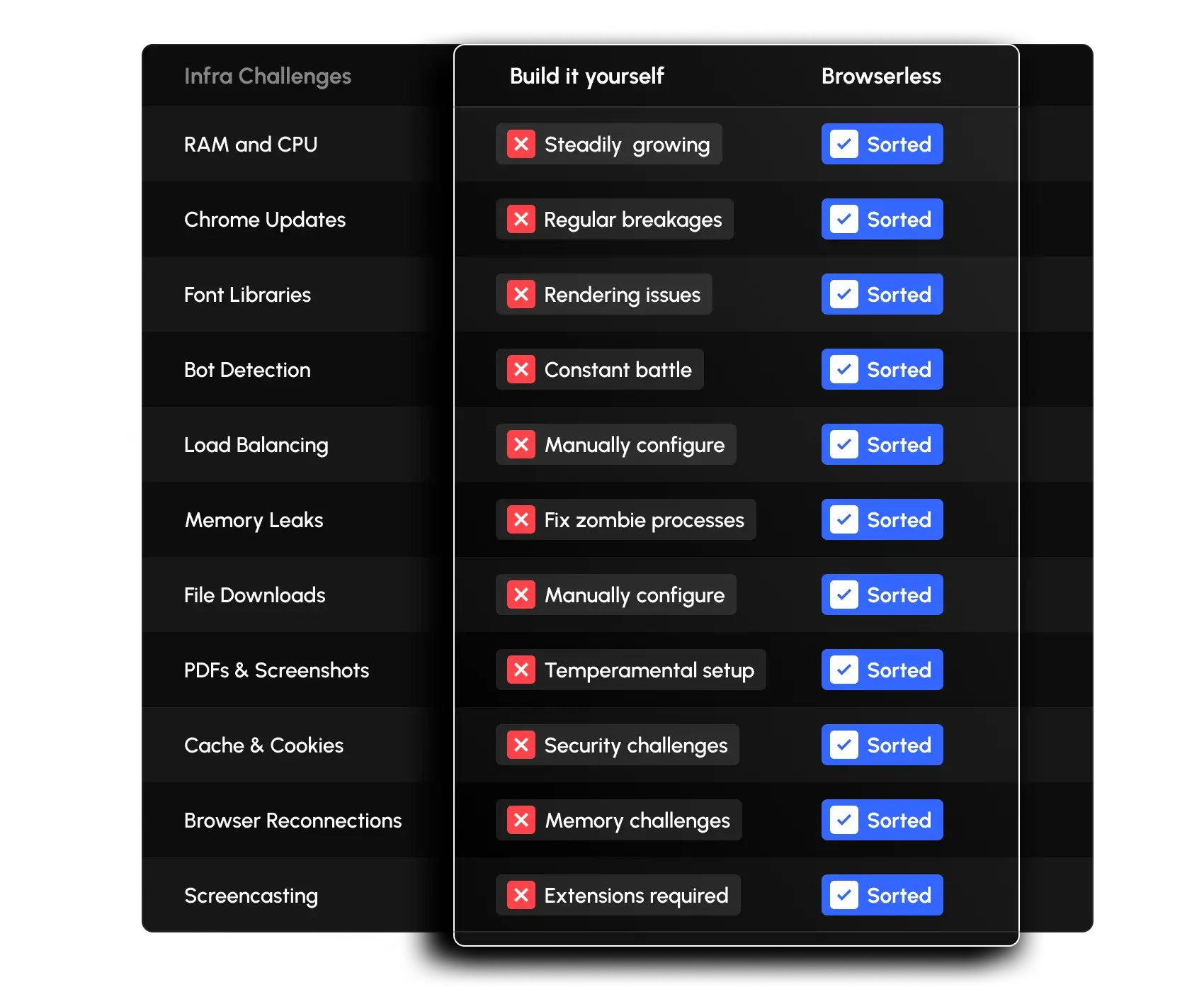
Run Puppeteer Without the AWS Headaches
No more spending hours squeezing Puppeteer into a Lambda or clearing Chrome's memory leaks out of your EC2 instances. Scale your concurrency without managing infrastructure, using our Puppeteer as a Service.
REST API Endpoints
Access powerful browser capabilities through simple HTTP requests
Simple Integration
import puppeteer from 'puppeteer-core';

const browser = await puppeteer.connect({
  browserWSEndpoint:
    'wss://production-sfo.browserless.io?token=YOUR_API_KEY'
});

const page = await browser.newPage();
await page.goto('https://example.com');
// Your automation code...
await browser.close();import puppeteer from 'puppeteer-core';
// Create a session that outlives a single connection
const res = await fetch(
'https://production-sfo.browserless.io/session?token=YOUR_API_KEY',
{
method: 'POST',
headers: { 'Content-Type': 'application/json' },
body: JSON.stringify({ ttl: 60000 }),
}
);
const { connect } = await res.json();
// Connect, do your work, then disconnect - the session stays alive
const browser = await puppeteer.connect({ browserWSEndpoint: connect });
await browser.disconnect();
// Later, reconnect to the same session with the same URL
const browser2 = await puppeteer.connect({ browserWSEndpoint: connect });Customer Stories
"Creating Puppeteer scripts was straightforward, but Chrome was annoying to manage with the container needing regular reboots. We found Browserless and within a few hours, everything was running smoothly."
Sebastien Rogier
Tech Lead, Semji
"Browserless helped us focus on the problem we were trying to solve, and less on scaling an automation infrastructure. Browserless's developer focused approach has been a key to us bringing our product to market."
Scott Weinert
Co-Founder & CTO, Atomic