Sign in to sites that email a login code
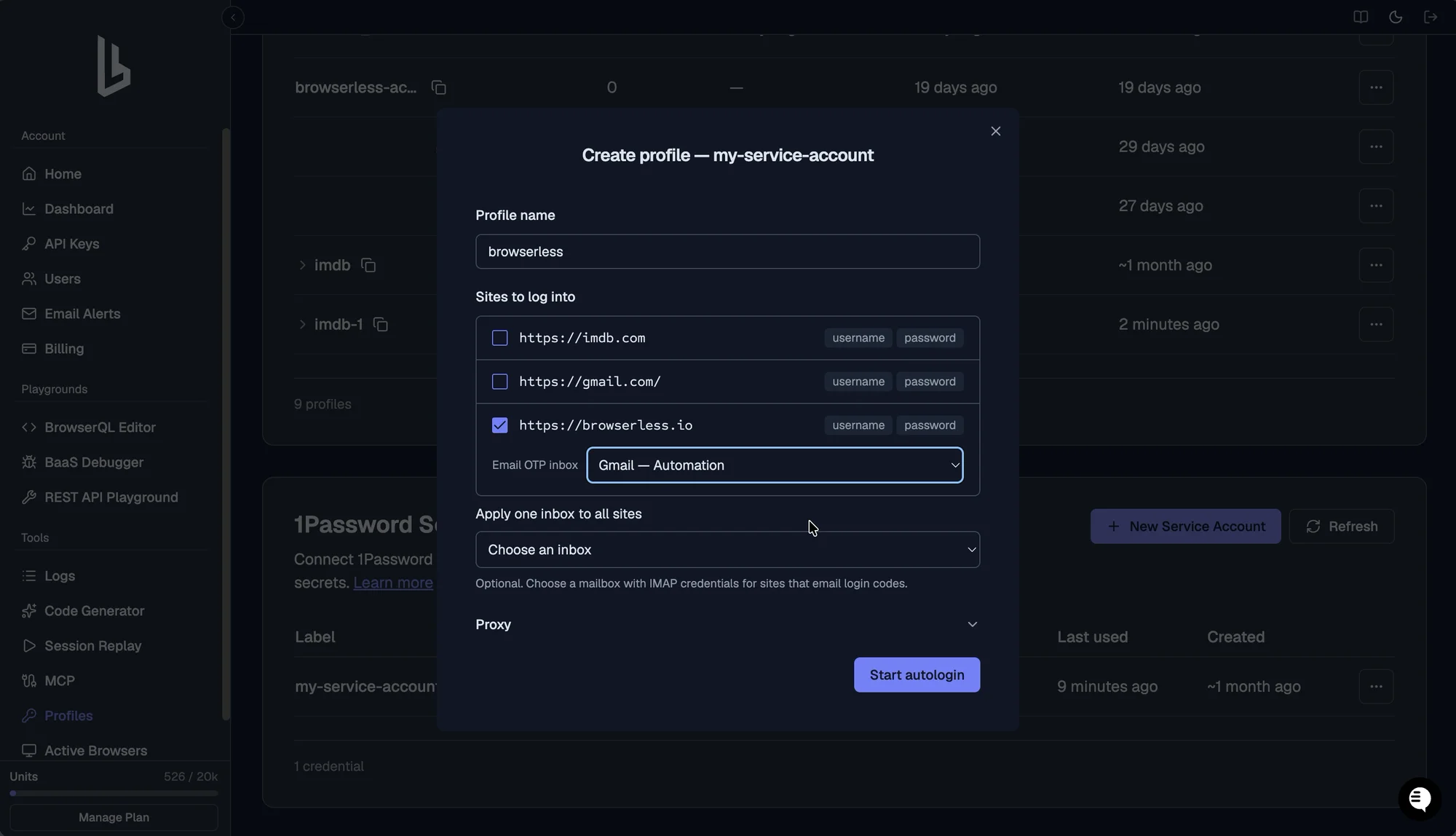
Browserless can now fetch an emailed one-time code and type it in for you, so a login that sends a code to an inbox no longer stops your automation. Pass a mail://<vault>/<item>/otp reference to loadSecret, where the 1Password item holds the IMAP credentials for a dedicated inbox. Browserless waits for a fresh code to arrive, pulls it out of the message, and fills your field. Like every other secret, the code never reaches your script.
Autologin handles this step too. When you create a profile from a 1Password service account, pick an Email OTP inbox for each site (or apply one inbox to all of them), and the login agent fills the code after it triggers delivery. It works with any IMAP inbox that supports implicit TLS on port 993. Gmail is tested; other providers are best-effort. SMS codes and push approvals still need a person.
Read the emailed one-time code guide →
Fix an expired login in place
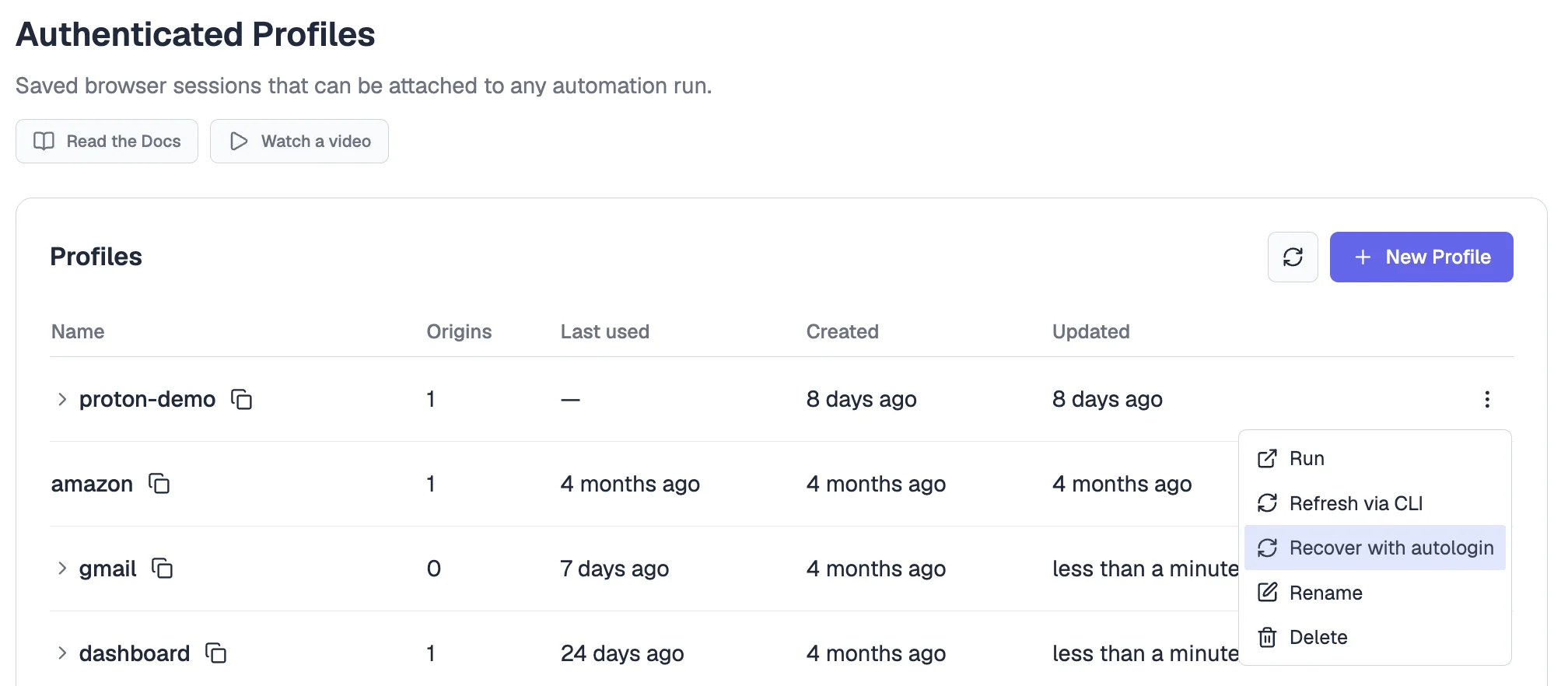
When a saved Authenticated Profile stops working, you can now recover it in place instead of deleting it and starting over. Choose Recover with autologin from the profile's menu in the dashboard, pick a 1Password integration, and Browserless signs in again to the sites already captured in that profile. The profile keeps its name and ID, so every script that uses ?profile=<name> picks up the fresh login with no code changes.
Only sites that sign in successfully are replaced, and any site you skip or that fails keeps its previous state. If just one site has gone bad, you can also remove that site from the profile and leave the rest of its logins alone. Both work from the dashboard or the API.
Read the profile recovery guide →
Click, type, and scroll before you scrape
/smart-scrape now takes an actions array, so you can get a page into the right state before Browserless captures it. Dismiss a cookie banner, click "load more", type into a search box, scroll to trigger lazy loading, or run a bit of JavaScript, then get the final page back in whichever formats you asked for.
Six action types ship today: wait, click, write, scroll, scrape, and executeJavascript. They run in order once any page-level bot checks have cleared, and each scrape action saves the URL and HTML at that exact step, so one request can capture several states of a page. You can send up to 20 actions. Every action except scrape takes its own timeout (10 seconds by default, 30 seconds max), and all of them share the request's overall timeout. If an action fails, the sequence stops and you get ok: false back instead of a half-finished result.
{
  "url": "https://example.com/products",
  "formats": ["html", "links", "screenshot"],
  "actions": [
    { "type": "click", "selector": "button[data-accept-cookies]" },
    { "type": "wait", "selector": "main[data-ready]" },
    { "type": "scroll", "selector": "#featured-product" },
    { "type": "scrape" }
  ]
}