Your AI agent can pay at checkout without seeing a card
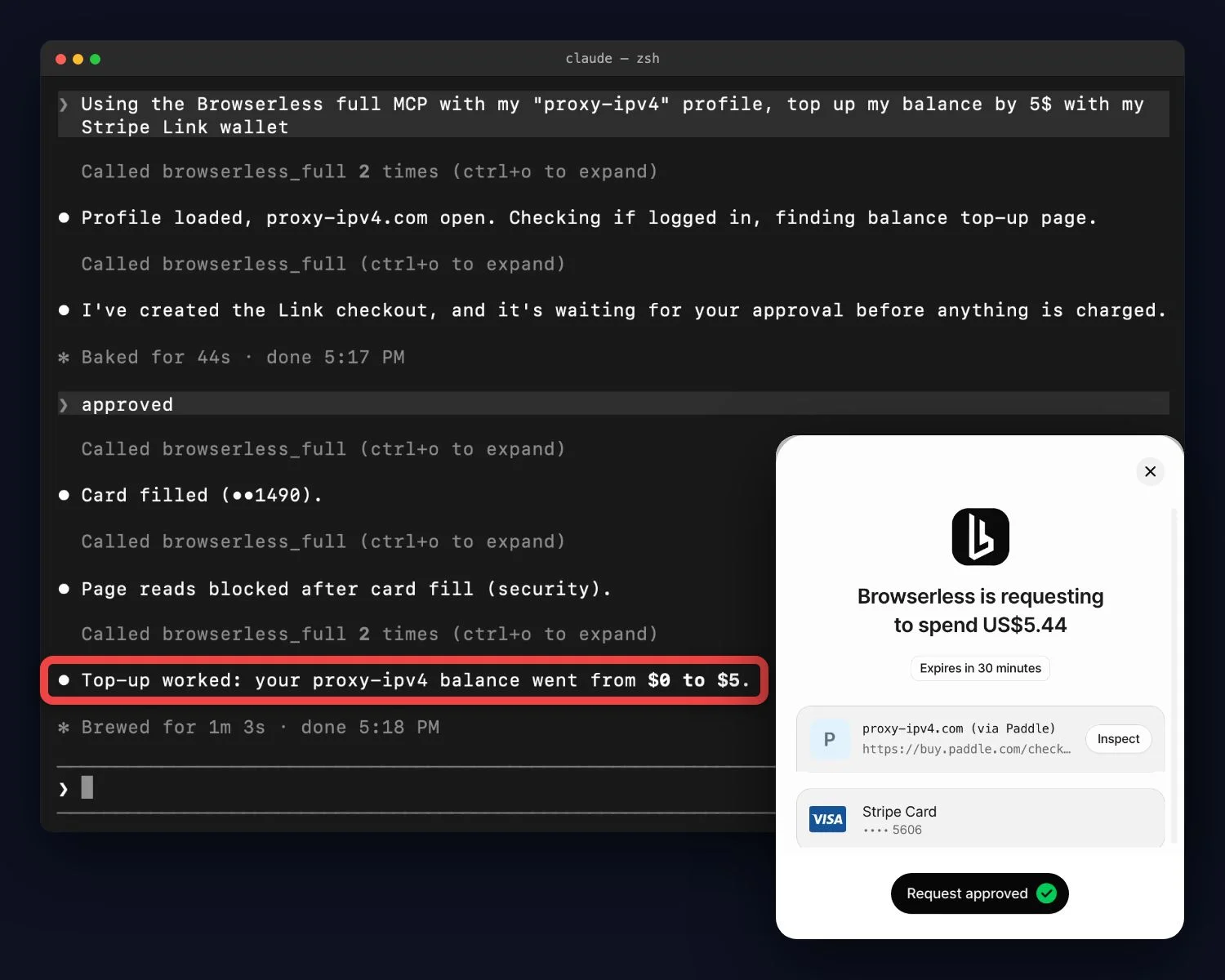
Agentic Checkout is live in the Browserless MCP server. An agent drives a real merchant checkout in a browserless_agent session, the buyer approves the exact amount in their own Stripe Link wallet, and Browserless fills a single-use card scoped to that one purchase into the payment form.
The model never sees the card. The full number, CVC, and expiry never appear in a tool result, so they stay out of your model's context and your MCP client. An owner or admin connects the wallet once from Integrations in the dashboard, and every purchase still needs the buyer's approval. It's currently available for US Link wallets and USD checkouts up to $50 per purchase, on any Cloud plan.
Connect your Stripe Link wallet →
Get clean Zillow data with one API call
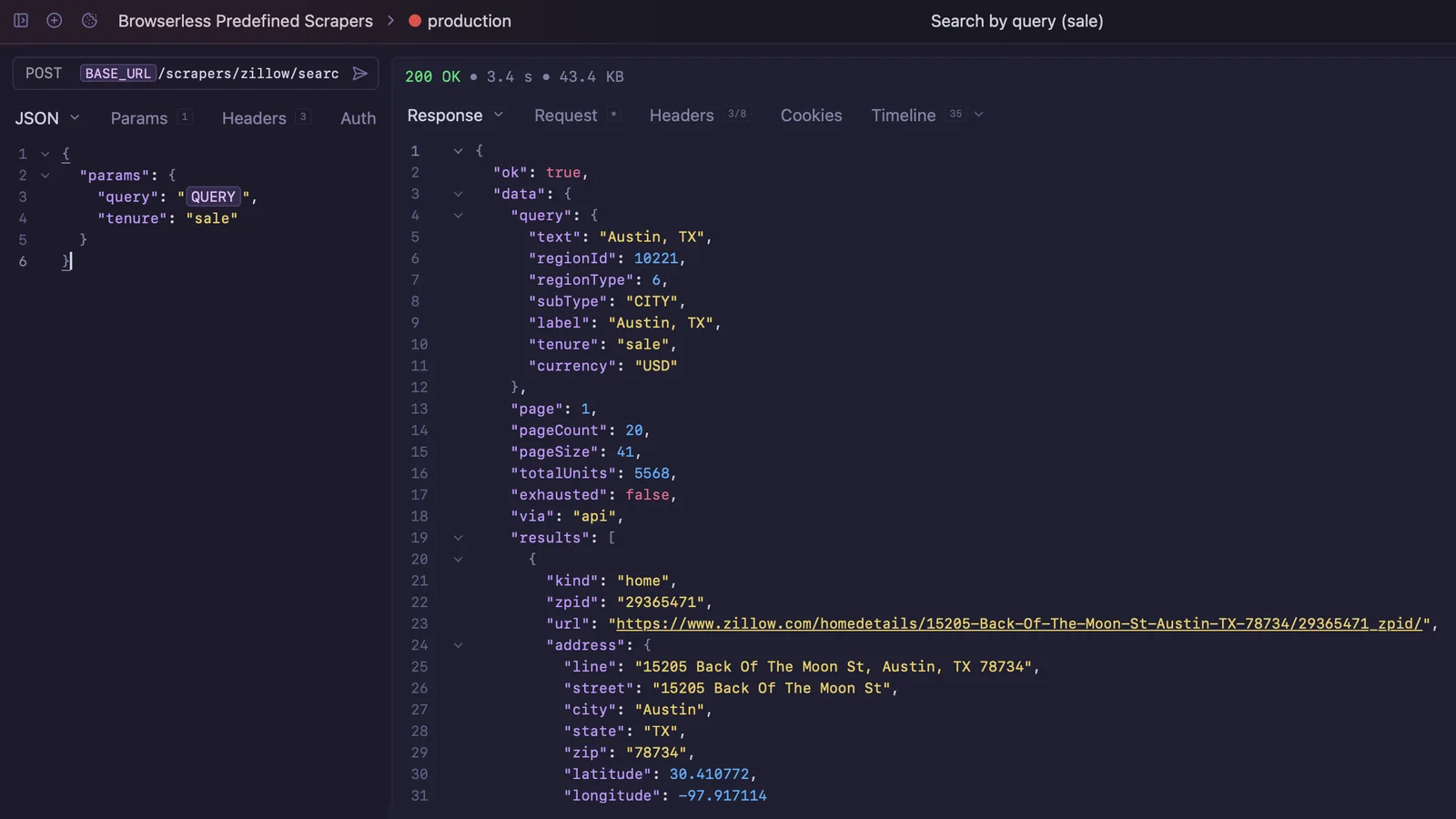
The new /scrapers endpoints return structured JSON from supported sites with no browser code to write, starting with Zillow. POST /scrapers/zillow/search finds listings for sale or rent with filters for price, beds, baths, and home type, and POST /scrapers/zillow/property returns the full record for a single home.
Each call has a fixed price (10 units per Zillow call), you're charged only when a call returns data or a definitive not-found, and every successful result is validated against a published output schema, so you know the shape before you parse it. GET /scrapers lists what's available and is free to call. The Predefined Scrapers API is in beta on Cloud plans.
Explore the Predefined Scrapers API →
Agent runs can hand a login to a person and keep going
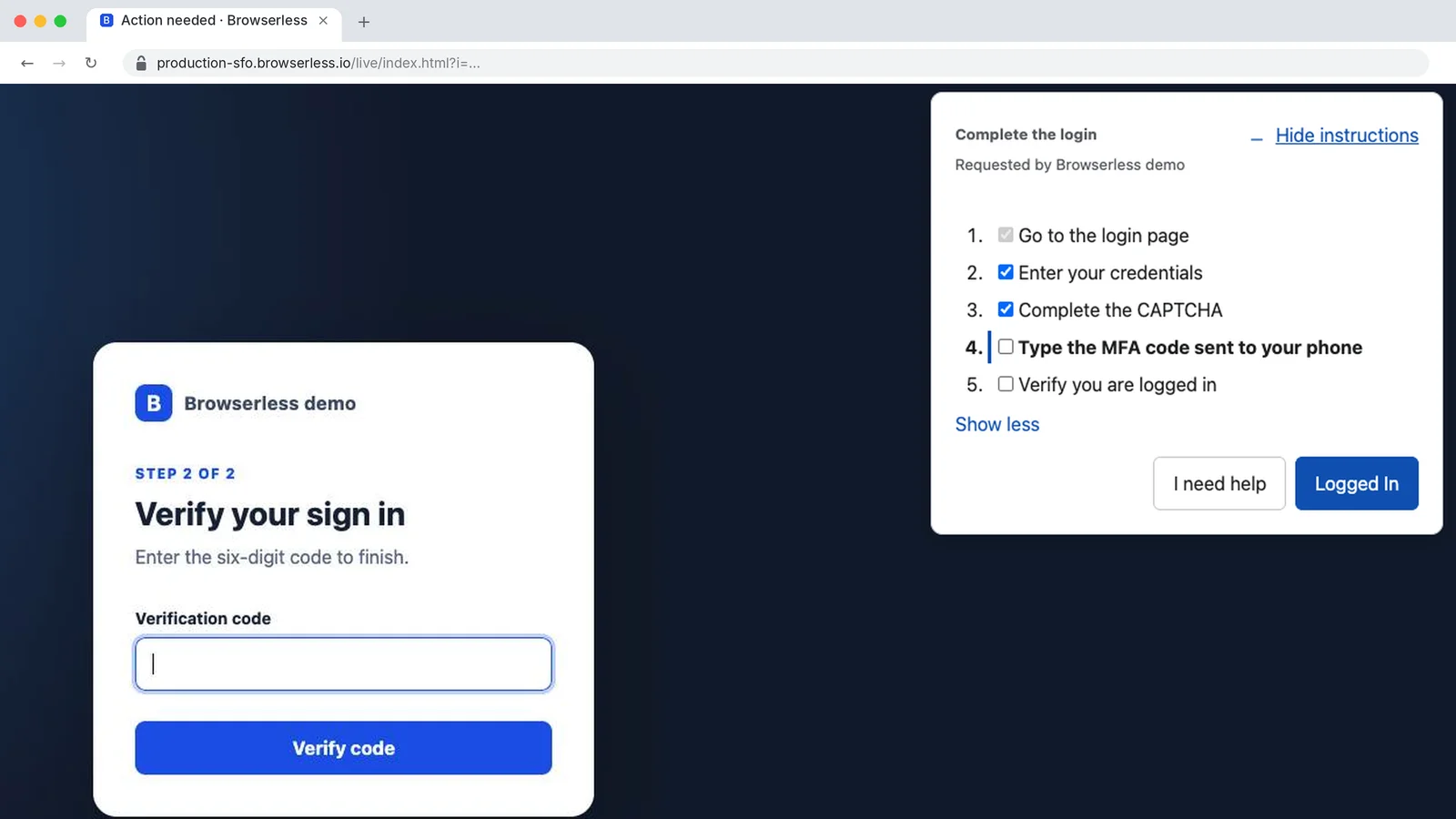
/agent/run can now pause at a login wall or a step-up MFA prompt and hand that step to a person. Start the run with onHumanNeeded: "pause" and it stops with a Live URL. A person opens the link, completes the step in the live browser, and clicks Done, and the agent carries on in the same session. If the run has a webhook, a needs_human notification tells your app the moment it pauses (if you list specific webhook.events, include needs_human). The run's original timeout keeps counting while it waits, so give it enough room.
Live URLs can also tell the person exactly what to do and report back. The link can show a task card with a title and a step-by-step checklist, and the person ends the handoff with Done or Couldn't do it. Choosing Couldn't do it asks for a short note on what went wrong, and that note comes back to your automation. The viewer also has a cleaner, more modern look.
Read the human handoff guide →
Your agent can sign up for a site and keep the login
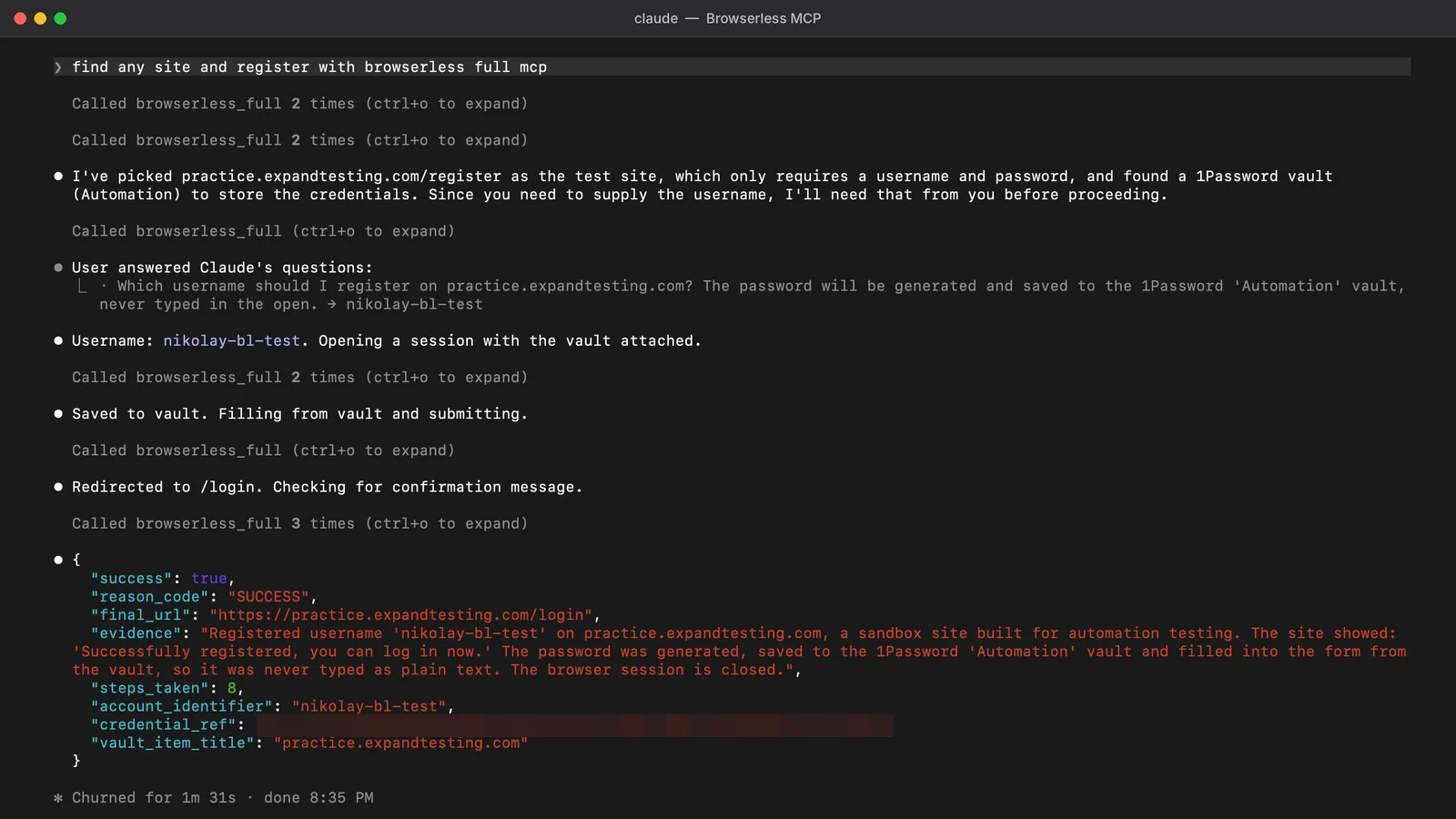
Agents can now create their own accounts. The autonomous-registration skill in the Browserless MCP server signs up for a site with a password the agent generates and an emailed one-time code, then saves the new login to your connected 1Password vault with saveSecret. The password appears once, in the save call, and never in the agent's typing or replies.
Later sessions fill that login straight from the vault, so neither your code nor the model holds the password again. Saving needs a 1Password service account with write access to the vault, and 1Password doesn't let you add write access to an existing one. You can also call saveSecret yourself from Puppeteer, Playwright, or the BAP SDK.