
TL;DR
- A screenshot API renders a web page in a real browser and returns an image (or PDF) of it. The best screenshot API for you is one that handles real pages at scale, not just one that can return a PNG.
- Cloud-based screenshot APIs remove most browser infrastructure work, while self-hosted and hybrid options give you more control over data, networking, and concurrency.
- Several modern screenshot APIs support PDF output alongside PNG, JPEG, and WebP, but the depth of PDF control varies a lot.
- Here are 8 leading options grouped by use case, from simple image capture tools to platforms that combine screenshot capture, PDF export, and full browser automation in one API surface.
Introduction
Screenshot APIs save you from running browser clusters, patching Chrome images, tuning timeouts, and debugging blank captures after a JavaScript-heavy site changes its frontend.
At low volume, taking screenshots with Puppeteer or Playwright is manageable. At production scale, screenshot capture becomes part of your browser infrastructure: queues, retries, concurrency, proxy rotation, cookie banner removal, full-page capture, and consistent output formats.
This guide compares 8 of the best screenshot APIs available in 2026. You'll learn what each one is best suited to, how it handles rendering, whether it supports PDF export, and where it fits for web automation, monitoring, compliance archiving, visual regression testing, or high-volume website screenshot jobs.
If you're trying to choose the best website screenshot API for engineering work rather than quick screenshots, you'll see which ones hold up when pages get dynamic, protected, and slow – including where Browserless is and isn't the right fit. Full disclosure: Browserless publishes this blog, and it is one of the eight tools compared here.
First, though, let's cover what a screenshot API is.
What is a screenshot API?
A screenshot API is a hosted endpoint that loads a URL (or raw HTML) in a real browser, waits for it to render, and returns an image or PDF of the result. You send one HTTP request with the target URL and rendering options, and the provider runs and scales the browser for you.
What to look for in a screenshot API
Before you compare vendors in the screenshot API market, work out whether you need basic image capture or production screenshot automation.
A simple screenshot API can take a site shot from one API call. A production-ready screenshot API has to render JavaScript-heavy sites, wait for lazy-loaded images, handle auth or cookies, survive rate limits, and give you predictable output quality.
If you're looking for a screenshot API you can put into production, use this checklist before you commit:
- Rendering accuracy – The API should run a modern browser engine and support JavaScript rendering, custom viewports, device emulation, CSS or JavaScript injection to hide elements such as chat widgets, delays, selectors, and full-page screenshots. Basic image processing controls, such as resizing and quality settings, are also worth checking.
- Latency and throughput – Check rate limits, browser concurrency, queue behavior, async delivery, and whether the provider exposes useful retry or status metadata, such as the final URL after redirects.
- PDF output – Some APIs only return PNG or JPEG; others provide PDF output from the same rendering workflow.
- Proxy support – Proxy rotation, geo-targeting, custom headers, and cookies matter when you need region-specific pages or protected pages.
- Pricing model – Per-screenshot pricing is easy to model, while concurrent session pricing can work better when you run complex browser automation.
- Documentation quality – Good SDKs, clear API key handling, realistic examples, and response body details save time once you move beyond test calls.
- Protected pages – Check whether the provider offers stealth rendering, CAPTCHA solving, and residential proxies. On heavily defended pages, these affect whether you get a screenshot or a challenge page.
Top cloud screenshot APIs compared
There is no single ranking that fits every team, so the table below compares what each cloud screenshot API actually does so you can match it to your workload.
Here's how the 8 options in this guide compare (no rankings included), based on each provider's documentation, core capabilities, and, for Browserless and ScreenshotOne, our own test captures:
| API | Best for | PDF export | Full-page capture | Proxy support | Self-hosted | Pricing |
|---|---|---|---|---|---|---|
| Browserless | Screenshots, PDFs, and full browser automation | Yes | Yes | Yes | Yes | Entry: $25/mo (billed annually); 20,000 units Unit: $0.00125/unit included; 1 unit = up to 30 sec of browser time Overage: $0.002/unit |
| ScreenshotOne | Screenshot-first API with broad output formats | Yes | Yes | Yes | No | Entry: $17/mo Basic; 2,000 screenshots Unit: $0.0085 per included screenshot Overage: $0.009 per extra screenshot (successful, non-cached) |
| Urlbox | Screenshots, PDFs, video, and scheduled captures | Yes | Yes | Higher tiers | No | Entry: $19/mo Lo-Fi; 2,000 renders Unit: $0.0095 per included render Overage: No fixed rate published; account auto-upgrades to the next tier |
| ApiFlash | Simple image capture with per-screenshot plans | ⚠ Not documented | Yes | Custom proxy, with geo on Enterprise | No | Entry: $7/mo Lite; 1,000 screenshots Unit: $0.007 per included screenshot Overage: None; quota exhaustion returns HTTP 402, so upgrade is required |
| ScrapingBee | Screenshot capture inside a web scraping API | ⚠ Not documented | Yes | Yes | No | Entry: $49/mo Freelance; 250,000 credits / 50,000 standard screenshots Unit: $0.00098 per standard screenshot (5 credits) Overage: No automatic PAYG rate; buy one-time credit add-ons or upgrade |
| Scrapfly | Screenshot capture with anti-bot and proxy controls | ⚠ Not documented | Yes | Yes | No | Entry: $30/mo Discovery; 200,000 credits / 3,333 screenshots Unit: About $0.009 per standard screenshot (60 credits) Overage: Not available on Discovery; Pro PAYG is $3.50/10k credits (~$0.021/screenshot) |
| Bannerbear | Templated social assets and link previews | Generated assets only | Yes | ⚠ Not documented | No | Entry: $49/mo Automate; 1,000 API credits Unit: $0.049 per image or website screenshot (1 credit) Overage: None; generation stops at the limit, so upgrade is required |
| HTMLCSStoImage | HTML/CSS-to-image and public-page screenshots | Yes | Yes | ⚠ Not documented | No | Entry: $14/mo; 1,000 images Unit: $0.014 per included image Overage: $10 per 1,000 images ($0.01/image), when enabled |
Pricing checked: August 6 2026. USD, monthly pricing unless stated otherwise. Included-unit rates are calculated from the published plan price and quota; taxes are excluded.
Most of these providers offer free tiers, so you can test output quality against your own pages before you commit. Browserless includes a free plan with 1,000 units a month, 2 concurrent browsers, and no credit card required, while several competitors offer free credits.
When comparing competitors' pricing, check for hidden costs such as per-render overages, premium proxy fees, and storage add-ons. On Browserless, proxy bandwidth draws from the same unit balance, at 6 units/MB for residential and 2 units/MB for datacenter.
Now you have the checklist and comparison, here's a closer look at each screenshot API and where it fits best, though not all are suitable for automation work.
Browserless
Best for: Engineering teams that need screenshot capture, PDF export, and full browser automation on managed or self-hosted browser infrastructure.
Browserless gives you several ways to automate a browser without maintaining your own Chrome fleet.
- For screenshots, the REST
/screenshotAPI (check out the screenshot API docs) can capture PNG, JPEG, or WebP output from a URL or HTML payload, with options such as full-page capture, custom viewport settings, and request configuration. - For PDF export, the /pdf API takes Puppeteer-style options –
format,printBackground,displayHeaderFooter– and renders either a URL or raw HTML into anapplication/pdfresponse.
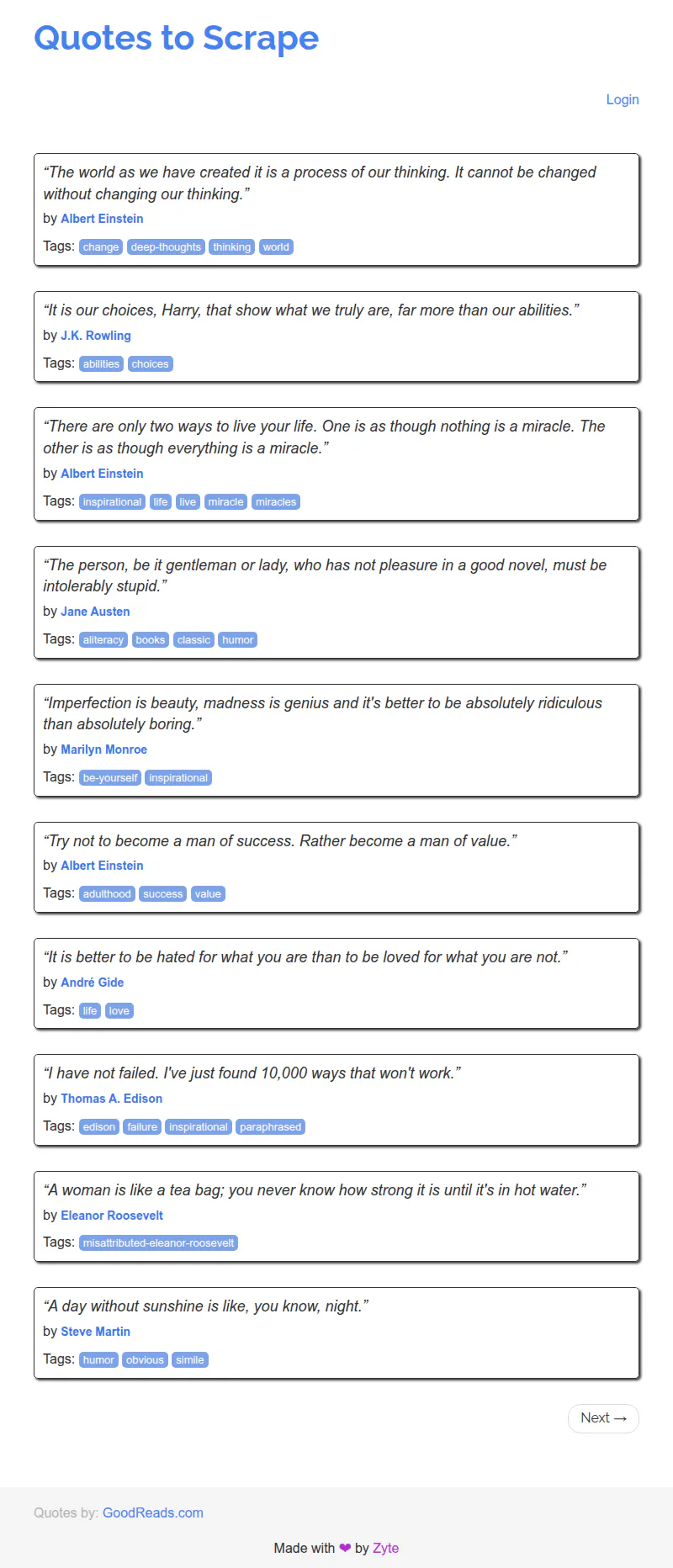
To show what that looks like in practice, here's the exact call we used for the test captures in this guide:
curl -X POST \
  "https://production-sfo.browserless.io/screenshot?token=YOUR_API_TOKEN" \
  -H 'Content-Type: application/json' \
  -d '{
    "url": "https://quotes.toscrape.com/js/",
    "options": { "fullPage": true, "type": "png" }
  }' \
  --output "screenshot.png"
The target page renders entirely through JavaScript, so anything that isn't running a real browser returns it blank. Browserless returned the fully rendered page:
If screenshots are only one part of the workflow, Browserless also supports REST APIs for screenshots, PDFs, content extraction, file downloads, function execution, and unblocking, plus browser-as-a-service connections for Puppeteer and Playwright.
There's also BrowserQL, a GraphQL layer where a screenshot mutation takes fullPage, selector, clip, and waitForImages in the same query that navigates and interacts with the page.
If you already have browser automation code, you can keep that model and move the infrastructure burden to Browserless instead of rewriting everything around a narrower screenshot API workflow.
Browserless also stands out for teams that care about deployment control. You can use the hosted service, or run Browserless Enterprise Docker in your own environment with the same APIs and WebSocket-compatible browser automation features – useful when screenshot capture touches internal apps, compliance archiving, protected pages, or workflows where data residency and network control matter.
Key features
- Screenshot API for PNG, JPEG, and WebP output.
- PDF API for URL or HTML-to-PDF rendering.
- Puppeteer and Playwright support through browser-as-a-service.
- Proxy, proxy country, locale, ad blocking, and consent modal blocking launch options.
- Stealth routes, the Unblock API, and automatic CAPTCHA solving for pages that block automated browsers.
- Hosted and self-hosted Enterprise deployment options.
- Free plan with API token access and limited monthly units.
Pros and cons
| Pros | Cons |
|---|---|
| Combines screenshots, PDFs, and full browser automation | More platform than you need for basic thumbnails and social previews |
| Works well for teams already using Puppeteer or Playwright | Concurrency and usage units need capacity planning |
| Hosted and self-hosted options | |
| Useful for dynamic, auth-gated, and JavaScript-heavy pages | |
| Get started with the free plan |
ScreenshotOne
Best for: Developers who want a screenshot-first API with lots of rendering knobs and broad output formats.
ScreenshotOne exposes a clean screenshot API for generating images, PDFs, and other render outputs from URLs or HTML. Its API supports both GET and POST requests to /take.
The API covers most common use cases, such as generating screenshots at volume or producing invoice-style PDF output.
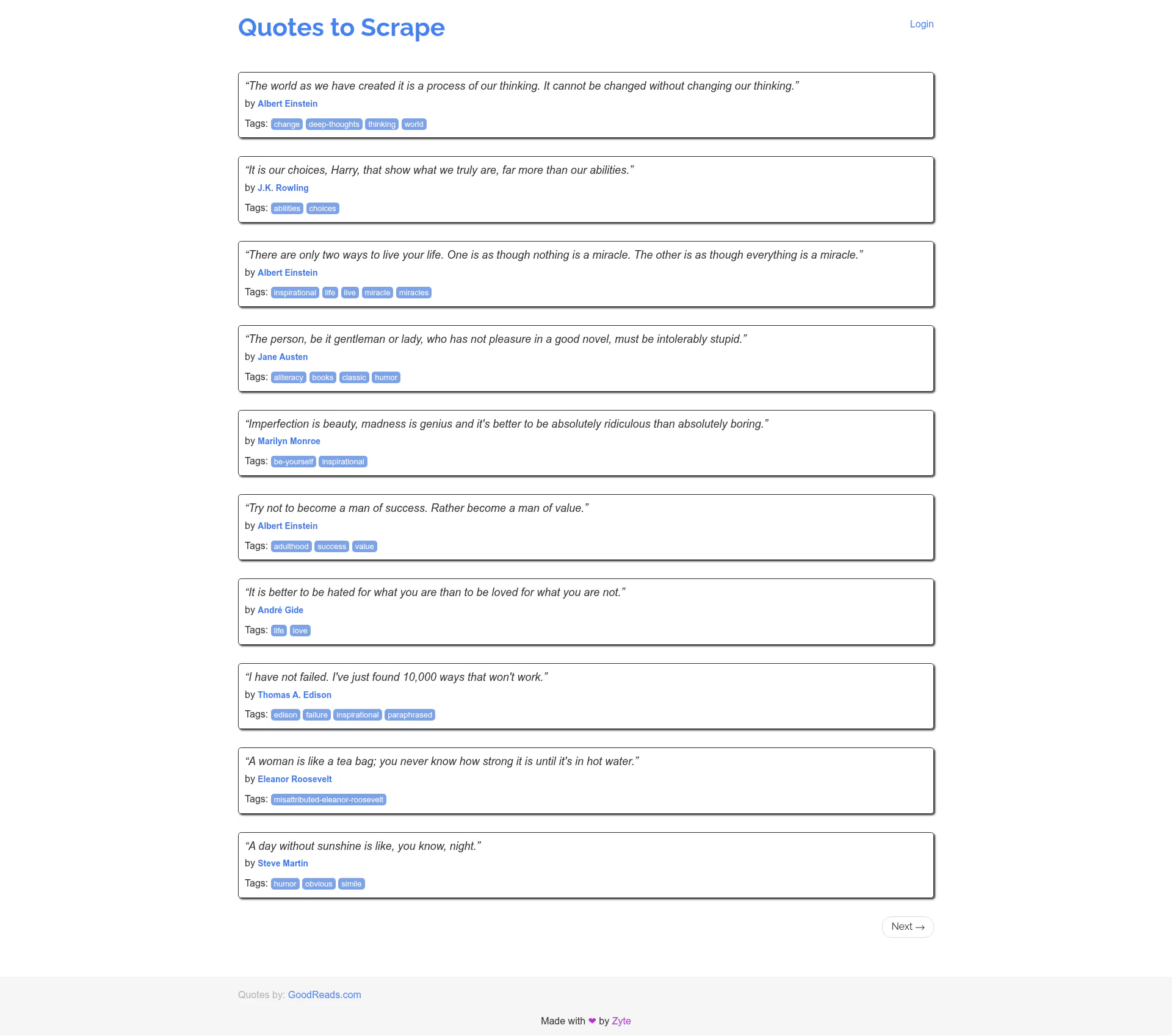
We ran the same quotes.toscrape.com/js capture through ScreenshotOne's /take endpoint with full_page enabled, using the same viewport, as we did with Browserless. It rendered the JavaScript content correctly, with comparable output quality:
ScreenshotOne gives you a lot of control over output formats and page behavior. It supports formats including PNG, JPEG, WebP, GIF, AVIF, TIFF, PDF, HTML, and Markdown, with full-page screenshot options, lazy-load scrolling, PDF paper settings, print background handling, and one-page PDF fitting.
It also has practical features for clean screenshots: block cookie banners, block ads, block trackers, route through proxies, use custom proxy settings, and deliver async jobs through webhooks.
It has broad SDK coverage, with official examples for Go, Java, PHP, Ruby, Python, C#/.NET, and JavaScript or TypeScript. It also plugs into no-code tools such as Zapier and Google Sheets, so you can automate captures into spreadsheets or Excel-based reporting without writing code.
Key features
- Output formats include PNG, JPEG, WebP, PDF, HTML, and Markdown.
- Full-page capture with scrolling support for lazy-loaded images.
- Cookie banner, ad, tracker, and request blocking.
- Built-in and custom proxy support.
- Async rendering with webhook delivery.
- SDKs for common programming language stacks.
Pros and cons
| Pros | Cons |
|---|---|
| Strong screenshot-specific API surface | Less suited to complex browser automation |
| Broad output format support, including PDF | No self-hosted option |
| Good controls for clean screenshots | Per-render pricing can add up at high volume |
| Solid SDK coverage | Not ideal if you need direct Puppeteer or Playwright sessions |
Urlbox
Best for: Teams that need screenshots, PDFs, videos, async delivery, storage, and no-code capture workflows from one rendering API.
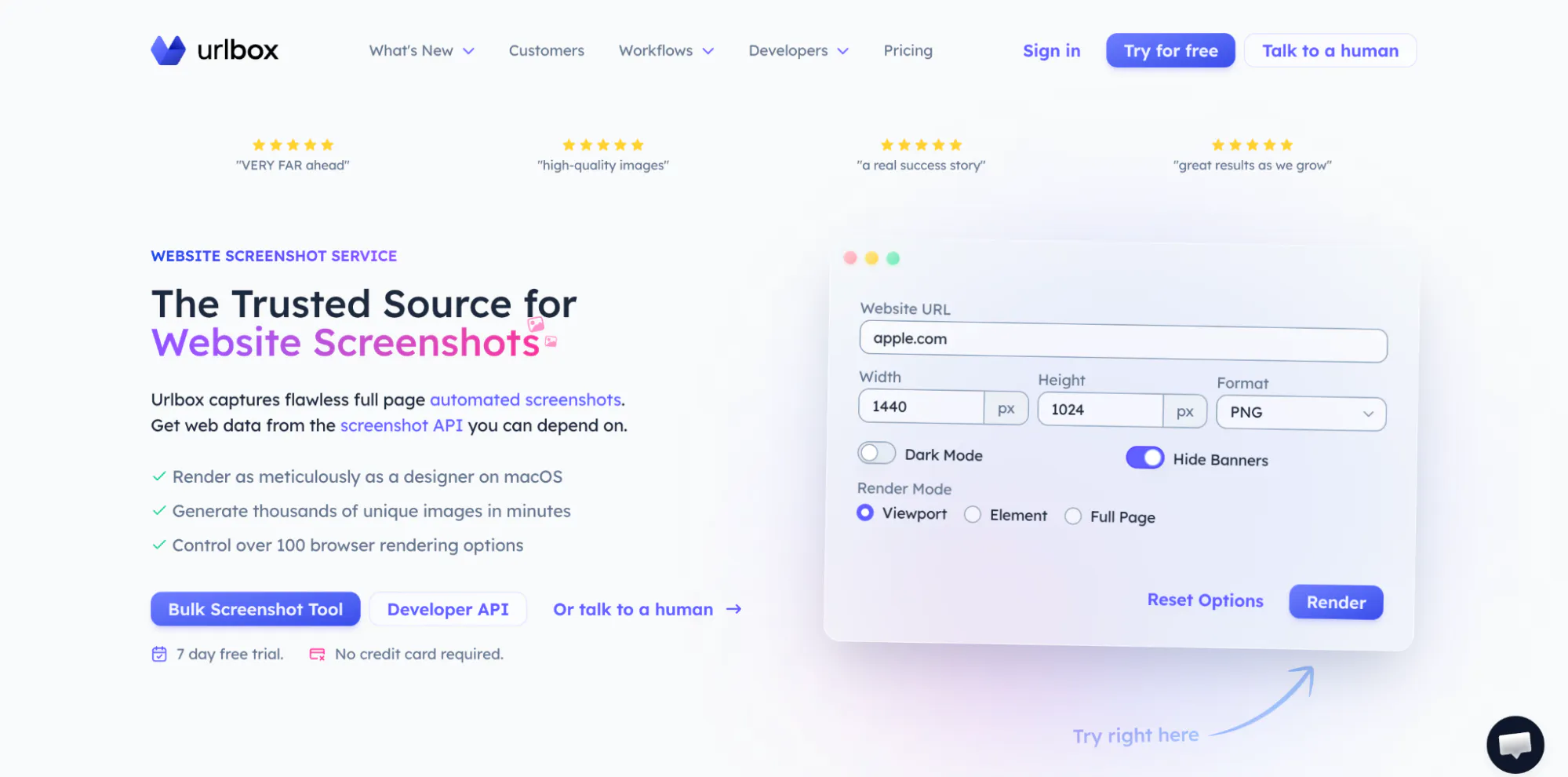
Urlbox positions itself as a broad rendering service with a focus on pixel-perfect quality. It can convert URLs or HTML into screenshots, PDFs, videos, text, HTML, or metadata, which makes it useful when your screenshot capture workflow also needs page snapshots, link previews, content extraction, or scheduled captures.
The core render endpoint supports synchronous and asynchronous rendering. You can POST to /v1/render/sync with a URL or HTML payload and receive a render URL, or use async rendering with polling and webhooks. Supported render formats include PNG, JPG, WebP, PDF, SVG, MP4, WebM, and Markdown.
Urlbox also has a mature set of page rendering controls. You can use width and height, full-page capture, selectors, cookie banner hiding, ad blocking, PDF orientation, PDF headers and footers, metadata, print or screen media modes, and different full-page capture strategies.
Proxy support and other advanced features are available on higher tiers, worth checking if geo-specific screenshot automation is central to your use case.
Key features
- Screenshots, PDFs, SVGs, video recording, Markdown, and metadata output.
- Sync and async rendering with webhooks.
- Full-page capture, viewport control, selectors, and cookie banner handling.
- PDF headers, footers, metadata, orientation, and media mode controls.
- Ad blocking and no-code integrations.
- Proxy support on higher plans.
Pros and cons
| Pros | Cons |
|---|---|
| Broad render API beyond screenshots | Less direct browser-session control |
| Strong PDF controls | Temporary render URL behavior may need storage planning |
| Supports video and metadata output | More options than needed for simple one-off screenshots |
| Good fit for scheduled screenshots and automated monitoring |
ApiFlash
Best for: Developers who want a simple Chrome-based image screenshot API with predictable per-screenshot plans.
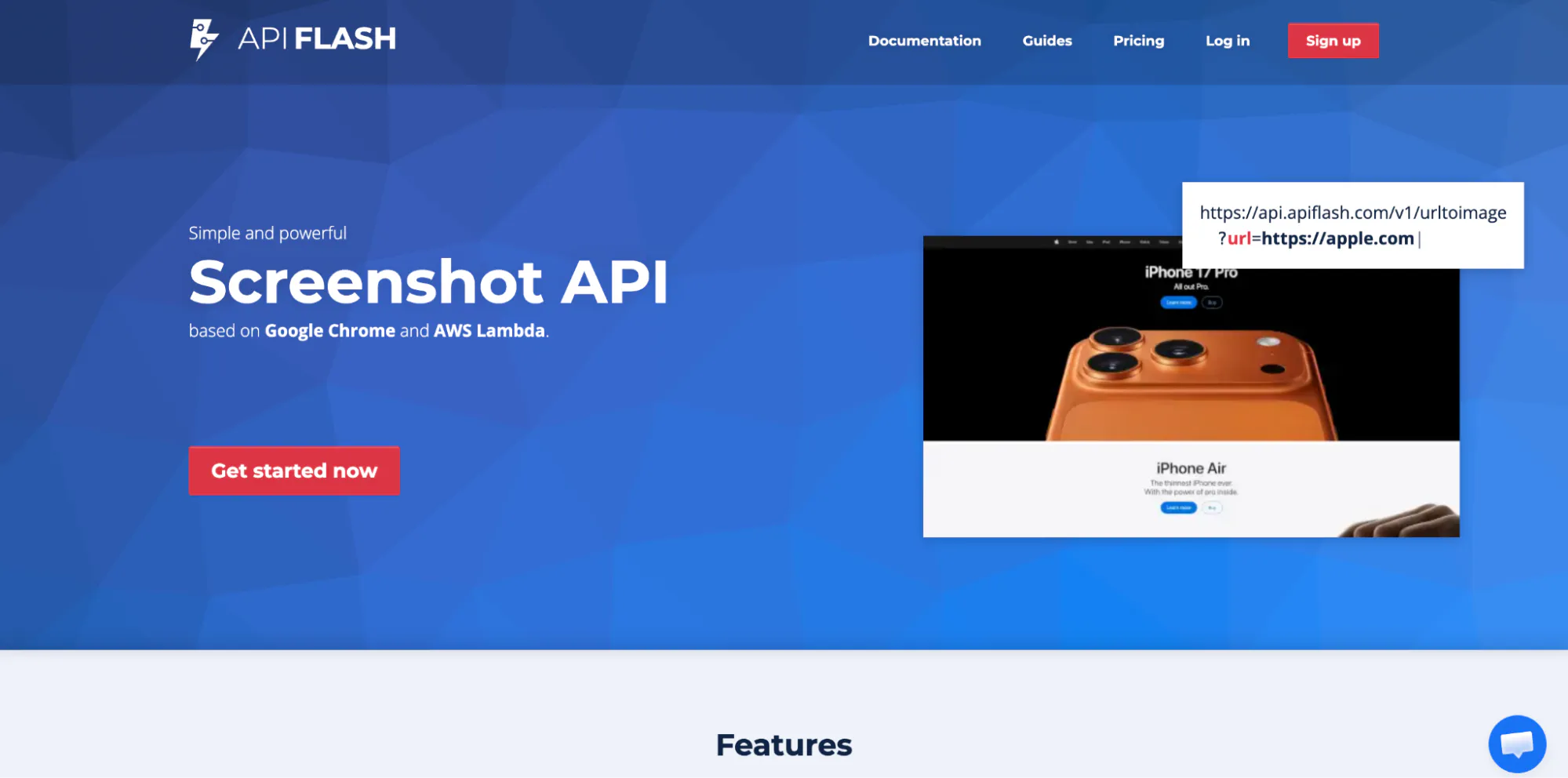
ApiFlash is a screenshot API based on Google Chrome and AWS Lambda that gives you a managed web service for taking website screenshots without having to run Chrome yourself. The product emphasizes up-to-date Chrome rendering and scalable infrastructure on AWS Lambda.
The API exposes a /v1/urltoimage endpoint and supports both GET and POST requests, so you can capture a page with a single HTTP request. You can receive a binary image response or JSON links, depending on how you configure the request. It's a simple API to wire into scripts or scheduled jobs.
ApiFlash supports full-page screenshots, element and crop capture, viewport and mobile rendering, ad, tracker and cookie-banner blocking, S3 export, and a custom proxy parameter, with country-level ip_location on enterprise plans.
PNG, JPEG, and WebP are its main output formats, making it a better fit for image capture than URL-to-PDF workflows.
Key features
- Chrome-based screenshot rendering on AWS Lambda.
- PNG, JPEG, and WebP output.
- Full-page, mobile, and responsive screenshots.
- Ad blocking and cookie banner hiding.
- S3 export support.
- Documented quotas, rate limits, and error responses.
Pros and cons
| Pros | Cons |
|---|---|
| Simple REST API for screenshots, with a free plan available | No native PDF export shown in the current public screenshot docs |
| AWS Lambda-backed scaling model | Less control for complex browser automation |
| Useful operational headers and error codes | Advanced proxy and browser-session needs may require another tool |
ScrapingBee
Best for: Teams that need screenshots as a debugging or capture mode inside a scraping API.
With ScrapingBee, you request a screenshot by setting screenshot=True, which forces JavaScript rendering, so each capture spins up a browser context and is billed at the higher render rate. ScrapingBee spins up a browser context to render the page before returning the image.
ScrapingBee supports full-page screenshots, selector screenshots, custom viewport sizes, and waits through options such as wait, wait_for, and browser-level wait behavior.
It also supports JavaScript scenarios, so you can click elements before capture or evaluate browser-side actions when a page needs interaction.
Its strongest fit is scraping plus capture rather than screenshot-only jobs. Premium and stealth proxies can provide geolocation support, helpful when you need to capture region-specific pages.
Key features
- Screenshot capture inside a web scraping API.
- Full-page, selector, and viewport screenshots.
- JavaScript rendering with wait controls.
- JavaScript scenarios for clicks and browser actions.
- Premium and stealth proxy geolocation support.
- JSON response option for screenshot data.
Pros and cons
| Pros | Cons |
|---|---|
| A strong fit when screenshots support web scraping | Screenshot mode requires JavaScript rendering |
| Useful JS scenarios for interactive pages | Screenshot capture is secondary to scraping and PDF export isn't mentioned |
| Proxy and geolocation support | Less suitable for design-heavy screenshot pipelines |
| Good for debugging scraped pages visually |
Scrapfly
Best for: Data collection teams that want screenshot capture with anti-bot, proxy, banner blocking, and accessibility testing options.
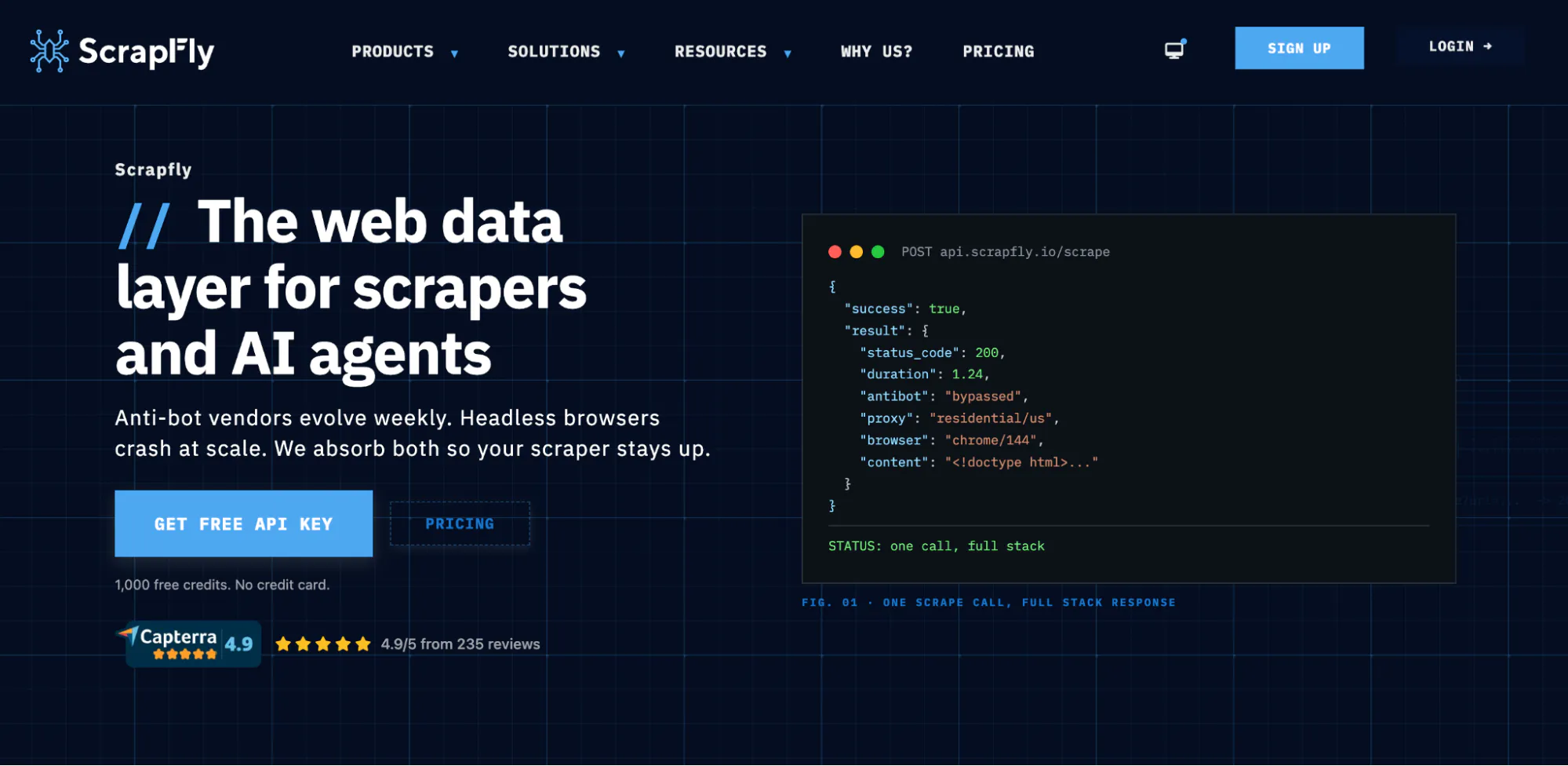
Like ScrapingBee, Scrapfly is built around data collection, but its Screenshot API has a dedicated product surface. It can capture full pages or page parts, supports viewport configuration, auto-scroll, automatic removal of cookie banners, and simple GET-based screenshot requests.
Scrapfly's screenshot controls enable automated website monitoring, and it supports image formats such as JPG, PNG, WebP, and GIF, capture modes including viewport, full page, selectors, and XPath, plus resolution settings and proxy country controls.
The solution also exposes metadata, dashboard logging, concurrency headers, and credit billing information.
There are also useful edge-case options, including dark mode, banner blocking, print media format, auto scroll, JavaScript execution, caching, and accessibility testing features.
Key features
- Full-page, viewport, selector, and XPath capture.
- JPG, PNG, WebP, and GIF output.
- Proxy country controls and blocking bypass features.
- Auto scroll, JavaScript execution, and banner blocking.
- Dark mode and print media rendering options.
- Webhook support for asynchronous screenshot jobs.
Pros and cons
| Pros | Cons |
|---|---|
| Strong screenshot API for scraping-adjacent workflows | Complex browser interaction moves you to the Web Scraping API |
| Good proxy and country controls | Credit model needs monitoring at scale |
| Useful metadata and concurrency headers | Less focused on design asset generation |
| Handles banners, dark mode, and print media cases |
Bannerbear
Best for: Marketing and product teams generating social assets, link previews, and simple public-page screenshots through design templates.
Bannerbear auto-generates images and videos through an API, with client libraries for Ruby, Node, and PHP, and API key authentication through request headers. It's a strong fit for teams generating social cards, ecommerce images, banners, certificates, and personalized assets.
Bannerbear also offers a screenshot API for public webpages, making it useful for simple screenshot jobs, with support for synchronous generation, queued screenshot creation, polling, and webhook delivery.
PDF output is tied to rendered image and template assets rather than URL-to-PDF: request render_pdf and the API returns JPG, PNG, or PDF, while there's separate product PDF generation for assets like shipping labels and invoices.
Key features
- Template-based image and video generation.
- Public webpage screenshot endpoint.
- Full-page behavior when height is omitted.
- Sync, queued, polling, and webhook workflows.
- JPG, PNG, and PDF rendering for generated assets.
- Client libraries for Ruby, Node, and PHP.
Pros and cons
| Pros | Cons |
|---|---|
| Excellent for templated marketing assets | Not built for complex browser automation |
| Screenshot endpoint supports simple public pages | Less full-featured than standalone tools |
| Webhooks and polling support production workflows | Not ideal for protected pages or proxy-heavy capture |
| PDF output works well for generated assets |
HTMLCSStoImage
Best for: Developers generating images from HTML/CSS or public URLs, especially social cards, email previews, and no-code automation.
HTMLCSStoImage is another image-generation-first API. Its core strength is turning HTML and CSS into images, but it also supports screenshot capture from a public URL by passing a url to the image endpoint.
It's useful for link previews, Open Graph images, generated reports, and lightweight website screenshot automation.
The API supports output formats including PNG, JPG, WebP, and PDF. It also offers options such as Google Fonts, custom CSS, selectors, delays, maximum wait time, device scale, full-screen capture, viewport width, and blocking consent banners.
For automated workflows, HTMLCSStoImage has official client examples and no-code integrations such as Make and Zapier.
The main limitation is page access. HTMLCSStoImage doesn't support pages requiring login and needs a public URL for website screenshots.
It can be a great, simple screenshot API for clean public pages and generated image assets, but it isn't the best fit for protected pages, auth-heavy monitoring, or complex browser automation.
Key features
- Generate images from HTML, CSS, or public URLs.
- PNG, JPG, WebP, and PDF output.
- CSS injection, selector capture, delays, and viewport controls.
- Full-screen capture and consent banner blocking.
- Make, Zapier, and SDK support.
- Good fit for social images, reports, and link previews.
Pros and cons
| Pros | Cons |
|---|---|
| Strong HTML/CSS-to-image workflow | Public URLs only for website screenshots |
| Supports PDF output | Not designed for auth-gated pages |
| Useful no-code integrations | Less focused on proxy rotation and anti-bot workflows |
| Limited compared with full browser automation APIs |
Which screenshot APIs support PDF export
Once you know which automation works for you, PDF support is the next consideration.
A screenshot-only API returns an image of the web page. A screenshot API with PDF export can render the URL or HTML into a PDF document, usually with different controls for paper size, margins, print background, orientation, and headers or footers.
Browserless, ScreenshotOne, Urlbox, and HTMLCSStoImage support PDF output. Bannerbear supports PDF rendering for generated image or template assets, but it's not positioned as a full URL-to-PDF browser automation API.
ApiFlash and ScrapingBee are more focused on delivering screenshots and image files.
If PDF output is a priority, choose a provider where PDF rendering is documented as part of the main API rather than a workaround.
What to use for screenshot automation at scale
For screenshot automation at scale you need browser control, reliable JavaScript execution, full-page capture, proxy or geo options, and enough integration depth to fit inside your existing orchestration.
A screenshot-only endpoint is fine for quick screenshots, but screenshot automation at scale – including automated website monitoring, compliance archiving, visual regression testing, and protected-page capture – needs more control.
If you need direct Puppeteer or Playwright sessions, protected-page capture, and the option to self-host, consider Browserless.
Browserless offers screenshot capture, PDF export, Puppeteer and Playwright support, REST APIs, BrowserQL, proxy launch options, stealth settings, and self-hosted Enterprise deployment when you need control over networking and data.
ScreenshotOne is an option for technical teams that want a focused screenshot API with rich output formats, webhooks, proxy options, cookie banner handling, and broad SDK support. Urlbox is also a strong option when you want screenshots, PDFs, videos, metadata, no-code tools, and async rendering in one service.
ScrapingBee and Scrapfly are worth considering when screenshots sit inside a web scraping workflow. They bring proxy support, JavaScript rendering, and scraping-adjacent controls, but they're less direct if your primary goal is full browser automation across screenshots, PDFs, and custom browser behavior.
Conclusion
The best screenshot API for a small image capture job is not always the best screenshot API for production automation.
Some tools are excellent for simple website screenshot capture. Others are better for scraping workflows, social image generation, or scheduled screenshots.
The best tools, however, can handle screenshots, PDFs, JavaScript-heavy sites, and full browser automation together.
If you need screenshot capture, PDF export, and browser automation behind one API without running your own browser infrastructure, that is what Browserless is built for. You can use REST endpoints for straightforward screenshots and PDFs, and then connect Puppeteer or Playwright when you need deeper control.
Try Browserless for free if your team needs reliable screenshot capture, PDF export, and production-grade browser automation, all on the same platform.
Screenshot API FAQs
What's the difference between a screenshot API and running Puppeteer or Playwright yourself?
A screenshot API is a hosted endpoint that loads a URL in a real browser and returns the image or PDF, so you don't run or scale any browsers yourself. With Puppeteer or Playwright, you own the browser cluster, Chrome patching, timeouts, retries, and concurrency. At low volume the DIY route is fine, but at production scale a screenshot API removes most of that infrastructure work.
Can you capture a screenshot from raw HTML instead of a live URL?
Yes, most screenshot APIs accept either a target URL or a block of raw HTML, then render it in a real browser before returning the image. Rendering from HTML is useful for previewing content you generate yourself, like email templates, invoices, or dashboards, before it's published anywhere. Check that the tool applies your CSS and waits for fonts and images to load so the capture matches what a user would see.
Why do screenshots sometimes come back blank or half-rendered?
Blank captures usually mean the API grabbed the page before its JavaScript finished rendering, which is common on single-page apps and content that loads after the initial HTML. Look for options to wait for a specific selector, wait for network idle, or set a render delay before capture. Reliable tools also let you dismiss cookie banners and overlays that would otherwise cover the content.
When should you self-host screenshot capture instead of using a cloud API?
Self-hosted or hybrid options make sense when you need tighter control over data residency, networking, and concurrency, or when compliance rules limit sending URLs and page content to a third party. A pure cloud API is the faster path when you'd rather not manage any browser infrastructure. Browserless can run as a managed cloud service or be self-hosted, so you can decide based on those constraints rather than switching tools.
How do screenshot APIs handle bot detection and blocked pages?
Capturing protected pages depends on features like proxy rotation, realistic browser fingerprints, and the ability to avoid common blocks - not every screenshot tool includes these. Simple image-capture services tend to return challenge or blank pages when a site pushes back. If your targets are frequently protected, choose a platform that pairs screenshot capture with stealth and unblocking rather than one built only for static pages.