
TL;DR
- Curl cookie. Any cookie curl sends or receives on an HTTP request, handled by curl's built-in cookie engine rather than by a browser.
- The flags.
-battaches a cookie to the request,-cwrites whatever comes back into a cookie jar file, and passing both keeps a session alive across separate commands. - The jar format. A cookie jar is plain text in the Netscape format, seven tab-separated fields per cookie, which curl writes and reads back for you.
- Where it stops. A cookie that only exists after a JavaScript challenge runs can't be copied out of a header, so those flows need a real browser session instead.
Introduction
A curl cookie is what stands between a working request and a 401 the moment an endpoint wants you logged in. It's the session value a server hands back on one request and expects to see again on the next, and curl won't touch it unless you tell it to. That makes it the first thing to get right on any web scraping script that outgrows a single call.
This guide covers how curl's cookie engine and cookie jar work, with hands-on examples for sending and storing cookies, then reusing them across requests. It also covers where curl's approach runs out of road, and what a real browser session picks up from there.
What is a curl cookie?
A cookie is a small piece of data a server sends you in a Set-Cookie HTTP header and expects back on subsequent requests. A browser stores it on the user's device, and servers hand you a token, usually a session ID, that you return so they can recognize you across otherwise stateless HTTP requests. A curl cookie is that same thing, moved out of the browser and onto the command line where you control it by flag.
Curl doesn't do anything with a cookie by default. Send a plain request with no cookie-related flags, and curl ignores any Set-Cookie header it receives. Add any cookie option, and curl switches on its cookie engine, the part of curl responsible for storing and replaying cookies on your behalf, matching each one to the right request curl makes.
That engine keeps cookies in memory for the life of a single command. Making them survive between separate commands is what a cookie jar file is for, which is the second half of this guide.
Setting a cookie vs. receiving a Set-Cookie header
It's easy to mix up two things curl calls a cookie. -b (or --cookie) sets a cookie you're sending to the server. Set-Cookie is a header the server sends back, telling you to store one it just created. Add -i to see it:
curl -i "https://httpbingo.org/cookies/set?session_id=abc123"
The response headers include a line starting with Set-Cookie:, followed by the name, value, and any attributes the server attached. Whether you set a cookie yourself or let the server set cookies for you, curl exposes both sides of the exchange through the same pair of flags.
How to send cookies with curl
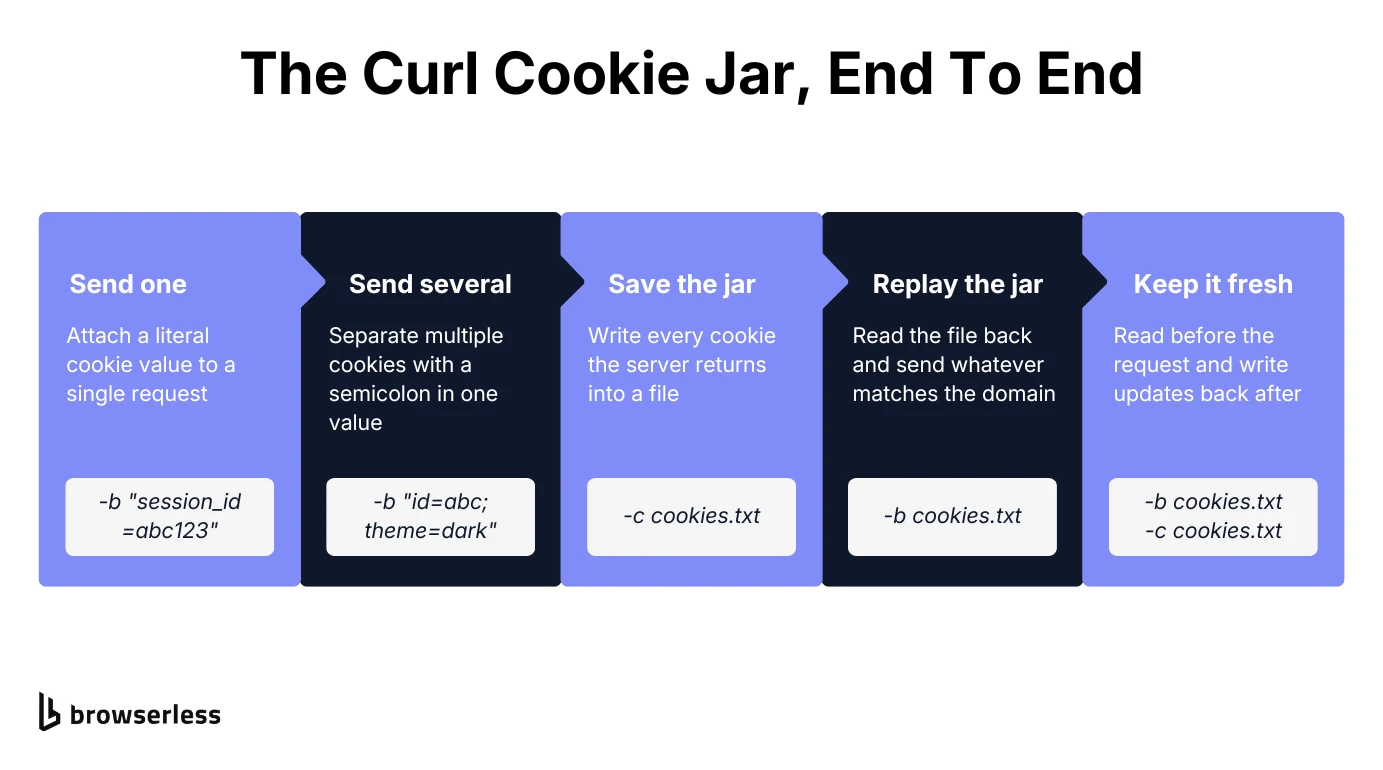
Sending a cookie takes one flag, so hand -b a value and curl attaches it to the request's Cookie header:
curl -b "session_id=abc123" https://httpbingo.org/cookies
httpbingo.org's /cookies endpoint echoes back whatever it received, a fast way to confirm your syntax before pointing the same command at a real API.
Sending multiple cookies in one request
Separate multiple cookies with a semicolon inside the same -b value, the same way a browser joins them in its own Cookie header:
curl -b "session_id=abc123; theme=dark" https://httpbingo.org/cookies
Curl sends both on the same request, and there's no limit on how many you can chain beyond what the server will accept in a single header.
Storing and reusing a curl cookie jar file
A cookie jar is a file curl reads from and writes to, which is what lets you reuse cookies so a session survives across several separate commands.
Writing a cookie jar with -c
Point -c at a filename to store cookies on disk, and curl writes every cookie it receives into that given cookie jar file:
curl -c cookies.txt "https://httpbingo.org/cookies/set?session_id=abc123"
Open cookies.txt afterward and you'll see one line for session_id, ready to reuse. If the server marked it HttpOnly, curl prefixes that line with #HttpOnly_, so it looks like a comment but is still read back normally.
The Netscape cookie file format
That file uses the Netscape cookie file format, a plain-text layout that predates curl itself. Each line is one cookie, packed into seven tab-separated fields running domain, a subdomain-match flag, path, an HTTPS-only flag, expiration timestamp, name, and value.
You'll rarely write this format by hand, since curl creates it whenever you pass -c and reads it back correctly whenever you pass -b a filename instead of a given string of literal cookies.
Copying a cookie out of the network tab
Typing a cookie by hand is rarely the fastest route. Open DevTools, find the request in the network tab, and its context menu offers a Copy as cURL option that reproduces the whole call, including the cookie information and the other headers the browser sent. Chrome and Firefox both support it on Windows, macOS, and Linux. Note that Windows adds a cmd variant next to the bash one, so pick whichever shell you're pasting into.
There are several ways to read cookies for a site, so if you want the value rather than the whole command, the Application panel lists every cookie stored for the current website.
Reading a cookie jar back with -b
Pass that same filename to -b, and curl sends back whichever cookies in it match the request's domain and path:
curl -b cookies.txt https://httpbingo.org/cookies
Combine both flags in one command (-b cookies.txt -c cookies.txt), and curl reads the jar before the request then writes any updated cookies back afterward. That's the pattern most login scripts use.
Secure cookies and the cookie header
A Secure cookie should only travel over HTTPS, and an HttpOnly cookie should stay out of reach of a page's own JavaScript. Curl honors the first of those on every request it makes. It won't hand a Secure cookie to a plain HTTP endpoint. The one exception is http://localhost, which curl treats as a secure context and lets through. HttpOnly means very little to curl. There's no page JavaScript to keep the value away from, and every cookie in the jar sits in plain text for anything with file access to read.
Add -v to see the raw Cookie: request header curl actually sent, alongside every other header on the wire:
curl -v -b "session_id=abc123" https://httpbingo.org/cookies
That's often the fastest way to confirm a cookie you thought you sent actually went out. None of this makes secure cookies unsafe with curl, but the jar file is yours to look after, so keep one holding a live session token out of your repo and your shell history.
When curl's cookie jar isn't enough
Curl's cookie jar assumes the value you need is already sitting in a header or a file you can copy, which breaks down in a few real situations.
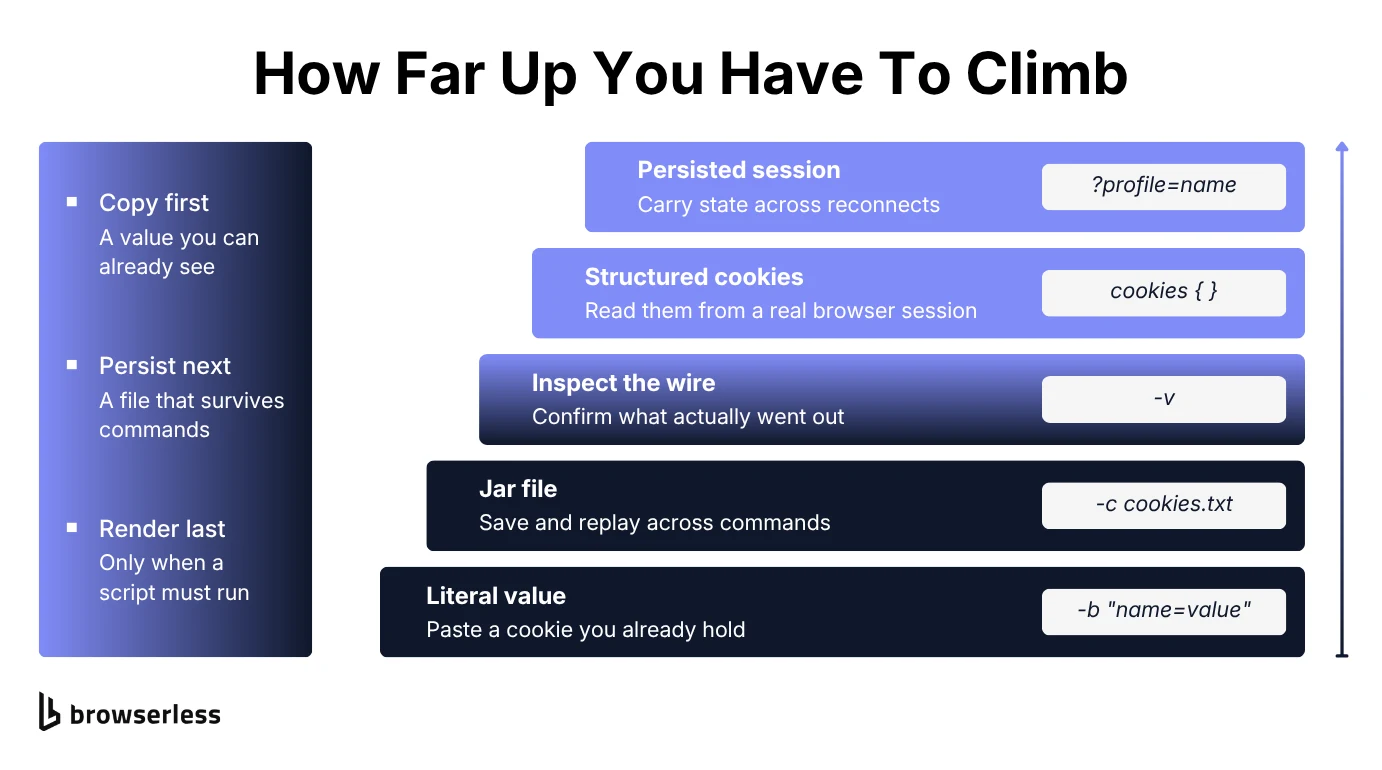
A site might issue its real session cookie only after running a JavaScript challenge on page load, something curl can't execute. That's one of the standard anti-scraping defenses, and it's aimed squarely at clients that don't render. A login flow might rotate its session cookie on every visit, and since curl treats every cookie in the jar as plain text with no special handling, there's no reliable way for it to keep that value fresh across a multi-step flow.
That gap is what a full browser session closes. Browserless's BrowserQL exposes a cookies mutation that sets or reads cookies as structured objects – name, value, domain, path, secure, httpOnly, sameSite, and expires – rather than a flat text file. HttpOnly cookies stay out of reach of page JavaScript by design, and copying one by hand into the next run is fragile even where you can read it. Session persistence carries the whole cookie store across a reconnect instead. Persistent browser sessions keep a browser's cookies and other storage alive across reconnects, closer to a cookie jar that lives in the cloud than a file on your laptop.
Using curl and Browserless together
None of this makes curl obsolete for cookie-based work. Let a real browser handle the login, read the resulting cookies out of the session, then hand them to curl for every request afterward that doesn't need a browser at all.
Reading them out of a BrowserQL session takes one mutation. In BrowserQL, even an operation that only reads is written as a mutation:
mutation GetCookies {
  cookies {
    cookies {
      name
      value
    }
  }
}
Take the value you need from that response and drop it into a plain curl command, using BrowserQL's cookie management if you need to push cookies back the other way:
curl -b "session_token=PASTE_VALUE_HERE" https://httpbingo.org/cookies
Reach for a real browser session for whatever a site's own JavaScript needs to run, and curl for everything after that, where a fast, scriptable request is all you need.
Conclusion
A curl cookie is just a value curl copies into a header on your behalf, with -b to send one, -c to save one, and the Netscape cookie file format to store more than one at a time. Every example above ran from the command line with no browser involved.
If you've hit a cookie a plain curl command can't reproduce, sign up for a free Browserless account and try the cookies mutation in the BrowserQL IDE. Set one, read it back, and you'll see exactly where a real browser session picks up.
Curl cookie FAQs
What's the difference between curl and Postman for handling cookies?
Postman manages cookies automatically and shows them in a dedicated cookie manager UI. Curl requires you to handle cookies explicitly with -b and -c, which takes more setup but is easier to script into an automated pipeline.
Why use curl instead of a browser for cookie-based requests?
Curl is faster to run and easier to script, with no rendering engine needed for requests that don't rely on JavaScript. Once a cookie only exists after JavaScript runs on the page, you need something that can actually run that page, which is the line between an HTTP client and a headless browser.
Does curl respect cookie expiry dates?
It does, since the Netscape format stores an expiration timestamp per cookie and curl won't send one whose time has passed. Session cookies, the ones with no expiry set, live in memory and vanish when the command ends unless you write them out with -c.
Why isn't curl sending the cookie I saved?
Most often the domain or path in the jar doesn't match the URL you're requesting, since curl matches both before sending. Run the request with -v and check the outgoing Cookie: header. If the cookie is missing, open the jar file and compare its domain and path fields against the URL you're calling.