
TL;DR
- Not every browser automation tool is built for the same job. The best choice depends on your language, use case, and infrastructure.
- Playwright has become the go-to for modern headless browser automation, but Puppeteer, Selenium, and Cypress all still have strong cases.
- Running browser automation at scale introduces infrastructure challenges that cloud-native tools like Browserless are specifically designed to solve.
- This article covers the top tools side by side, with a comparison table and use-case guidance to help you decide.
Introduction
Picking from today's browser automation tools is more challenging, but you can also be more specific in your needs.
Five years ago, the default shortlist was much smaller. In 2026, you're choosing between mature cross-browser testing frameworks, Chromium-first scraping libraries, browser-native testing tools, cloud browser infrastructure, and higher-level crawling frameworks built for data extraction at scale.
The upside is that there are better tools than ever. The downside is that the wrong choice can leave you fighting flaky selectors, brittle waits, browser drivers, or an infrastructure bill you didn't plan for.
The field is also shifting fast.
- Playwright has gone from a promising entrant to the default answer for a lot of modern headless browser automation.
- Puppeteer has stayed relevant by doing a narrower job extremely well.
- Selenium is still deeply embedded in enterprise QA.
- Cypress remains popular with frontend teams because of its developer experience.
- At the same time, platforms such as Browserless have turned browser automation infrastructure into a service instead of another DevOps project.
In this guide, you'll get a practical comparison of the leading browser automation tools, what each one does well, where each one starts to creak, and how to match the right browser automation tool to your use case.
What are browser automation tools?
Browser automation tools are software libraries, frameworks, or platforms that let you control a web browser programmatically.
You can use them to run end-to-end tests, scrape data from dynamic pages, generate PDFs and screenshots, or automate repetitive browser-based workflows.
The category spans open-source libraries like Playwright and Puppeteer, established frameworks like Selenium, testing-focused tools like Cypress, and managed infrastructure platforms like Browserless.
What to look for in a browser automation tool
Before you compare specific tools, it helps to use the same yardstick for all of them. Otherwise, it's easy to confuse popularity with fit, or assume the most capable browser automation tool is automatically the best one for your stack. In practice, the right choice usually comes down to a handful of criteria:
- Browser support.
- Language support.
- Reliability.
- Setup and scale.
Start with browser support. Some tools are built for true cross-browser testing across Chromium, Firefox, and WebKit. Others are much more comfortable in Chromium-based browsers, where direct access to the Chrome DevTools Protocol gives you tighter browser control for scraping, screenshots, PDFs, and other browser tasks.
Consider what languages are supported. Playwright and Selenium support multiple programming languages, which matters in mixed engineering teams. Cypress is mainly for JavaScript teams, while Puppeteer stays most natural inside Node.js workflows.
The next filter is reliability. Good selector handling, built-in wait logic, isolation through browser contexts, and sane debugging tools can make the difference between stable test execution and a pile of flaky scripts.
You also need to think about setup and scale. A tool that feels great on a local browser can become painful once you need parallel execution across multiple machines, multiple scripts, or containerized jobs – which is where hosted options, Selenium Grid, or cloud browser infrastructure make sense.
The best browser automation tools in 2026
With those evaluation criteria in place, you can look at the top browser automation tools side by side and see where each one earns its place.
Playwright
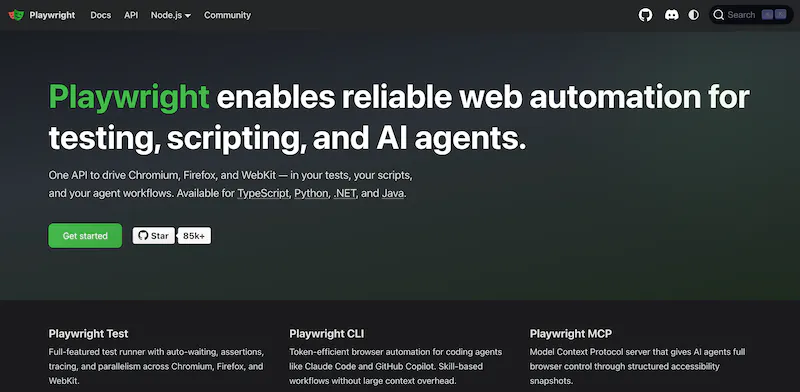
Playwright covers both end-to-end testing and general automation without forcing you into a narrow setup, which is why so many teams reach for it first. Microsoft released it in 2020 as an open-source framework – often described as the spiritual successor to Puppeteer – and it now supports JavaScript/TypeScript, Python, Java, and .NET.
What sets Playwright apart is how balanced it feels. It gives you cross-browser coverage across Chromium, Firefox, and WebKit, but it also smooths out the day-to-day pain points that usually make browser automation brittle. Built-in auto-waiting, isolated browser contexts, parallel test execution, and strong network controls make it useful for both testing web applications and scraping dynamic content.
Best for
Teams that need one browser automation tool for end-to-end testing, cross-browser coverage, web scraping for dynamic sites, and reliable browser automation in production.
Key features
- Cross-browser support for Chromium, Firefox, and WebKit.
- Language support for JavaScript/TypeScript, Python, Java, and .NET.
- Built-in auto-waiting to reduce flaky selectors and timing issues.
- Parallel execution for faster test runs.
- Network interception and request mocking.
- Isolated browser contexts for cleaner session handling.
- Strong debugging tools, tracing, and test reporting.
Pros and cons
| Pros | Cons |
|---|---|
| Excellent cross-browser support | Broader framework than some teams need |
| Reliable auto-waiting reduces flakiness | Can feel heavier than Puppeteer for simple Chromium jobs |
| Supports multiple programming languages | Scraping-specific workflows may still need extra infrastructure |
| Strong for both testing and browser automation | Some teams that only use Chrome may not benefit from its wider scope |
Puppeteer
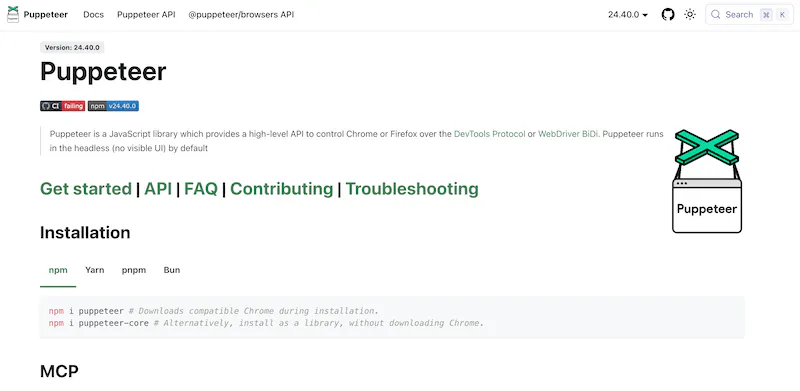
Puppeteer remains one of the most widely used browser automation tools for teams that want tight control over Chrome or Chromium without the extra surface area of a broader testing framework. Originally released by Google in 2017, it's still deeply tied to the Chrome DevTools Protocol, which makes it especially effective for browser interactions in Chromium-based environments.
Compared with Playwright, Puppeteer is narrower in scope but often lighter in practice. It's especially strong for scripting repetitive browser tasks, generating PDFs and screenshots, and scraping JavaScript-heavy pages where direct browser control matters more than cross-browser support. Firefox support exists, but Puppeteer is still most naturally a Chromium-first tool.
Best for
Node.js teams doing Chromium-focused web scraping, PDF generation, screenshots, and other automation tasks where direct access to Chrome matters most.
Key features
- Tight Chromium integration through the Chrome DevTools Protocol.
- Straightforward JavaScript and TypeScript API.
- Strong support for screenshots and PDF generation.
- Mature ecosystem for scraping data from dynamic pages.
- Good control over pages, frames, network requests, and browser sessions.
- Firefox support via WebDriver BiDi for teams that need some reach beyond Chromium.
Pros and cons
| Pros | Cons |
|---|---|
| Lightweight and focused for Chrome automation | Narrower browser support than Playwright |
| Excellent for screenshots, PDFs, and scraping | JavaScript and TypeScript-centric |
| Familiar choice for Node.js workflows | Less suited to cross-browser testing |
| Strong community and long-standing adoption | Fewer built-in testing conveniences than Playwright |
If you're unsure which to choose between the first two, read our Playwright vs. Puppeteer comparison.
Selenium WebDriver
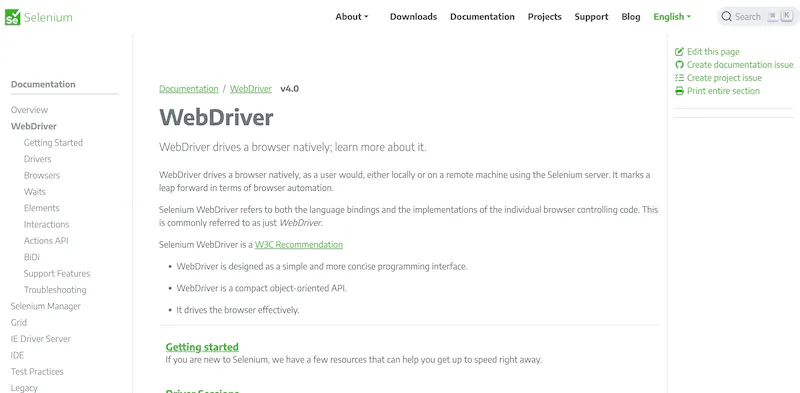
Selenium WebDriver is still one of the most established names in browser automation. First created in 2004, it helped define the category, and WebDriver became a W3C standard in 2018. Selenium remains the default automation layer in many enterprise QA environments.
Its main strength is reach. Selenium supports multiple programming languages, broad browser compatibility, and established remote execution patterns that work well across large teams and legacy systems.
It also fits naturally into organizations already using Selenium Grid, browser drivers, and distributed test execution across multiple machines. The trade-off is that newer tools tend to be more concise, less flaky, and easier to set up locally.
Best for
Large enterprise teams, legacy test suite maintenance, and organizations that need browser automation across multiple browsers and multiple programming languages.
Key features
- Broad language support, including Java, Python, C#, Ruby, JavaScript, and Kotlin.
- Wide browser compatibility through WebDriver.
- Mature support for remote execution and distributed testing.
- Selenium Grid for scaling test execution across multiple machines.
- Longstanding enterprise adoption and extensive documentation.
- Standardized model for browser drivers and browser control.
Pros and cons
| Pros | Cons |
|---|---|
| Broadest language support in this list | More verbose than newer tools |
| Strong enterprise fit and long-term stability | Flakiness can be harder to manage |
| Works across major browsers and operating systems | Local setup can be more involved |
| Good option for legacy suites and existing workflows | Developer experience feels dated compared with Playwright or Cypress |
Where Selenium prioritizes compatibility and standardization, Cypress takes a much more opinionated approach and focuses on frontend developer experience first. Read on for why Cypress is a viable Selenium alternative.
Cypress
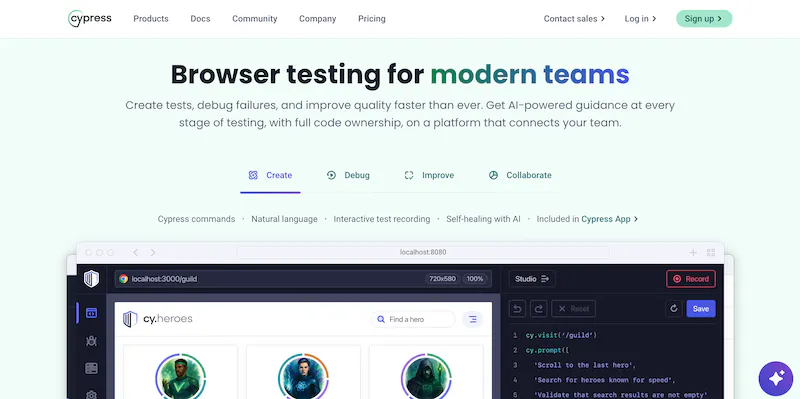
Cypress is a testing-focused tool built mainly for JavaScript teams shipping modern web apps. Rather than controlling the browser from the outside in the same way as Selenium or Playwright, Cypress runs with a browser-native model that gives you fast feedback during development and a test runner designed for UI work.
That architecture is why Cypress feels so developer-friendly. Real-time reloading, time-travel debugging, and a visual interface for inspecting test execution make it especially appealing for frontend teams.
At the same time, that same design makes Cypress less flexible for non-testing automation, browser-based workflows outside app testing, or scraping use cases that need lower-level browser control.
Best for
Frontend developers building end-to-end and component test suites in a JavaScript-first stack.
Key features
- JavaScript and TypeScript-first testing workflow.
- Interactive test runner with visual debugging tools.
- Real-time reloads during development.
- Time-travel debugging for inspecting UI state step by step.
- Strong support for testing web applications from the frontend perspective.
- Active community support and extensive documentation.
Pros and cons
| Pros | Cons |
|---|---|
| Excellent developer experience for frontend testing | Not well-suited to web scraping |
| Fast feedback loop during local development | JavaScript and TypeScript only |
| Strong debugging and test runner UI | No native multi-tab support |
| Popular choice for modern web testing | Less flexible for general browser automation |
Browserless
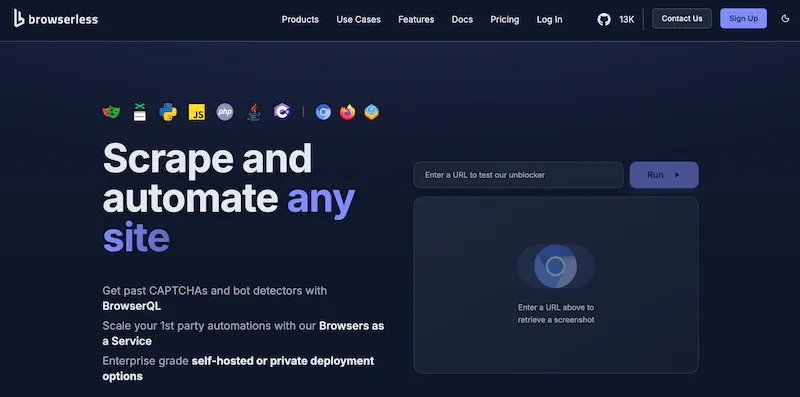
Browserless is a cloud-hosted browser automation platform designed to run Playwright and Puppeteer sessions remotely, so you don't have to manage browser binaries, containerized deployments, concurrency limits, or session infrastructure yourself.
That distinction is important because the challenges change once browser automation moves beyond a local browser.
Browserless is built for production workloads: running multiple scripts, handling queueing, exposing REST APIs, managing sessions, and giving you WebSocket endpoints that let existing Playwright or Puppeteer code connect without major rewrites. Instead of replacing those tools, Browserless acts as the managed layer underneath them.
Best for
Teams running browser automation at scale, scraping pipelines, and developers who want to avoid the DevOps overhead of self-hosted browser infrastructure.
Key features
- Cloud-hosted browser infrastructure for Playwright across Chromium, Firefox, and WebKit, plus Puppeteer on Chrome and Chromium.
- BrowserQL – a GraphQL-based, stealth-first API for automation and scraping behind bot detection.
- Built-in CAPTCHA solving, residential proxies, and stealth routes for bypassing Cloudflare and DataDome-class protection.
- WebSocket and REST API endpoints that let existing scripts connect with a single-line change.
- Session management, queueing, and session reconnects for long-running or multi-step workflows.
- Free tier with 1,000 units/month to validate real workloads before committing to a paid plan.
Pros and cons
| Pros | Cons |
|---|---|
| Drop-in integration with existing Playwright and Puppeteer scripts via a single endpoint change | Not a standalone local automation library |
| BrowserQL, stealth routes, and built-in CAPTCHA solving for sites behind bot detection | Best value appears once you need scale |
| Session reconnects and hybrid automations for multi-step or long-running workflows | Adds a hosted service dependency |
| Free tier with 1,000 units/month – no credit card required to start. | Teams with very small local workflows may not need it yet |
Sign up for a free Browserless account today and connect your existing scripts in minutes.
Crawlee
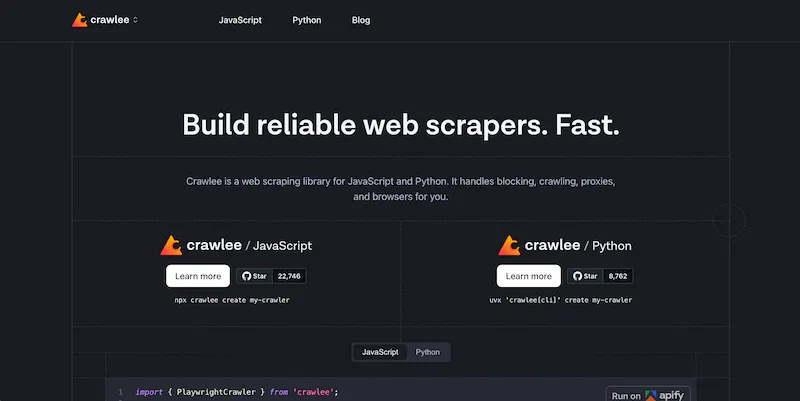
Crawlee is an open-source crawling and automation framework from Apify that builds on top of tools such as Playwright and Puppeteer. Rather than focusing only on browser control, it adds the higher-level pieces you need for serious web scraping and data extraction pipelines.
That difference matters in production scraping work.
Once you're dealing with dynamic content across thousands of pages, the hard part is usually not clicking around the DOM. It's managing request queues, retries, session state, proxy rotation, and structured data output in a way that stays reliable over time. Crawlee is designed for that layer, which is why it fits large-scale scraping projects.
Best for
Teams building large-scale web scraping systems where crawl management, retries, proxy support, and data pipelines matter as much as browser control.
Key features
- Built on top of Playwright and Puppeteer.
- Request queueing for large crawls.
- Automatic retries and failure handling.
- Proxy rotation and session support.
- Dataset storage for extracted data.
- Higher-level abstractions for scalable data extraction workflows.
Pros and cons
| Pros | Cons |
|---|---|
| Strong fit for large-scale scraping workflows | Less suited to end-to-end testing |
| Handles crawl state, retries, and queueing well | Adds framework complexity beyond simple scripts |
| Builds on familiar browser automation tools | Not the best choice for teams that only need browser control |
| Better operational structure for data extraction pipelines | More specialized than Playwright or Puppeteer |
Web browser automation tools compared
Now that each tool has a clear role, the side-by-side view is easier to read:
| Tool | Primary language support | Browser support | Primary use case | Open source | Hosted / cloud option |
|---|---|---|---|---|---|
| Playwright | TypeScript/JavaScript, Python, Java, .NET | Chromium, Firefox, WebKit | Cross browser testing, modern web automation, scraping | Yes | Yes |
| Puppeteer | JavaScript/TypeScript | Chrome/Chromium first, Firefox support available | Chromium automation, screenshots, PDFs, scraping | Yes | No official hosted browser service |
| Selenium WebDriver | Java, Python, C#, Ruby, JavaScript, Kotlin and more | Broad WebDriver-based browser support | Enterprise QA, legacy suites, remote browser control | Yes | Yes, typically via Grid or third parties |
| Cypress | JavaScript/TypeScript | Chrome-family browsers, Firefox, Electron | Frontend E2E and component testing | Yes | Yes, via Cypress Cloud |
| Browserless | Any Playwright or Puppeteer client language, plus REST and BrowserQL APIs | Chrome/Chromium via Puppeteer or Playwright; Firefox and WebKit via Playwright | Cloud browser infrastructure, scraping, screenshots, PDFs | Yes | Yes |
| Crawlee | JavaScript/TypeScript, Python | Depends on crawler and underlying library; supports browser-based and HTTP crawling | Large-scale crawling, scraping, data extraction pipelines | Yes | Yes, through Apify platform |
The comparison makes three things clear. Playwright and Puppeteer dominate modern headless browser automation, but they do it with different scopes.
Selenium still makes the most sense where enterprise compatibility and multiple programming languages matter.
Browserless is the only tool here purpose-built around running browser automation in the cloud as infrastructure, instead of asking you to assemble that layer yourself.
How to choose the best browser automation tool for your use case
So, which of these browser automation tools should you use for the work in front of you? The answer is usually less about rankings and more about matching the tool to the shape of the job.
If you need end-to-end testing across multiple browsers, use Playwright.
It gives you cross-browser support across Chromium, Firefox, and WebKit, plus auto-waiting, parallel execution, and strong isolation through browser contexts. For modern web applications, it's the best browser automation tool for teams that want one framework to cover both testing and browser automation without much compromise.
If you're scraping Chromium-rendered pages in Node.js, consider Puppeteer or Crawlee.
Puppeteer is the cleaner choice when you want direct access to Chrome and a lightweight API for browser control, PDFs, screenshots, and data extraction. Crawlee makes more sense when the hard part is no longer clicking buttons, but managing request queues, retries, session pools, proxies, and structured data outputs across a larger crawl.
If you're maintaining a large enterprise QA estate or a legacy suite, consider Selenium.
It still has the broadest language story, it maps well to traditional testing organizations, and Selenium Grid remains useful when you need test execution across multiple machines and browser environments. You'll trade away some modern ergonomics, but you'll gain compatibility and organizational fit.
If you're a frontend developer in a JavaScript-first stack, consider Cypress.
The interactive runner, time-travel debugging, and tight local feedback loop are still hard to beat for testing web apps during active development. It's not the right tool for scraping data or broad business process automation, but it remains one of the strongest automation tools for browser-based testing inside JavaScript teams.
If you need to run automation at scale without managing browser infrastructure, use Browserless.
It lets you keep Playwright or Puppeteer as your automation layer while moving concurrency, sessions, queueing, and browser hosting into a managed environment. That's often the most practical path once your local browser scripts become production browser workflows.
Conclusion
For most modern teams, Playwright is the default answer for headless browser automation. For many production setups, though, the more important question is what makes that automation reliable at scale. That's where Browserless fits: as the managed layer that can make Playwright or Puppeteer production-ready without forcing you to build the browser platform yourself. Browserless offers API access, hosted browser infrastructure, and a free tier to get started.
In practice, many teams combine tools – Playwright or Puppeteer for the automation logic, with Browserless handling the cloud execution layer. The best browser automation tool ultimately depends on your use case, your team's language requirements, and whether you want to manage browser infrastructure yourself. Sign up for free and see how Browserless fits into your stack.
Browser automation tool FAQs
What is the best browser automation tool?
There's no single winner. Playwright is the strongest default for cross-browser testing and general automation, Puppeteer suits Chromium-focused scripting, Selenium fits enterprise QA estates, Cypress fits frontend test suites, and Crawlee fits large crawls. Browserless is the best fit when the hard part is running any of them reliably in the cloud.
Which browser automation tool is best for web scraping?
For Node.js scraping on Chromium-rendered pages, Puppeteer keeps the API small and the browser control direct. Once you're crawling thousands of pages, Crawlee handles queues, retries, and proxy rotation, and running that pipeline on Browserless removes the browser hosting work.
Do browser automation tools work on sites with bot detection?
Not on their own. A stock Playwright or Puppeteer session leaks plenty of automation signals, so protected sites often block it. Stealth-first options such as BrowserQL reduce those signals, but no tool makes you invisible – expect to tune fingerprints, proxies, and request pacing, and stay inside each site's terms of service.
Can you run browser automation tools without managing infrastructure?
Yes. Managed platforms expose WebSocket and REST endpoints, so your existing Playwright or Puppeteer code connects to a hosted browser with a connection-string change instead of a Docker and concurrency project of your own.
Is Playwright replacing Selenium?
Playwright is the more common choice for new projects, but Selenium isn't going away. Large QA organizations still rely on its language coverage, WebDriver standardization, and Grid-based execution, so plenty of teams run both.