
Smart Scrape is our one-call scraping API. You send a URL and the formats you want, and Browserless works out how to get the page. It starts with a fast, cheap fetch and only moves up to a proxy, a full browser, or captcha solving when the page needs it. You get back markdown, HTML, screenshots, PDFs or links, plus a note of which step did the job.
Since we launched it in April, we've kept adding to it. This post rounds up the biggest additions so far. Each section shows the feature on a real page, with a link to the docs if you want the details.
Here's what's new:
- Main content by default: results skip menus, footers and sidebars unless you ask for the full page.
- AI extraction: describe the fields you want and get JSON back, or ask for a short summary.
- Page actions: click, type, scroll and run scripts before the page is captured.
- PDF parsing: links to PDFs come back as text.
- Result caching: reuse a recent result instead of scraping the same page again.
- Change tracking: find out if a page changed since your last check, and see what changed.
- Batch scraping: send a list of URLs and collect the results from one job.
- Country targeting: load a page as a visitor from a chosen country.
- Screenshot options: pick the viewport, the format and the quality.
- Ad blocking: hide ads and trackers when a browser runs.
- Lower cost and repeat speed: simple pages cost half a unit, and Smart Scrape remembers what worked.
- Clearer failures: missing pages and bot checks are reported as failures, not as content.
Every example below is a real response from production, trimmed and formatted to fit the image.
Main content by default
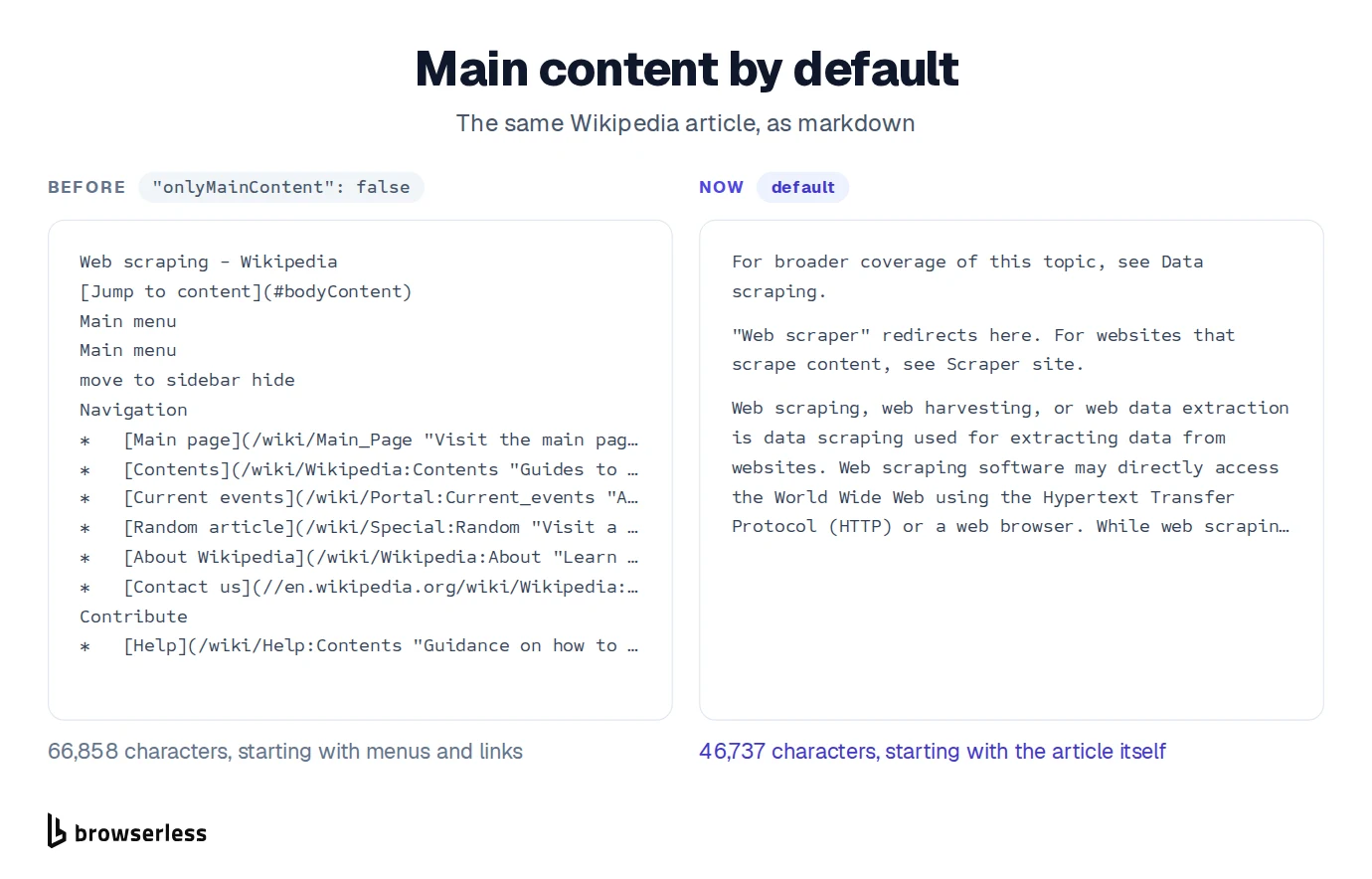
Most pages wrap their content in menus, headers, footers and sidebars. If you feed that to a language model or a RAG pipeline, you pay for a lot of noise. Smart Scrape now keeps only the main content of a page by default. Navigation, footers, sidebars, cookie banners and share buttons are removed before you get the result.
This changes the output of existing requests too. It applies to content, markdown, html, rawText and links, so a links-only request now returns the links in the main content. Requests that send a non-empty includeTags list keep the old behavior. If you need the whole page, send "onlyMainContent": false. You can also pick exactly what to keep with includeTags or what to drop with excludeTags, using CSS selectors.
Pull structured data with AI
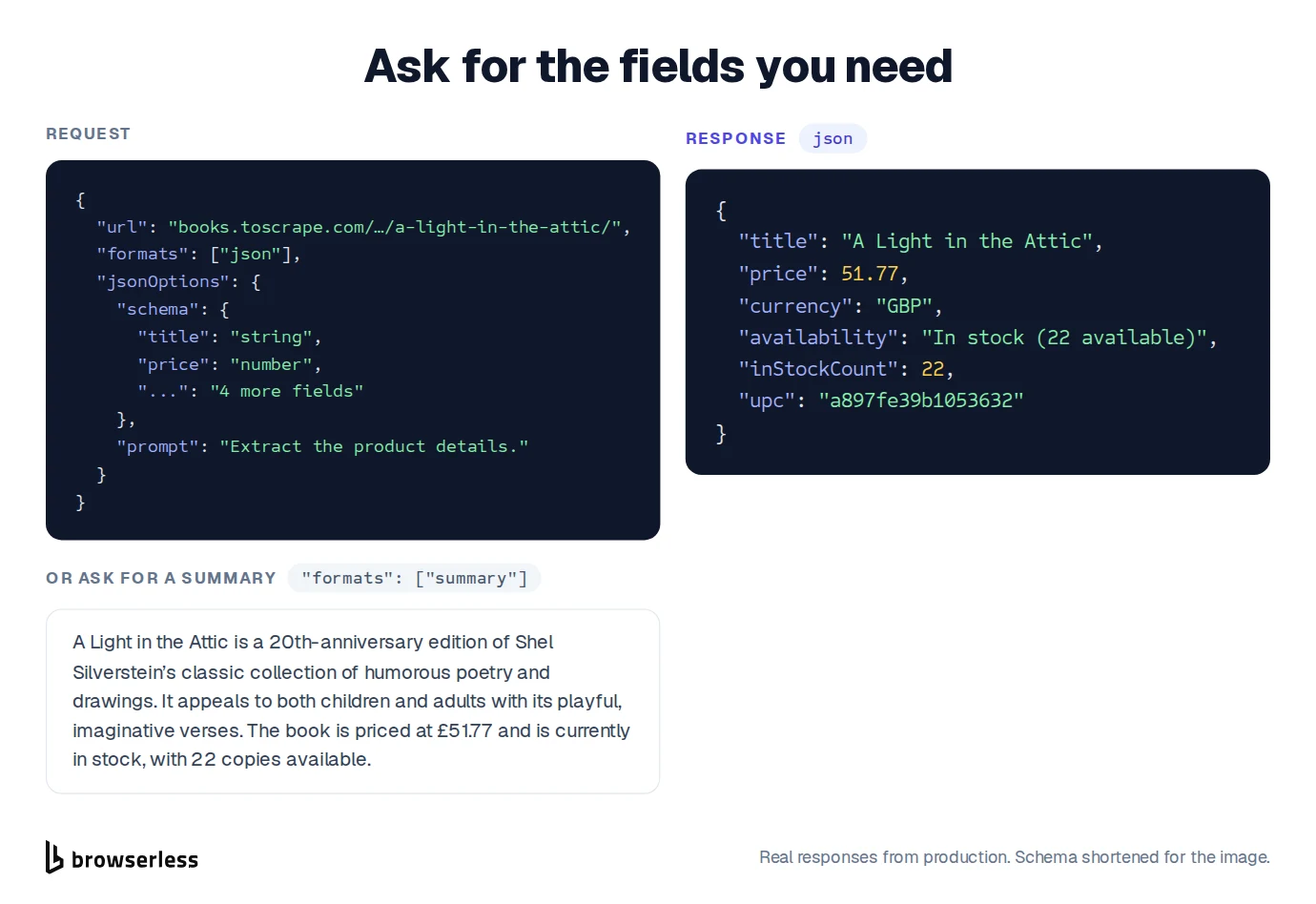
Sometimes you don't want the page at all, just a few facts from it. Add "json" to formats and describe what you need with a JSON schema, a short prompt, or both. Smart Scrape reads the page and returns an object with those fields. Our guide to LLM web scraping covers how to write a good schema.
If you only want the gist, add "summary" instead and you'll get a few sentences of plain text. Neither format needs a browser, so a simple page stays on the cheapest step. The AI work is billed as extra units based on how much text the model reads and writes.
Click, type and scroll before the scrape
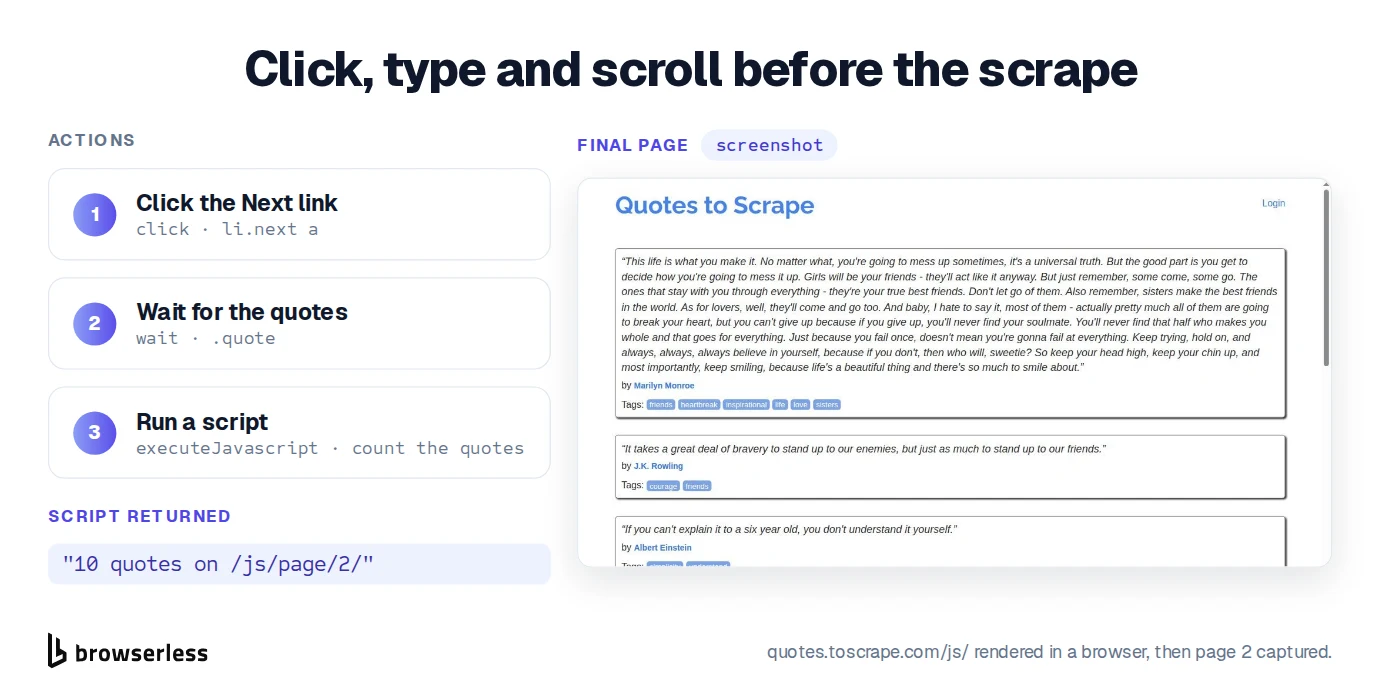
Some content only shows up after you interact with the page, which is common on dynamic websites. Maybe there's a cookie banner in the way, a "Load more" button, or a search box. With actions you can list the steps to run first: click, type, wait, scroll, save a snapshot, or run a bit of JavaScript. Smart Scrape runs them in order, then captures the page as it looks at the end.
In this example we click "Next" on a quotes site, wait for the new quotes to load, and run a short script that counts them.
Read PDFs
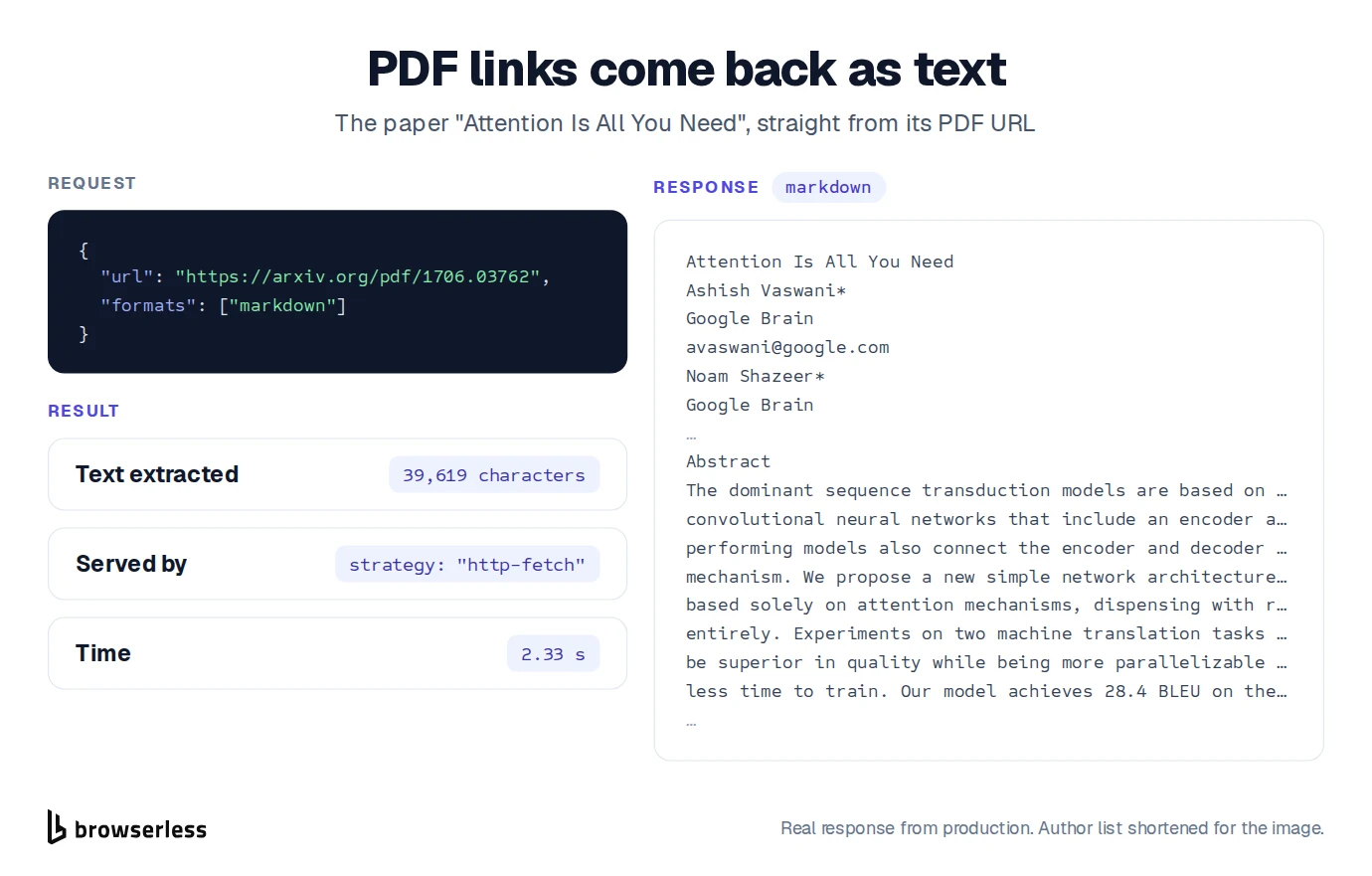
Not every URL is a web page. When a link points straight at a PDF, Smart Scrape now pulls the text out of it, so you get readable content instead of a file. No separate PDF scraper needed. Ask for markdown and the pages come back separated by blank lines.
Reuse a recent result
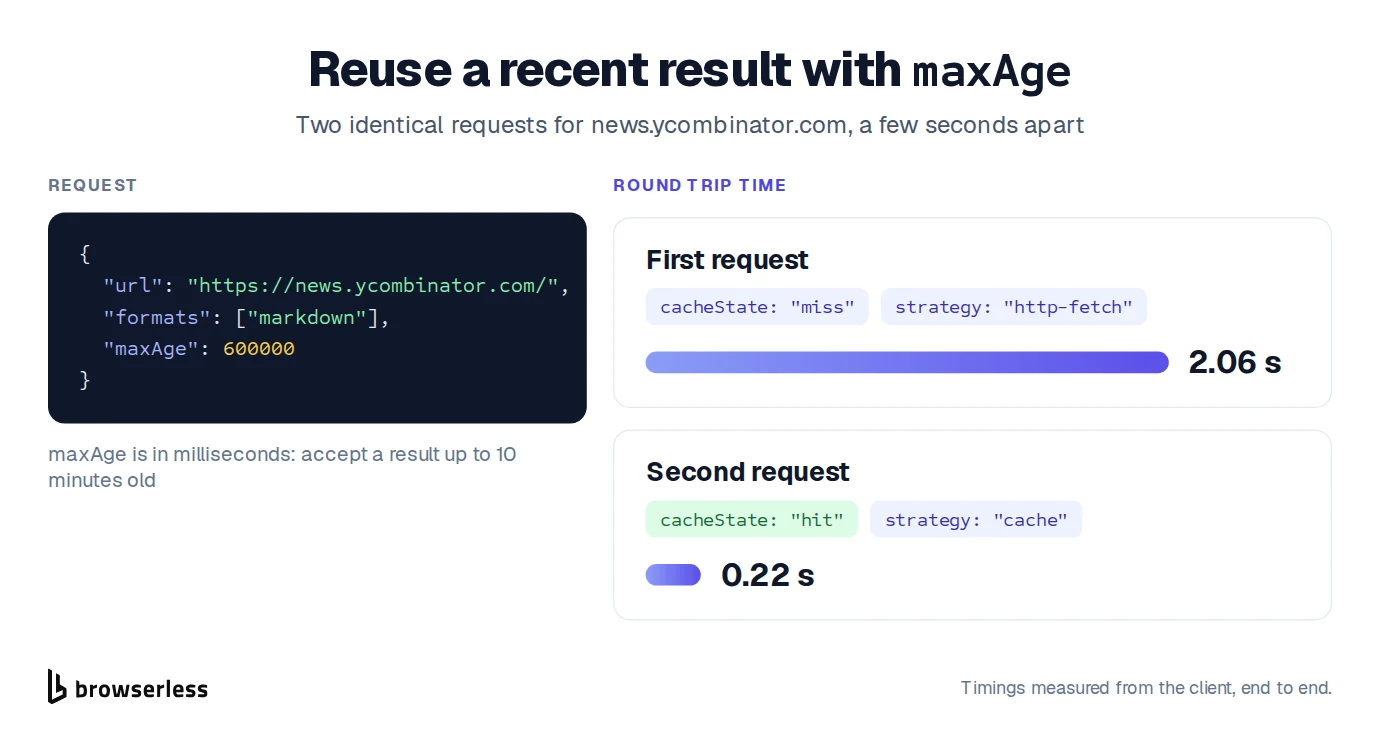
If you scrape the same pages often, you don't always need a fresh copy. Set maxAge in milliseconds to say how old a result you're happy to accept. If your account scraped the same page with the same options within that time, you get the stored result back straight away. Only results from requests that set maxAge are stored, and each one is kept only as long as the maxAge of the request that saved it, up to 48 hours. Requests with actions, change tracking, a profile or custom headers always get a fresh scrape. A hit is billed at 1 unit, with no proxy, captcha or AI extraction charges, so caching pays off most on pages that need a browser, a proxy or AI.
Caching is off unless you turn it on, so nothing changes for requests that need a fresh page.
Know when a page changes
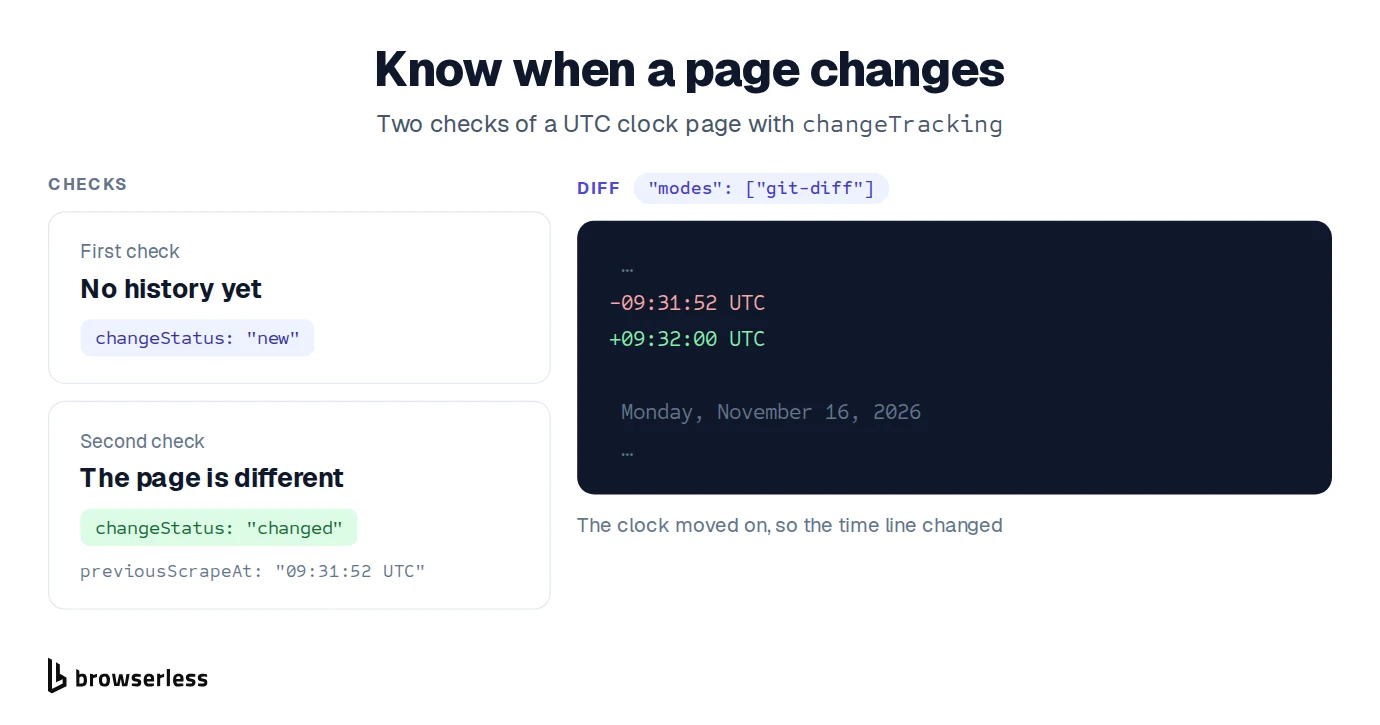
Add "changeTracking" to formats, next to "markdown", and Smart Scrape compares the page with your last check of the same URL. The answer is simple: new, same, changed, or removed if the page is gone. Set changeTrackingOptions.modes to ["git-diff"] and you also get the exact lines that changed. Smart Scrape keeps your last check for 30 days, and very large pages can come back as changed without the lines.
Use it to watch prices, docs, job listings or terms pages without storing old copies yourself.
Scrape a list of URLs in one job
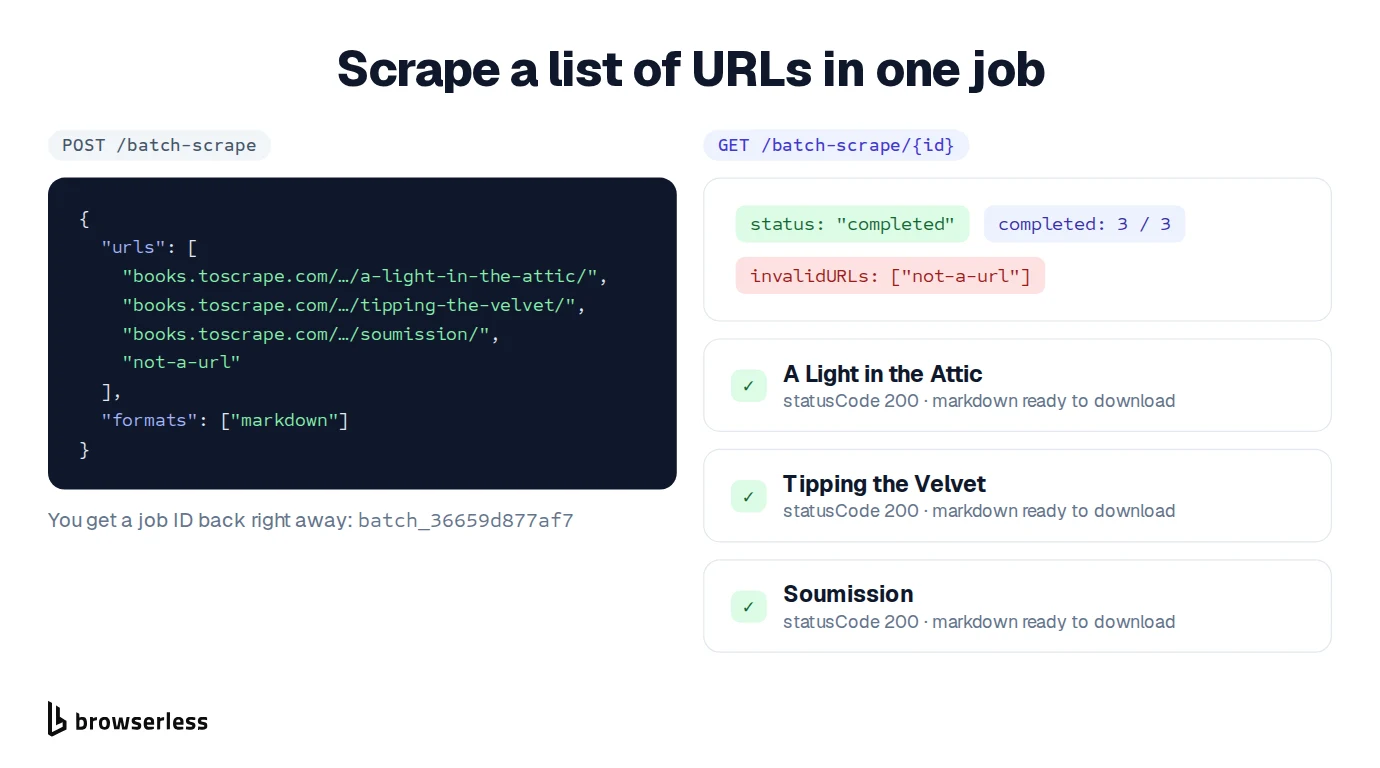
When you already know which pages you want, the new Batch Scrape API saves you from scraping multiple pages one request at a time. Send the whole list to /batch-scrape and you get a job ID back right away. Then check that one job for progress and results, or have a webhook tell you as each page finishes. Bad URLs are listed separately, and the rest still run.
Batch Scrape is in beta and available on Cloud plans.
Scrape from a specific country
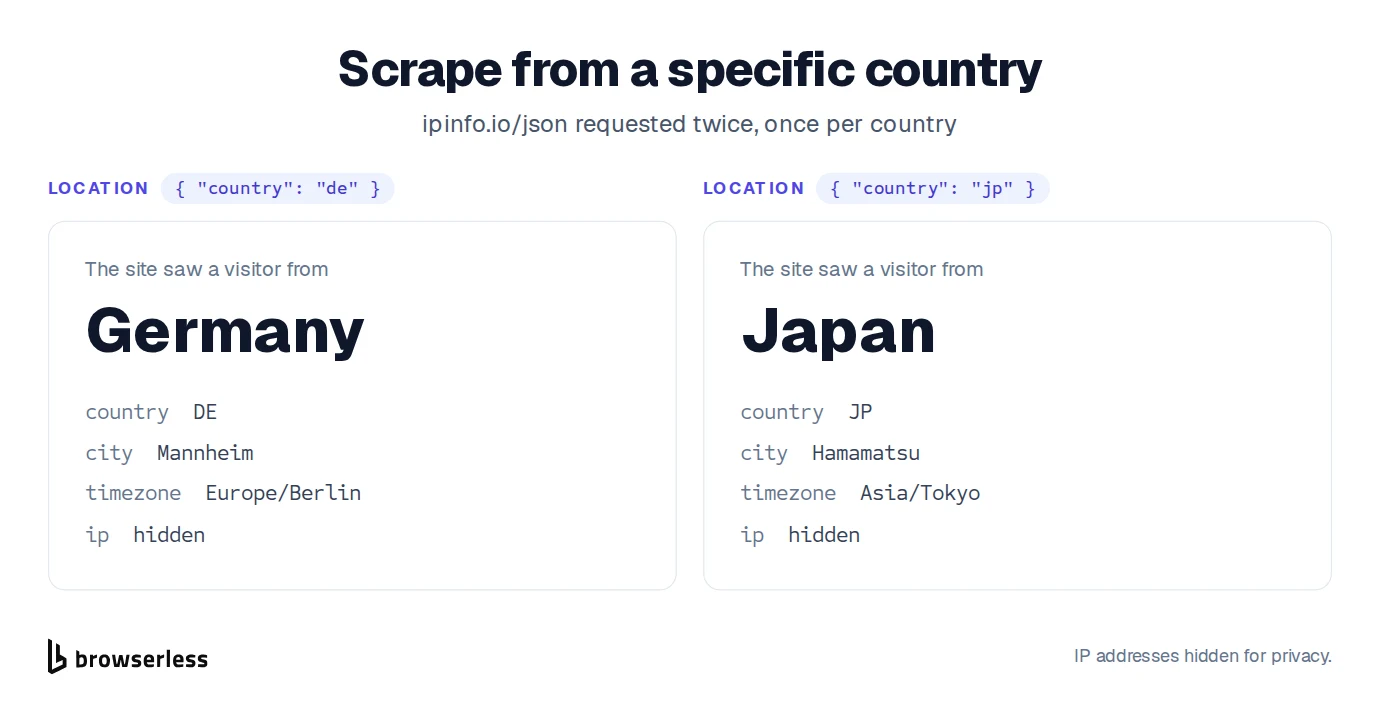
Prices, languages and whole pages can change depending on where a visitor comes from. Set location.country to a two-letter country code and Smart Scrape loads the page through a proxy in that country, a residential proxy by default. When a browser runs, its time zone and language are set to match wherever Smart Scrape can work them out. Proxy bandwidth is billed even when no browser is needed.
Here we asked a site that reports the visitor's location to tell us where we were, once from Germany and once from Japan.
Screenshots at the size you need
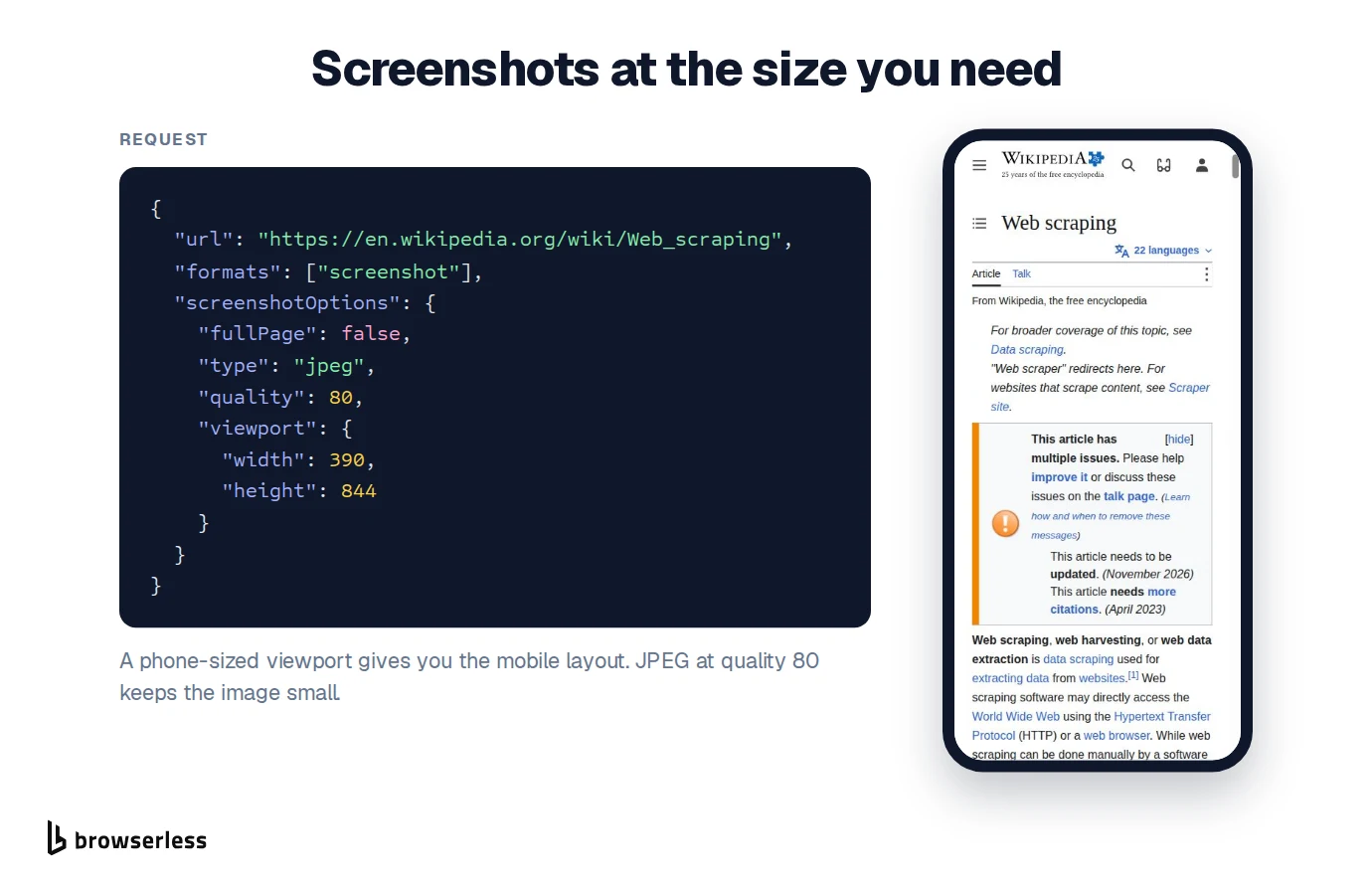
Screenshots now take a screenshotOptions object, closing the gap with a dedicated screenshot API. You can capture only the visible area instead of the full page, choose PNG or JPEG, set the JPEG quality, and pick the viewport size. A phone-sized viewport gives you the mobile layout of a site.
Block ads with one flag
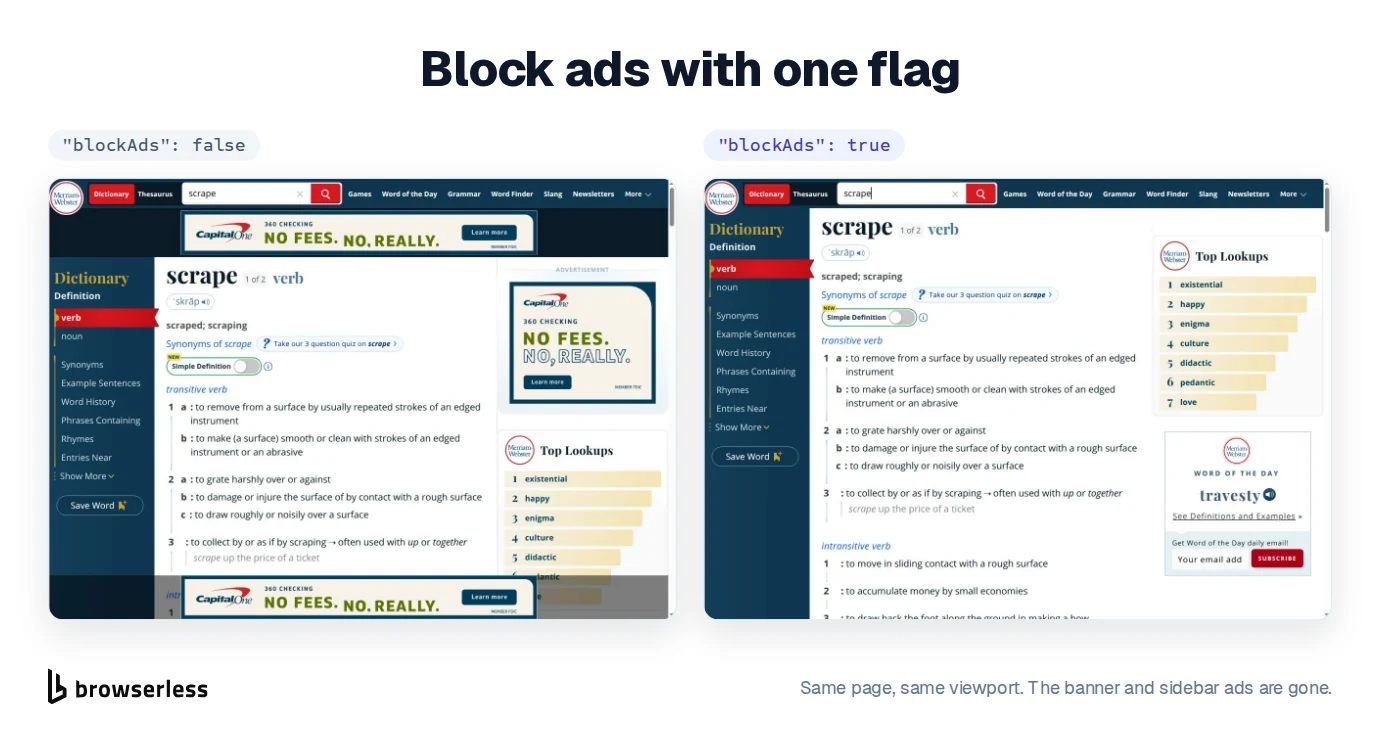
Ads slow pages down and clutter your screenshots and content. Set "blockAds": true and Smart Scrape blocks ads and trackers whenever it uses a browser. Plain fetches aren't affected, so it never forces a slower step.
Cheaper on simple pages, quicker on repeat visits
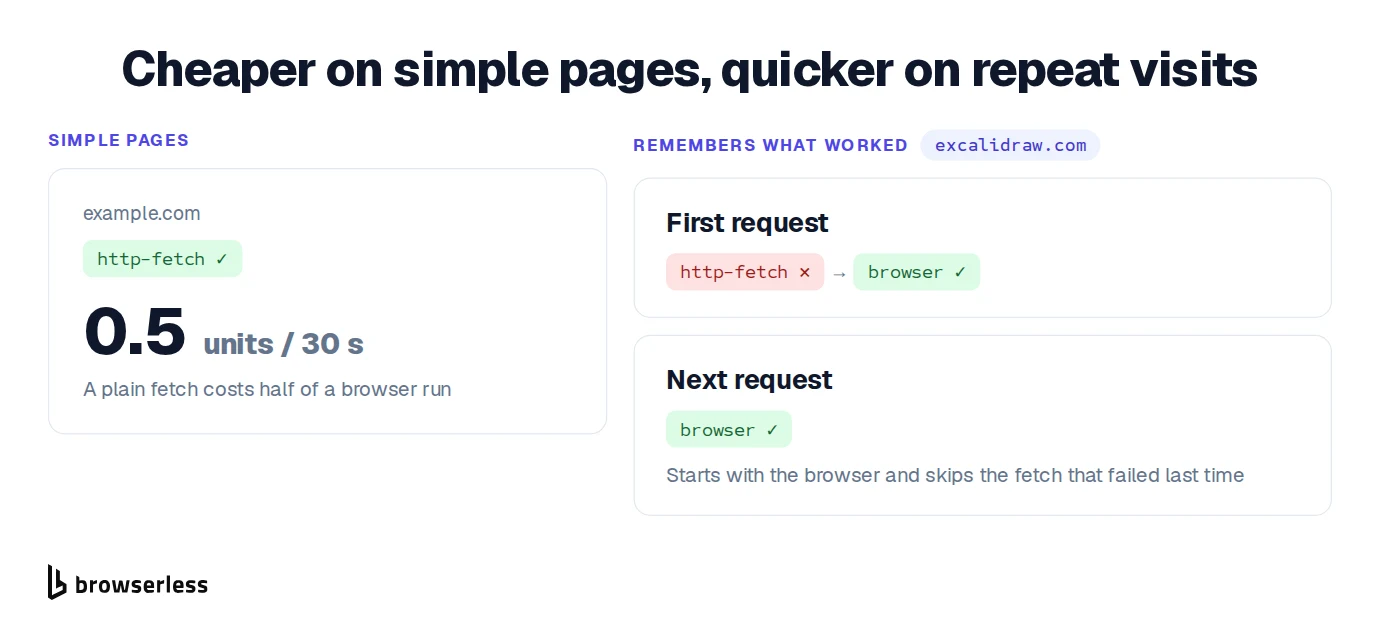
Pricing now follows the step that actually did the work. When a plain fetch is enough, the request costs 0.5 units per 30 seconds, half the time rate of a browser run. Most static and server-rendered pages land here.
Smart Scrape also remembers what worked for each site. If a site needed a browser last time, the next request starts with the browser and skips the steps that are likely to fail.
Failures that say what went wrong
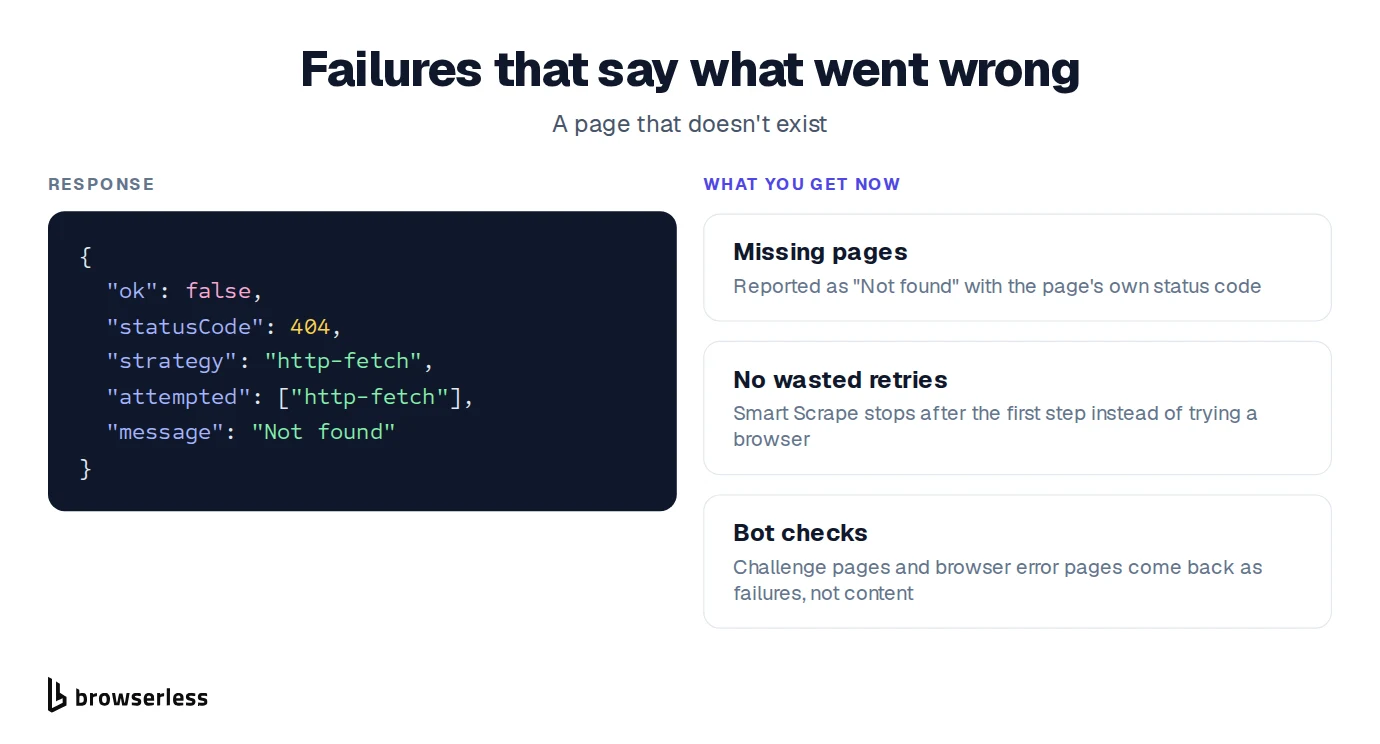
A scrape that "succeeds" with a 404 page or a bot check is worse than an honest failure, because you can't tell it apart from real content. Smart Scrape is now stricter about this. Missing pages come back as "Not found" with the page's real status code, and it stops right there instead of trying a browser. Bot challenge pages from bot detection systems and browser error pages are reported as failures too, so you never mistake them for the page you wanted.
Try it
Smart Scrape is available on every plan. Everything except Batch Scrape works through the same /smart-scrape endpoint, so you can mix features in one request. For example, you can ask for main content as markdown, a JSON object with AI, and a mobile screenshot with ads blocked, all at once.
Start with the Smart Scrape docs or grab a free API key and send your first request. We're still building, so tell us what you'd like to see next.