
TL;DR
- A Python web scraper pulls content off web pages and turns it into structured data.
- Python web scrapers aren't one tool. They're an entire ecosystem of fetchers, parsers, frameworks, and browser-automation options for web scraping, and this guide sorts them into categories so you can pick the right one.
- Compare frameworks like Scrapy, libraries like BeautifulSoup and Requests, and managed infrastructure like Browserless in one table.
- Find out exactly where plain Python web scraping hits a wall, and what to reach for once it does.
Introduction
Python hosts a lot of web scrapers, in many shapes, when compared to the rest of the most popular programming languages. Some are five-line scripts, others are frameworks that manage thousands of requests a minute, while a few hand the entire browser off to someone else's infrastructure.
That range can make choosing the right one a challenge.
Scrape a single static page with a heavyweight framework, and you add complexity you didn't need. Use a plain HTTP library against a site that renders its content in JavaScript, and you'll get back an empty shell.
This guide walks through the best Python tools for web scraping, category by category, so you can match the tool to the job instead of guessing. First, though, what does Python web scraping actually involve?
What is a Python web scraper?
A Python web scraper does two jobs, usually in this order: it fetches web pages over HTTP, then it parses the HTML or XML it gets back, pulling out the specific fields you want as structured data.
Everything else – crawling multiple pages, following links, rendering JavaScript, dodging bot detection – is a variation on that same fetch-then-parse loop of data extraction.
Python has become the default language for web scraping for three main reasons:
- Its syntax reads close to plain English, which is useful for junior developers or data analysts writing their first scraping script.
- Its data tooling is right next door: once records are extracted, pandas, Polars, or a database client are one import away, so cleaning and storage don't need a second language.
- Its ecosystem is unusually deep in those particular areas that scraping needs: HTTP clients, HTML parsers, and browser automation bindings.
Fetching is usually the easy part, until the target website fights back. Static pages and static sites hand over their full HTML content the moment you request them, so a plain HTTP client gets everything in one round trip.
Modern web apps and other dynamic sites are different: much of what you see on screen doesn't exist in the initial response at all. That dynamic content gets built afterward, in the browser, by JavaScript execution, out of HTML elements the server never sent.
Fetch that page with a tool that can't run JavaScript, and you'll get back a shell of empty containers, with the content still sitting in a script tag waiting to run.
A Google search results page is the classic example: Google renders and gates that page for anything that isn't a real, rendered browser, so a plain HTTP client typically gets back a CAPTCHA or an incomplete shell instead of real results.
The difference between crawling static pages versus JavaScript-rendered ones is the main thing that determines which category of tool you need.
How Python web scraping tools fit together
Before comparing individual tools, it helps to know the four categories they fall into, since the tools within each one solve a different part of the problem.
- Frameworks bundle fetching, parsing, retrying, and Python crawling logic into one opinionated system. You get less flexibility in exchange for not having to build the plumbing yourself, which is helpful once the scraping process spans more than a few pages.
- Managed scraping and automation infrastructure takes the browser-automation approach and runs it somewhere else, so you're not the one keeping Chrome patched, scaling sessions, or handling anti-scraping measures yourself.
- Libraries are the most hands-on of these scraping tools: each does one job, fetching pages or parsing them, and you wire them together for more control and less built-in structure.
- Browser automation tools drive an actual browser, headless or otherwise, so they can execute JavaScript and handle complex user interactions, like clicking through a login form or an infinite-scroll feed. They're slower and heavier than a library, but they're often the best option to use for modern websites built as JavaScript-heavy single-page apps.
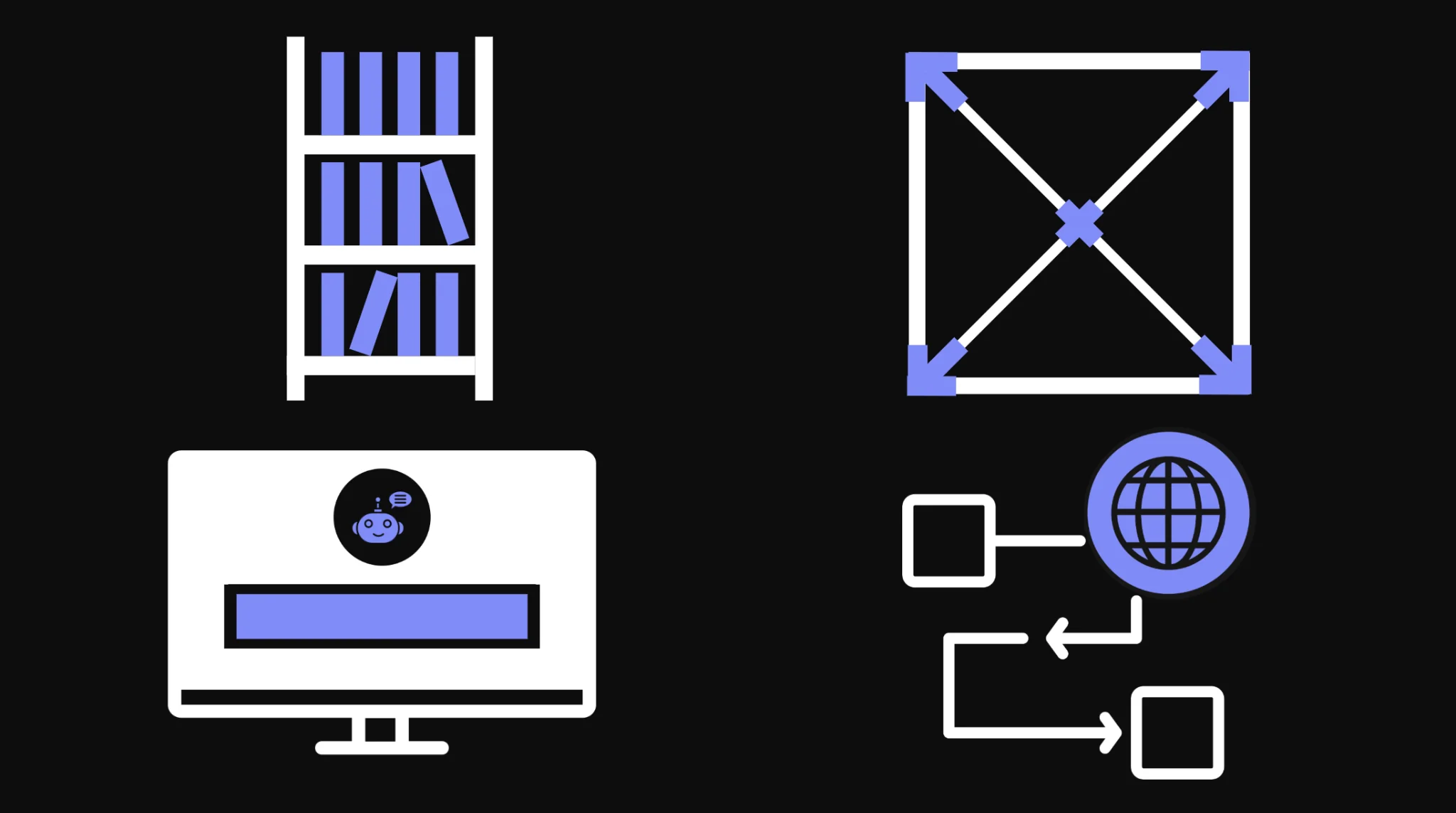
Most projects only ever need one of these categories; this guide makes it clear which one is yours.
Python web scraping tools compared
Here's how these eight web scraping tools stack up by category and GitHub stars, which are a good proxy for community size and long-term support.
| Tool | Category | Description | GitHub stars |
|---|---|---|---|
| Scrapy | Framework | An async crawling framework that handles fetching, parsing, and following links in one system. | 63.9k |
| Browserless | Managed automation infrastructure | Cloud-hosted headless browsers you connect to over Puppeteer, Playwright, or REST. | 13.6k |
| BeautifulSoup | Library, parsing | Turns messy HTML or XML into a searchable parse tree. | Not tracked on GitHub; the project ships through Launchpad and PyPI |
| Requests | Library, HTTP client | The most widely used Python library for making HTTP requests. | 54.2k |
| lxml | Library, parsing | A fast, C-backed parser for large HTML and XML documents. | 3.0k |
| requests-html | Library, fetch and light rendering | Pairs Requests with a Chromium-based renderer for lightweight JavaScript support. | 13.8k |
| Selenium | Browser automation | A browser automation framework built for testing, widely repurposed for scraping. | 34.4k |
| Playwright for Python | Browser automation | Microsoft's browser automation library, with auto-waiting and multi-browser support. | 14.9k |
The best Python web scraping frameworks
Go for a web scraping framework when you're crawling more than a few pages and don't want to hand-roll a queue, a retry policy, and a link-following loop yourself.
Scrapy
Best for: Large or repeated crawls across many pages.
Scrapy is an asynchronous crawling framework, not just a parsing library. You define a spider, a Python class that describes where to start and how to follow links, and Scrapy handles the request queue, connection pooling, concurrency limits, retries, and duplicate filtering underneath it.
Each record you yield goes to the feed exporter you point it at – -O quotes.json on the command line, a FEEDS setting, or an item pipeline writing to your database. That's a different starting point to Requests and BeautifulSoup, covered later in this article, where you write that plumbing yourself.
However, Scrapy has a steeper learning curve. It asks you to think in spiders, items, and pipelines from the start – more structure than a one-off script needs. That said, once a crawl grows past a handful of pages, the same spider that scrapes ten pages can scrape ten thousand with no changes to your extraction logic.
Scrapy doesn't render JavaScript on its own. For sites that need it, the project maintains a separate scrapy-playwright integration.
Here's a minimal spider that scrapes quotes and follows pagination:
import scrapy


class QuoteSpider(scrapy.Spider):
    name = "quotes"
    start_urls = ["https://quotes.toscrape.com/"]

    def parse(self, response):
        for quote in response.css("div.quote"):
            yield {
                "text": quote.css("span.text::text").get(),
                "author": quote.css("small.author::text").get(),
            }

        next_page = response.css("li.next a::attr(href)").get()
        if next_page:
            yield response.follow(next_page, callback=self.parse)
Features
- Built-in request scheduler with configurable concurrency and connection pooling.
- Item pipelines for cleaning, validating, transforming, and exporting scraped records to JSON, CSV, or a database.
- Automatic retry and duplicate-request filtering.
- A shell (
scrapy shell) for testing CSS or XPath selectors against a live response before writing a spider. - Middleware hooks for rotating proxies or custom headers.
- Export formats built in, so you don't need a separate library just to write JSON or CSV to disk.
| Pros | Cons |
|---|---|
| Handles large crawls without you writing a queue or retry logic. | Steeper learning curve than a plain library for a first scraping script. |
| Built-in connection pooling keeps large crawls fast. | No native JavaScript rendering; you need the separate Playwright integration. |
| Mature plugin and middleware ecosystem after more than a decade in production. | Heavier setup than the job warrants for a single-page scrape. |
Managed automation infrastructure for Python
When the real challenge isn't parsing but keeping a browser alive, patched, and scaled, turn to a tool like Browserless.
Browserless
Best for: Teams that need real browser automation, JavaScript rendering, and anti-bot measures without running or scaling the browsers themselves.
Browserless is a managed browser platform: you connect to it the same way you'd connect to a local Chrome instance – through Puppeteer, Playwright, or a simple REST API call – and it runs the actual browser on its own infrastructure.
For a Python web scraping project, that mostly means one line changes: swap p.chromium.launch() for p.chromium.connect_over_cdp("wss://production-sfo.browserless.io?token=YOUR_API_TOKEN_HERE").
After that, work from browser.contexts[0] so launch options like proxies still apply. Use connect_over_cdp rather than connect, which is tied to the worker's Playwright version.
With Browserless, you don't have to run Chrome yourself: no patching browser versions, no scaling containers when a crawl spikes from ten sessions to a thousand, no separate proxy setup to work around IP blocking.
Browserless has been running its core web scraping and browser automation product since 2017. Its open-source repository handles the same headless browser fundamentals your own Docker setup would, just tuned and hosted.
If you'd rather run it yourself, the open-source image covers the core browser and REST APIs, while stealth, CAPTCHA solving, and BrowserQL come with Cloud or an enterprise self-hosted deployment.
If you're just doing a one-off scrape of a handful of static pages, however, you probably don't need managed browser infrastructure. Requests and BeautifulSoup will do that job in five lines.
Turn to Browserless when a target renders with JavaScript, blocks plain HTTP clients, or your session volume outgrows a laptop.
You don't even need Playwright for simple cases – the REST API renders the page for you, so the whole scrape stays in Requests and BeautifulSoup:
import requests
from bs4 import BeautifulSoup

token = "YOUR_API_TOKEN_HERE"
endpoint = f"https://production-sfo.browserless.io/content?token={token}"

response = requests.post(
    endpoint,
    json={"url": "https://quotes.toscrape.com/js/"},
)

soup = BeautifulSoup(response.text, "html.parser")

quotes = [tag.get_text(strip=True) for tag in soup.select("span.text")]

print(quotes)
Features
- Works with your existing Puppeteer or Playwright code through a WebSocket connection string, not a proprietary API.
- REST API endpoints for teams that would rather skip browser-automation code entirely:
/contentfor rendered HTML,/scrapefor selector-based extraction, and the Cloud-only/smart-scrapeand/unblockfor protected targets. - Built-in proxy support, including residential proxy rotation, for targets with active anti-scraping measures.
- Session and state reuse, so a logged-in profile survives between runs instead of re-authenticating every time. Reconnects still count as a new browser connection, and in Python the practical route is persisting state rather than Puppeteer-style reconnects.
- Concurrency and queueing controls that scale a crawl without you managing the underlying containers.
- Self-hosted and cloud deployment options, so the same API works whether you're running on your own infrastructure or Browserless's.
| Pros | Cons |
|---|---|
| Regional endpoints in SFO, LON, and AMS keep latency close to the target site. | Overkill for a handful of static pages you could fetch with Requests. |
| Same Puppeteer and Playwright APIs you already know, no proprietary abstraction to learn. | Anti-bot handling and residential proxies are cloud features metered by usage, even on the free plan; the open-source, self-hosted version covers core browser rendering only. |
| Built-in proxy rotation and session reuse instead of building that layer yourself. | You're relying on a third-party service's uptime for anything you route through it. |
| Scales from a free-tier side project to Scale-plan concurrency – and to Enterprise limits beyond that – without re-architecting your scraper. |
Best Python libraries for web scraping
Each of these four Python web scraping libraries does one job well, whether that's HTML parsing or fetching. Combine the ones you need rather than expecting any single one to cover the whole scrape.
BeautifulSoup
Best for: Parsing HTML or XML you already have, with a simple and intuitive API.
BeautifulSoup is a Python library that takes an HTML or XML document, however you obtained it, and turns it into a parse tree you can search with ordinary Python loops, so you can extract structured data without writing a single regex.
It doesn't fetch pages itself, so you'll need to pair it with the requests library: one library gets the page, the other makes sense of it.
Hand it real-world HTML, full of unclosed tags and inconsistent nesting, and it still builds a usable tree rather than throwing an error.
You can navigate that tree with dot notation for a fixed structure, or use find_all() and select() to extract elements by tag, attribute, or CSS selector when you need every match on the page.
import requests
from bs4 import BeautifulSoup

response = requests.get("https://quotes.toscrape.com/")

soup = BeautifulSoup(response.text, "html.parser")

authors = [tag.get_text(strip=True) for tag in soup.select("small.author")]

print(authors[:5])
Features
- Works with multiple parser backends (
html.parser,lxml,html5lib), prioritizing reducing the errors it throws out over speed. find()andfind_all()for tag- and attribute-based search, plusselect()for CSS selectors.- Parse-tree navigation through
.parent,.contents, and sibling properties. - Can modify a document's tags and attributes, not just read them.
| Pros | Cons |
|---|---|
| Genuinely simple and intuitive API for a first scraping script. | No fetching or session management of its own, always paired with another library. |
| Forgiving of malformed real-world HTML. | Slower on very large documents than a dedicated parser like lxml. |
| Huge base of tutorials and community answers to draw on. | Zero JavaScript support; a rendered page has to come from somewhere else first. |
Requests
Best for: Making HTTP requests simply, when the target doesn't need JavaScript rendering.
Requests is a web scraping library that can download a page's raw HTML so something else, usually BeautifulSoup or lxml, can parse it. Its goal is making an HTTP request read like a plain English sentence instead of a wall of boilerplate.
It handles the parts of HTTP that are easy to get wrong by hand:
- Session management and cookie persistence across multiple pages.
- Connection pooling so repeated requests to the same host reuse a connection instead of renegotiating one each time.
- Automatic decoding of whatever encoding a server sends back.
Every response hands you a status code you can check before doing anything else, and Requests encodes and decodes JSON payloads automatically when the target is just a set of API endpoints rather than HTML pages.
import requests

session = requests.Session()

response = session.get("https://quotes.toscrape.com/api/quotes?page=1")

print(response.status_code)
print(response.json()["quotes"][0])
Features
Sessionobjects that persist cookies and connection state across requests.- Built-in JSON encoding and decoding for API-style targets.
- Automatic content decompression and encoding detection.
- Per-request timeouts, plus retries you configure once by mounting an
HTTPAdapterwith aurllib3.util.Retrypolicy on a session. - Proxy support, including SOCKS, configured per session or per call.
| Pros | Cons |
|---|---|
| About as close to a one-line HTTP call as Python gets. | No JavaScript rendering; a JS-heavy page comes back as an empty shell. |
| Session reuse and connection pooling handled for you. | No parsing of its own; you'll always pair it with BeautifulSoup or lxml. |
| Massive install base means almost every problem has already been answered somewhere. |
lxml
Best for: Fast parsing of large HTML and XML documents.
lxml is a Python library that wraps the C libraries libxml2 and libxslt in a Python interface.
Thanks to that C backend, it's faster than BeautifulSoup when scraping data out of large pages: parsing a big HTML table full of HTML elements, or a multi-megabyte XML feed, noticeably favors lxml over a pure-Python parser.
It supports full XPath, not just the CSS-selector-style search BeautifulSoup offers, which gives you more control over exactly which node you're targeting.
However, the API is less forgiving than other libraries. lxml expects HTML that's reasonably well-formed, or you use its dedicated HTMLParser (the html5lib backend inside BeautifulSoup handles genuinely broken markup more simply).
Most Python developers end up meeting lxml indirectly anyway, since BeautifulSoup can use it as a parser backend without you writing lxml code directly.
If you do write it directly, XPath is the payoff:
from lxml import html

import requests

response = requests.get("https://quotes.toscrape.com/")

tree = html.fromstring(response.content)

tags = tree.xpath("//div[@class='quote']//a[@class='tag']/text()")

print(tags[:10])
Features
- Full XPath 1.0 support, beyond what CSS selectors alone can express.
- Noticeably faster parsing than pure-Python alternatives on large documents.
- Doubles as a parser backend for BeautifulSoup.
- XML validation against DTDs and XML Schema, which BeautifulSoup doesn't offer.
| Pros | Cons |
|---|---|
| One of the fastest parsing options covered in this guide. | Less forgiving of badly broken HTML than BeautifulSoup's default parser. |
| Full XPath support for complex selection logic. | More complex syntax than BeautifulSoup for a first-time scraper. |
| Doubles as a drop-in backend inside BeautifulSoup. |
requests-html
Best for: Simple scraping tasks that need a bit of JavaScript rendering without setting up a full browser-automation stack.
requests-html is a web scraping library that bundles Requests, PyQuery-style CSS selectors, and XPath into one package, with an added render() call that pulls in a Chromium instance (via Pyppeteer) to execute a page's JavaScript before you parse it.
If you're writing a small script hitting a page that needs to render JavaScript, this is a lower-friction option than installing and configuring Selenium or Playwright separately.
However, the project hasn't seen meaningful updates in several years, and its rendering dependency, Pyppeteer, is itself an unmaintained fork of an older Puppeteer release.
requests-html still works for straightforward cases, but treat it as a stopgap rather than a long-term choice for anything that needs to keep working as browsers evolve.
For those straightforward cases, it stays compact:
from requests_html import HTMLSession

session = HTMLSession()

response = session.get("https://quotes.toscrape.com/js/")

response.html.render()

quotes = [tag.text for tag in response.html.find("span.text")]

print(quotes[:5])
Features
- CSS and XPath selectors in one API, no separate parsing library needed.
- Optional JavaScript rendering through a bundled headless Chromium.
- Async session support for fetching multiple pages concurrently.
| Pros | Cons |
|---|---|
| One library covers fetching, parsing, and light rendering. | Effectively unmaintained, with no meaningful updates in years. |
| Lower setup cost than a full Selenium or Playwright install for occasional JS rendering. | Tied to Pyppeteer, itself an unmaintained, aging fork. |
| Familiar Requests-style API for anyone who already knows that library. | Not a realistic choice against sites with active anti-bot measures. |
Browser automation tools for Python
When a target website needs real JavaScript execution, multiple browsers, or handles complex user interactions like logging in or submitting forms, consider a browser automation tool.
Social feeds, dashboards behind a login, and most modern e-commerce sites all render this way, so the tool has to run the page, not just fetch it.
Selenium
Best for: Browser automation and testing that doubles as scraping, especially when you need to complete a form submission or a full login flow before you can scrape anything.
Python Selenium controls a real browser through the W3C WebDriver protocol, which means it can do anything a human user could: fill in fields, submit forms, click HTML elements like buttons and menus, wait for dynamic content to appear, and read back whatever the page renders afterward.
It predates most of today's scraping tools, which shows in its API, as it is more verbose than Playwright's.
Its support for multiple browsers – Chrome, Firefox, Edge, and Safari – and its enormous existing user base are still real advantages. It can also execute JavaScript directly on the page through driver.execute_script(), when clicking through the UI isn't the fastest path to the data.
Selenium drives a full browser process rather than a lightweight request, making it slower and more resource-hungry than any library in this guide. That slowness is usually fine for testing, where you're running a handful of sessions, but it can be limiting once you try to scrape at any real volume, which is where teams typically start looking at Playwright or managed infrastructure instead.
For moderate volumes, though, the basics are straightforward:
from selenium import webdriver
from selenium.webdriver.common.by import By

driver = webdriver.Chrome()

driver.get("https://quotes.toscrape.com/")

authors = [el.text for el in driver.find_elements(By.CLASS_NAME, "author")]

print(authors[:5])

driver.quit()
Features
- W3C WebDriver support across Chrome, Firefox, Edge, and Safari.
- Explicit and implicit wait conditions for elements that load asynchronously.
- Selenium Manager, which resolves and downloads the matching browser driver automatically.
- Grid support for running tests or scrapes across multiple machines in parallel.
- Headless mode via a single browser option, so CI runs need no visible window.
- Bindings in Java, C#, Ruby, and JavaScript, not just Python, if a team needs to share scraping logic across programming languages.
| Pros | Cons |
|---|---|
| Handles complex, multi-step interactions a plain library is unable to. | Slower and heavier than other libraries or frameworks in this guide. |
| Broadest cross-browser support of any tool covered here. | More verbose API than Playwright for equivalent tasks. |
| Enormous, mature community after two decades in production. | Session and driver management add real operational overhead at scale. |
Playwright for Python
Best for: Modern, JavaScript-heavy websites where you want reliable headless-browser control without Selenium's overhead.
Playwright for Python is Microsoft's port of its Node.js automation library, and was built after Selenium and Puppeteer, which shows in its auto-waiting functionality: Playwright waits for an element to actually be actionable before interacting with it, instead of you writing explicit wait conditions by hand – which removes a category of flaky-test bugs Selenium scripts are prone to.
It supports Chromium, Firefox, and WebKit through one consistent API, and both a synchronous and an async interface, so it can help when you have a quick script or an existing asyncio codebase.
Auto-waiting helps with ordinary timing issues, but it won't get you past a target running Cloudflare-style bot checks on its own.
The main catch is that you're still the one running and scaling the browser processes yourself, the same operational work Browserless exists to take off your plate.
For a single machine, the sync API keeps things simple:
from playwright.sync_api import sync_playwright

with sync_playwright() as p:
    browser = p.chromium.launch()
    page = browser.new_page()
    page.goto("https://quotes.toscrape.com/js/")
    page.wait_for_selector("span.text")
    quotes = [el.inner_text() for el in page.query_selector_all("span.text")]
    print(quotes[:5])
    browser.close()
That wait_for_selector call holds off on extracting data until the element you actually want has rendered, rather than reading the page too early.
Features
- Auto-waiting for elements, removing most manual wait-condition code.
- One API across Chromium, Firefox, and WebKit.
- Built-in network interception, for blocking images or mocking API responses during a scrape.
- Both sync and async APIs, unlike Selenium's primarily synchronous model.
- Built-in tracing and screenshot capture for debugging a failed run.
| Pros | Cons |
|---|---|
| Auto-waiting removes most of the flaky timing bugs Selenium scripts are prone to. | A newer project than Selenium, with a smaller base of existing tutorials and Stack Overflow answers. |
| One consistent API across three browser engines. | It's still your responsibility to install and scale the browsers yourself. |
| Faster than Selenium for equivalent automation tasks. |
Conclusion
There's no single best tool for Python web scraping, only a best fit for the job in front of you.
A static page calls for a requests library paired with a Python web scraping library like BeautifulSoup. A crawl spanning thousands of web pages calls for Scrapy. A JavaScript-heavy or bot-protected target calls for real browser automation – whether that's Playwright running on your own machine, a scraping API you call over REST, or Browserless running the browser for you.
Match the tool to what the target site actually demands, and you'll spend far less time rewriting scrapers.
If your scraping keeps hitting the JavaScript-and-bot-detection wall this guide describes, sign up for a free Browserless account and point your existing Playwright or Puppeteer code at it instead of a local browser.
Python web scrapers FAQs
Is Python web scraping legal?
It depends on the target site's terms of service and the kind of data you're collecting, not on the language you scrape with – our article on if web scraping is legal goes deeper.
Publicly accessible, non-personal data is generally lower-risk than anything behind a login or containing personal information. Read the site's terms and robots.txt before scraping it at any real volume.
Is Scrapy better than BeautifulSoup?
They solve different problems, so which one wins hinges on the job. BeautifulSoup parses HTML you already have and pairs with Requests for small scripts; Scrapy is a full crawling framework with its own scheduler, retries, and pipelines, built for scraping many pages rather than one.
Can Python do web scraping against JavaScript-heavy sites?
Not with Requests and BeautifulSoup alone, since neither executes JavaScript. You need a tool that controls a real or headless browser, such as Playwright, Selenium, or a managed platform like Browserless, to render the page before parsing it.
Is web scraping difficult to learn?
The fetch-and-parse basics, covered earlier in this guide, are usually a working script within an afternoon for anyone with basic Python. What takes longer to learn is everything that crops up once a target site fights back: JavaScript rendering, rate limits, CAPTCHAs, and bot detection.